40
4. Device Configuration
4.1 Authorization
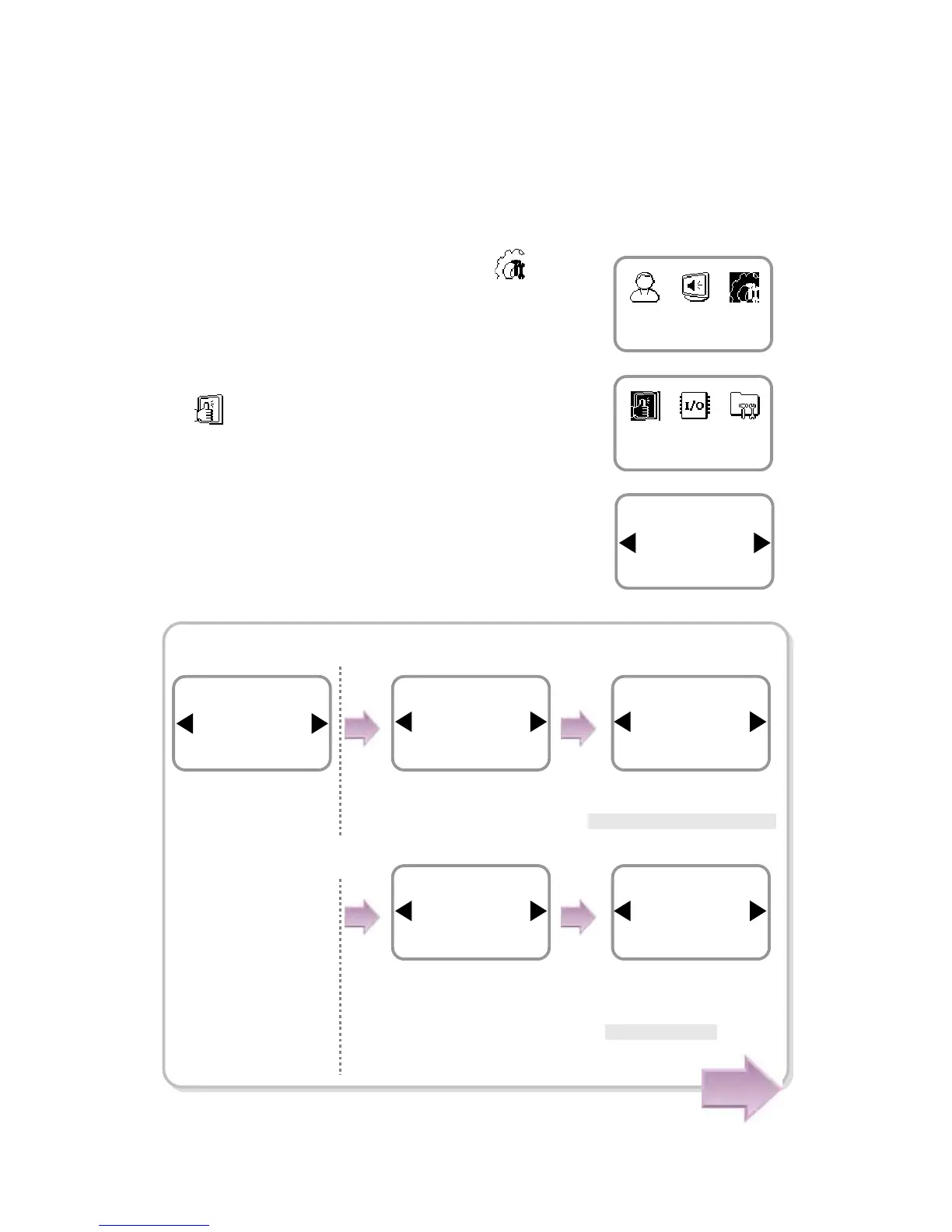
1. Use ◀/▶ buttons to select the Device ( ) icon
and press OK.
2. Use ◀/▶ buttons to select the Authorization
( ) icon and press OK.
3. Use ◀/▶ buttons to select any of Fingerprint,
and Operation Mode and press OK.
In case of Fingerprint
Authorization
Device
Item
Fingerprint
Authorization
Use ◀/▶ buttons to
select Fingerprint and
press OK.
Use ◀/▶ buttons to
select Security Level
and
press OK.
Use ◀/▶ buttons to select
Security Level and press OK.
* Normal /Secure/More Secure
Use ◀/▶ buttons to
select Image Quality and
press OK.
Use ◀/▶ buttons to
select Image Quality and
press OK.
*Normal/High/Low
Item
Security Level
Fingerprint
Security Level
Normal
Fingerprint
Item
Image Quality
Fingerprint
Image Quality
Normal
Fingerprint
Item
Fingerprint
Authorization
Cont.



 To Next Page