35
2.3 Deleting a user data
You can delete unnecessary user data.
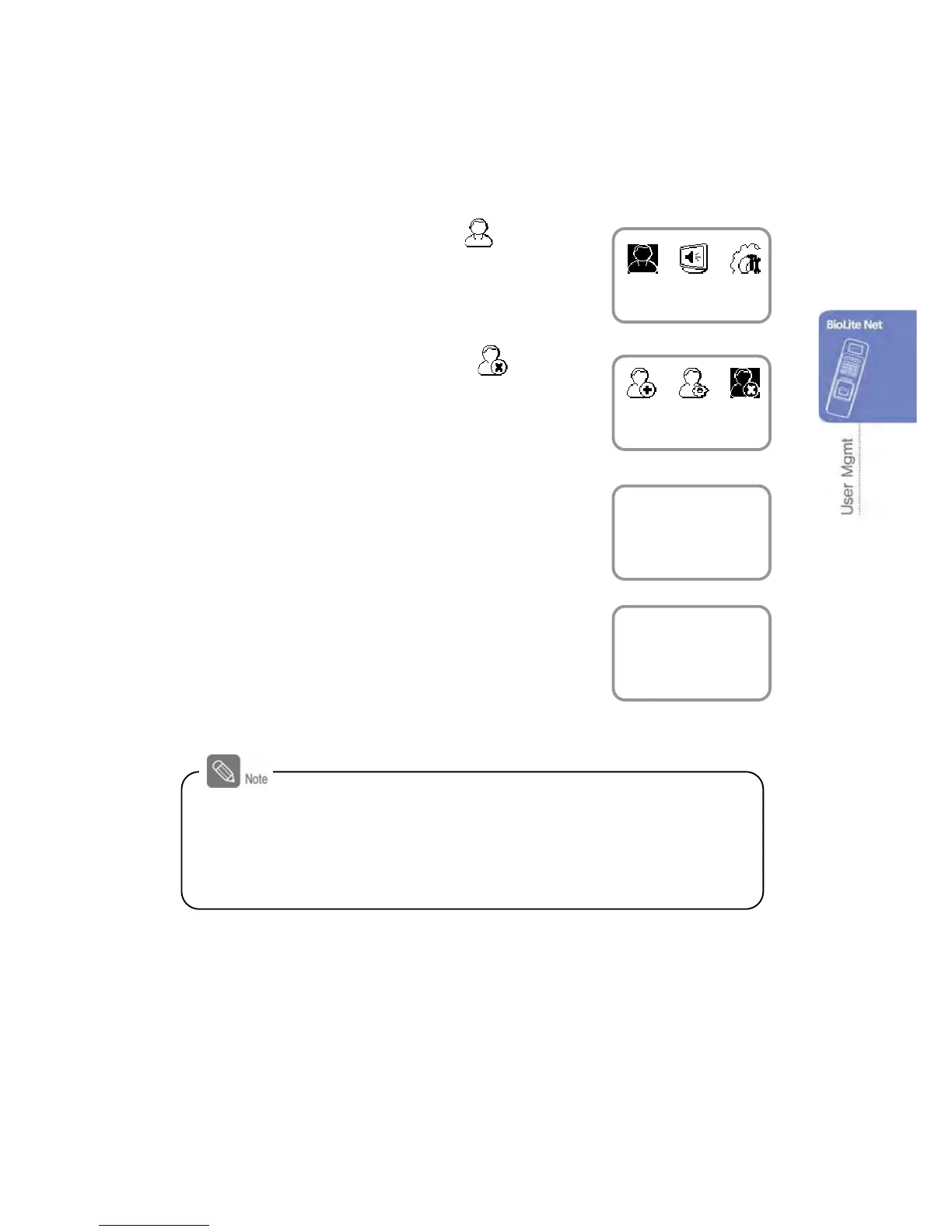
1. Use ◀/▶ buttons to select the User ( ) icon
and press OK.
2. Use ◀/▶ buttons to select the Delete ( ) icon
and press OK.
3. After entering the ID or finger to delete and press
OK.
4. When the action is successfully made, the
message Deletion appears.
※The deleted user cannot be recovered.
If necessary, enroll it again.
- If all the users including the administrator are deleted, you must
register the initial administrator again (see 1.4.1).
- When an administrator is deleted by mistake except normal users,
the initial administrator registration step does not require registering
normal users.
User
Delete
Enter ID/Fin


 To Next Page