57
5.2 Setup for attendance management
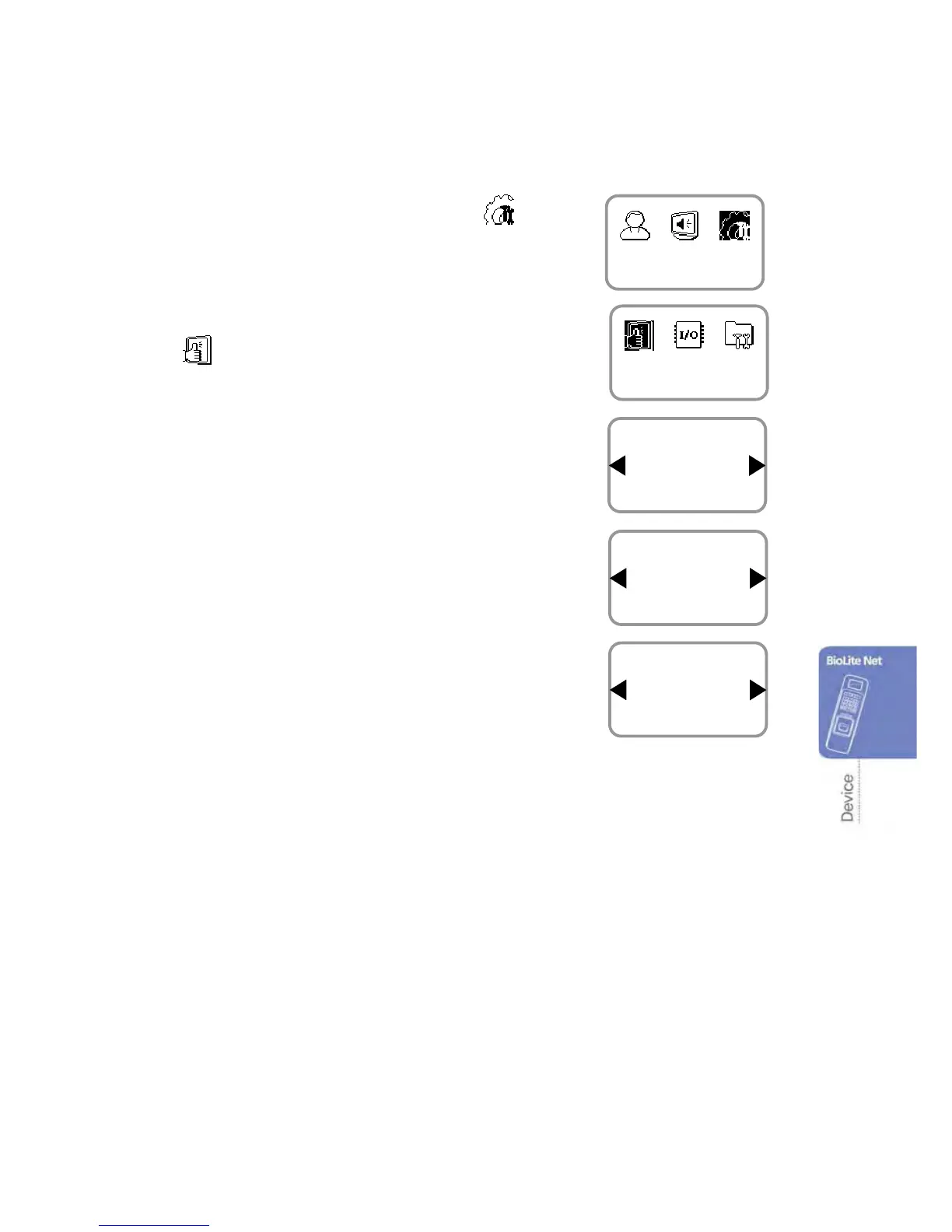
1. Use ◀/▶ buttons to select the Device ( ) icon
and press OK.
2. Use ◀/▶ buttons to select the Authorization
(
) icon and press OK.
3. Use ◀/▶ buttons to select the Operation Mode
and press OK.
4. Use ◀/▶ buttons to select the Time
Attendance and press OK.
5. Use ◀/▶ buttons to select the Operation Mode
of Time Attendance and press OK.
Operation modes※ : *Key Input/Fixed/Manual/Auto/Not Use
- Key Input: In usual time, the function is inactive. When ◀/▶ buttons are pressed,
you can select the attendance status. When a user authorization is successful,
the selected attendance log is recorded.
- Fixed: A specific attendance status continues. When a user authorization is successful,
the corresponding log is recorded.
- Manual: The active attendance status appears on the screen and it can be changed
using ◀/▶ buttons. Once it is changed, the status continues until another
selection is made. Every authorization success makes the log recorded.
- Auto: The active attendance status appears on the screen. Fore each time zone,
the active attendance statuses are fixed.
- Not Use: The function is not available.
Item
Time Attendance
Operation Mode
Time Attendance
Key Input
Operation Mode
Authorization
Device
Item
Operation Mode
Authorization


 To Next Page