7
1.2 Body
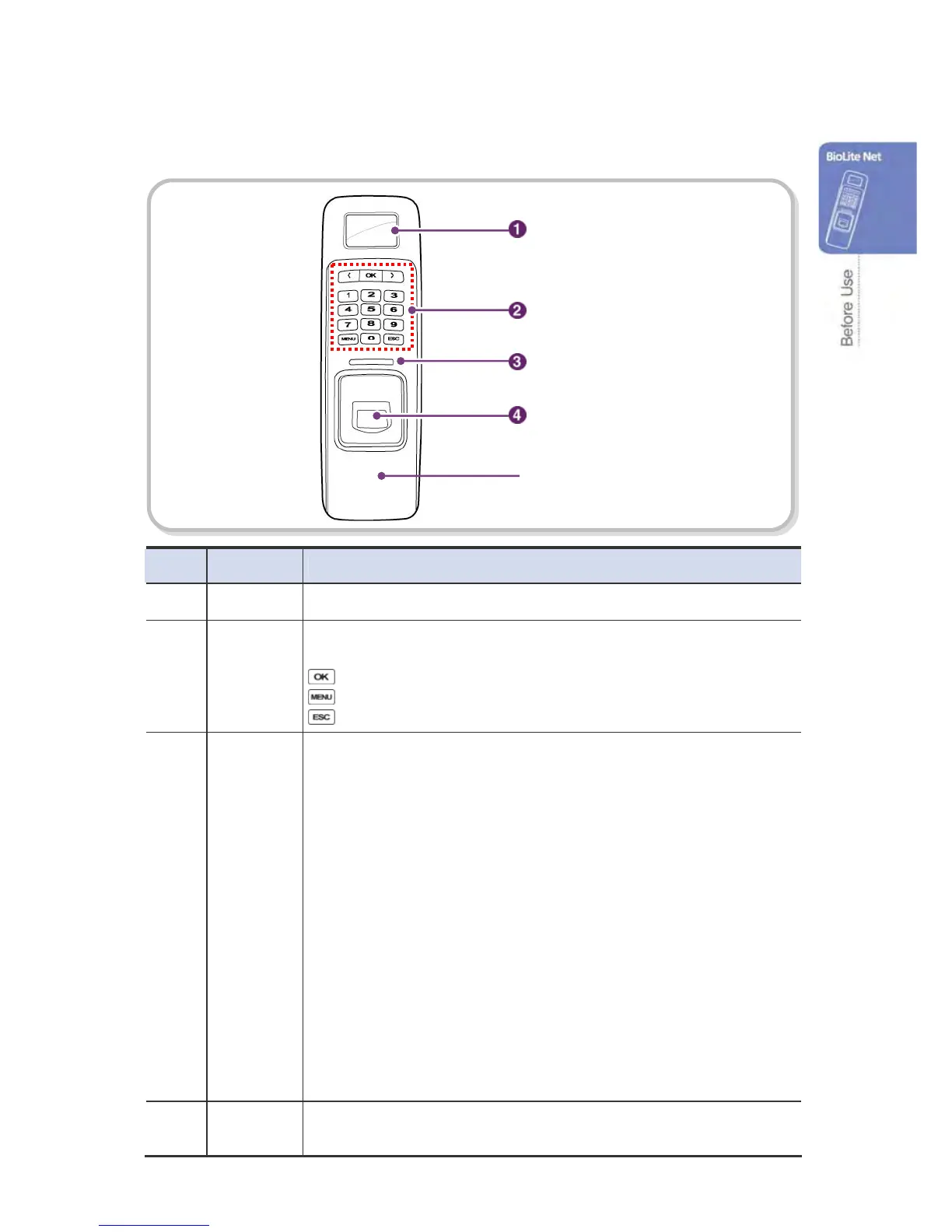
No. Name Description
1 LCD Display The operation status is displayed.
2 Key Pad
0–9 Buttons: Used to enter the ID and password.
< > Arrow Buttons: Used to move the selected item.
Button: Used to select the desired function.
Button: Used to enter or exit the menu.
Button: Used to exit from the menu or cancel the desired action.
3 LED Lamp The operation status is displayed with an alert sound.
– Green (Sound: beep beep beep beep!): Authorization success
– Red (Sound: beep beep beep!) : Authorization failure
– Pink (Sound: beep!) : Processing
– Blue and Yellow blink in turn at an interval of 2 seconds (No sound): No IP
address is given because DHCP is set in TCP/IP Setup
– Blue and Sky Blue blink in turn at an interval of 2 seconds (No sound): Normal
operation
– Red and Pink blink in turn at an interval of 2 seconds (No sound): Device locked
or no administrator
– Blue and Red blink in turn at an interval of 2 seconds (No sound): The time is
reset due to battery discharge.
– At first use, Red blinks at an interval of 2 seconds (No sound): Initialization
error, Consult with the manufacturer.
– In normal use, Red blinks at an interval of 2 seconds (No sound): On the
watch.
– Yellow blinks shortly (No sound): Entry standby or in communication for
getting an IP when DHCP is set in TCP/IP Setup
4 Fingerprint
Touch Area
Used to input a fingerprint for authentication.
LCD Displa



 To Next Page