[] E×ternal Device Connection
[Video Cable Connection]
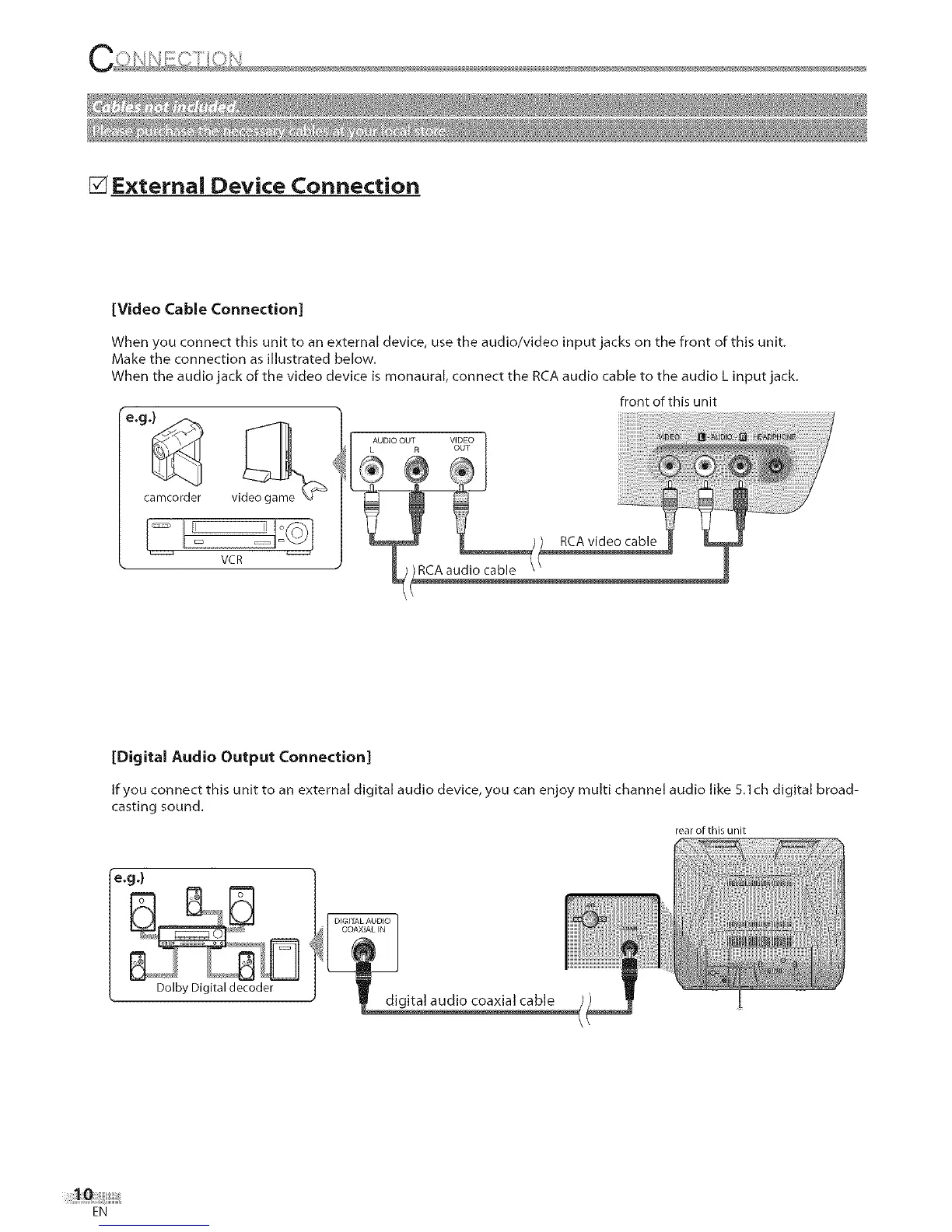
When you connect this unit to an external device, use the audio/video input jacks on the front of this unit.
Make the connection as illustrated below.
When the audio jack of the video device is monaural, connect the RCA audio cable to the audio L input jack.
VCR
front of this unit
[Digital Audio Output Connection]
If you connect this unit to an external digital audio device, you can enjoy multi channel audio like 5.1ch digital broad-
casting sound.
rear of this unit
e.g .)
Dolby Digital decoder
EN











 To Next Page