VV_ ....
[] Channel Selection [] Volume Adjustment
Selectchannelsbypressing[CH.A / Y] or[theNumberbuttons]. Thissectiondescribeshowto adjust the volume.Themute function,which
turns the soundoff and on, isalsodescribed.
• To select the memorized channels, use [CH. A IV] or
[the Number buttons].
• To select tile non-memorized channels,
use [the Number buttons].
To use [the Number buttons]
-When selecting analog channel 12
-When selecting digital channel 12-1
Use[VOL • / ] to adjust the audio volume.
VOLUME 20
lUlII ..........
iz!!'
• When you select a channel larger than 100,
press [+10/+ 100] first.
Then use [the Number buttons] to press the lower
2-digit numbers.
About digital TV broadcasting:
With its high definition broadcast, digital broadcasting
far surpasses analog broadcasting in both its picture
and sound quality.
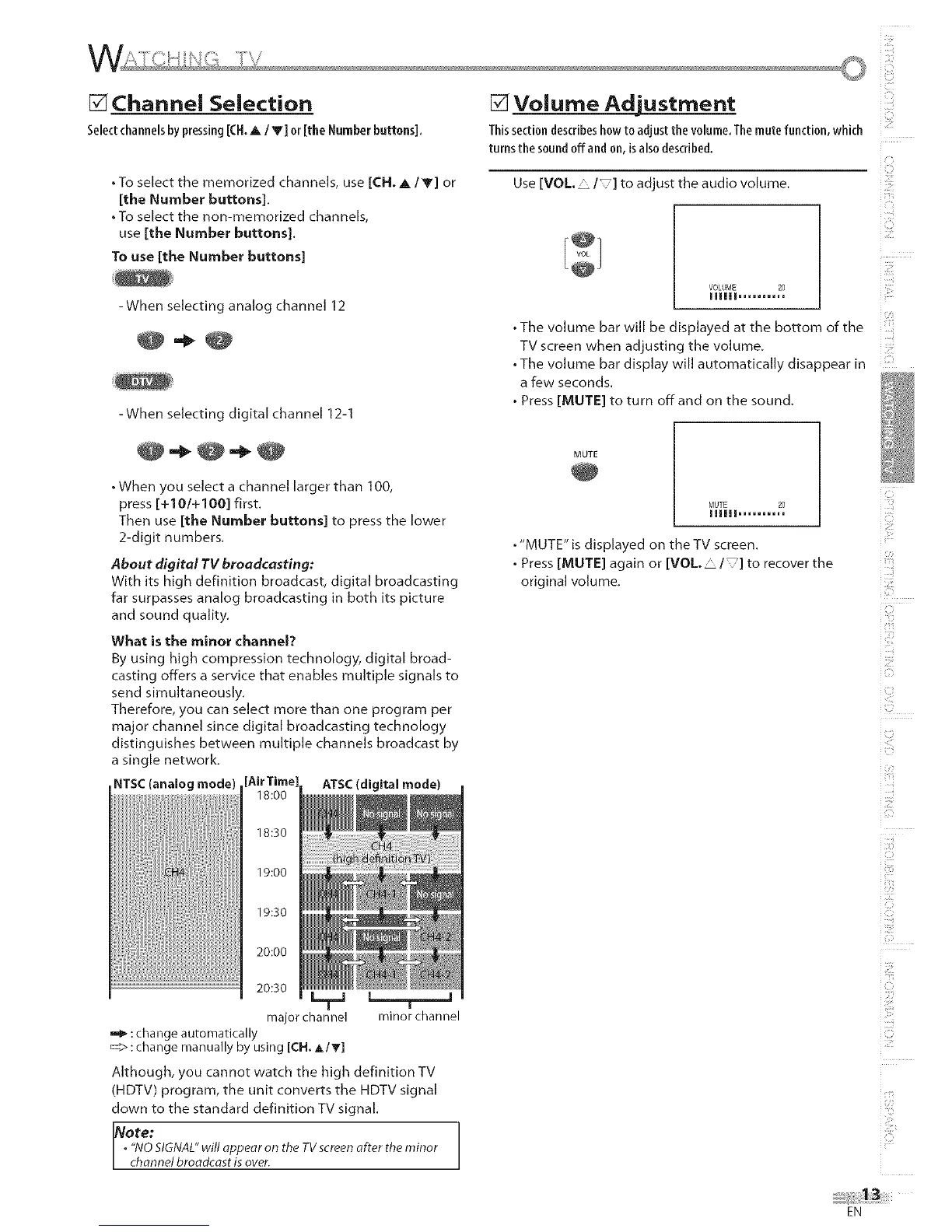
What is the minor channel?
By using high compression technology, digital broad-
casting offers a service that enables multiple signals to
send simultaneously.
Therefore, you can select more than one program per
major channel since digital broadcasting technology
distinguishes between multiple channels broadcast by
a single network.
NTSC(analog mode) [_ ATSC(digital mode)
18:00
iO
ill:!
i:[f_¸
MM
• The volume bar will be displayed at the bottom of the
TV screen when adjusting the volume.
. The volume bar display will automatically disappear in
a few seconds.
• Press [MUTE] to turn offand on the sound.
MUTE 20
lUlII ..........
MUTE
. "MUTE" is displayed on the TV screen.
. Press [MUTE] again or [VOL. • / ]to recover the
original volume.
:2!
i ¸i i
E_
CJ
:S
18:30
19:00
19:30
20:00
i£ill
_U_
20:30
major channel minor channel
:change automatically
:change manually by using [CH. A IT]
Although, you cannot watch the high definition TV
(HDTV) program, the unit converts the HDTV signal
down to the standard definition TV signal.
i
Note:
• "NOSIGNAL"will appear on the TVscreenafter the minor
channel broadcast is aver.
EN











 To Next Page