o!
[] Closed Caption
Youcanview closedcaptioning(cc)forTVprograms,moviesand news.
Closedcaption referto text of dialogueor descriptionsdisplayedon-screen
forthe hearingimpaired.
Press [SET-UP] to display the main menu.
SET-UP
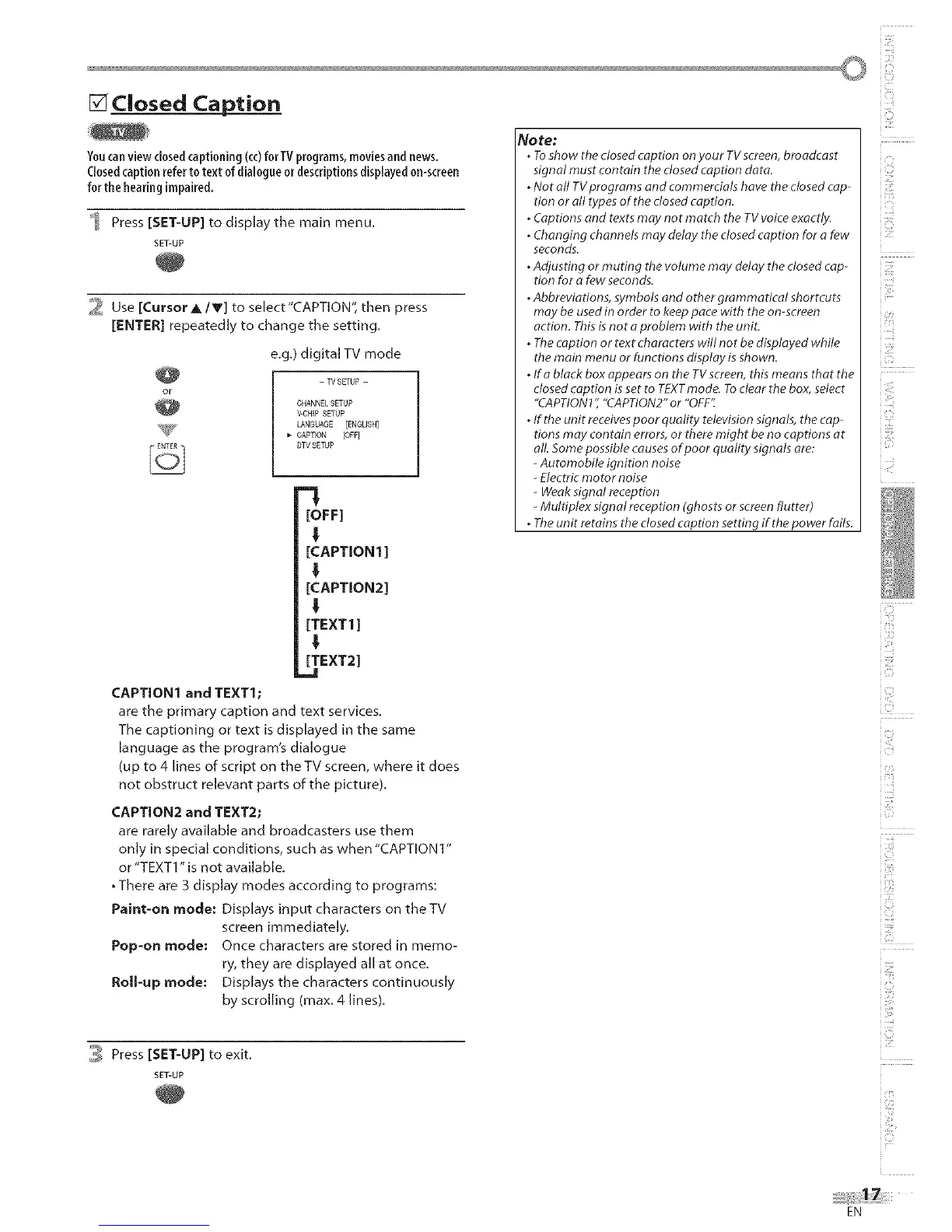
2 Use [CursorA/V] to select'CAPTION", then press
[ENTER] repeatedly to change the setting.
e.g.) digital TV mode
- W SETUP -
CHANNELSETUP
V-CHIP SETUP
LANGUAGE [ENGLISH]
_- CAPTEON [OFF]
DTVSETUP
l
[OFF]
!
[CAPTION1 ]
I
[CAPTION2]
!
[TEXT1]
I
[TEXT2]
.=1
CAPTION1 and TEXT1;
are the primary caption and text services.
The captioning or text is displayed in the same
language as the program's dialogue
(up to 4 lines of script on the TV screen, where it does
not obstruct relevant parts of the picture).
CAPTION2 and TEXT2;
are rarely available and broadcasters use them
only in special conditions, such as when "CAPTION 1"
or "TEXT1" is not available.
• There are 3 display modes according to programs:
Paint-on mode: Displays input characters on the TV
screen immediately.
Pop-on mode: Once characters are stored in memo-
ry, they are displayed all at once.
Roll-up mode: Displays the characters continuously
by scrolling (max. 4 lines).
Note:
. Toshow the closed caption on your TV screen, broadcast
signal must contain the dosed caption data.
. Not all TVprograms and commercials have the closed cap-
tion or all types of the dosed caption.
. Captions and texts may not match the TV voice exactly.
. Changing channels may delay the closed caption for a few
seconds.
. Adjusting or muting the volume may delay the dosed cap-
tion for a few seconds.
. Abbreviations, symbols and other grammatical shortcuts
may be used in order to keep pace with the on-screen
action. This is not a problem with the unit.
. The caption or text characters will not be displayed while
the main menu or functions display is shown.
. Ifa black box appears on the TVscreen, this means that the
closed caption is set to TEXTmode. To clear the box, select
"CAPTION 1" "CAPTION2" or "OFF:".
. If the unit receives poor quality television signals, the cap-
tions may contain errors, or there might be no captions at
all. Some possible causes of poor quality signals are:
- Automobile ignition noise
- Electric motor noise
- Weak signal reception
- Multiplex signal reception (ghosts or screen flutter)
. The unit retains the closed caption setting if the power fails.
_ Press [SET-UP] to exit.
SET-UP
i'Ci
i17:;
i Li
iCii _
ilU!i
i:iil
i Eb
i ':_i_i'
i iiii:::
i i!_!_i::i
u"
EN











 To Next Page