© i:!
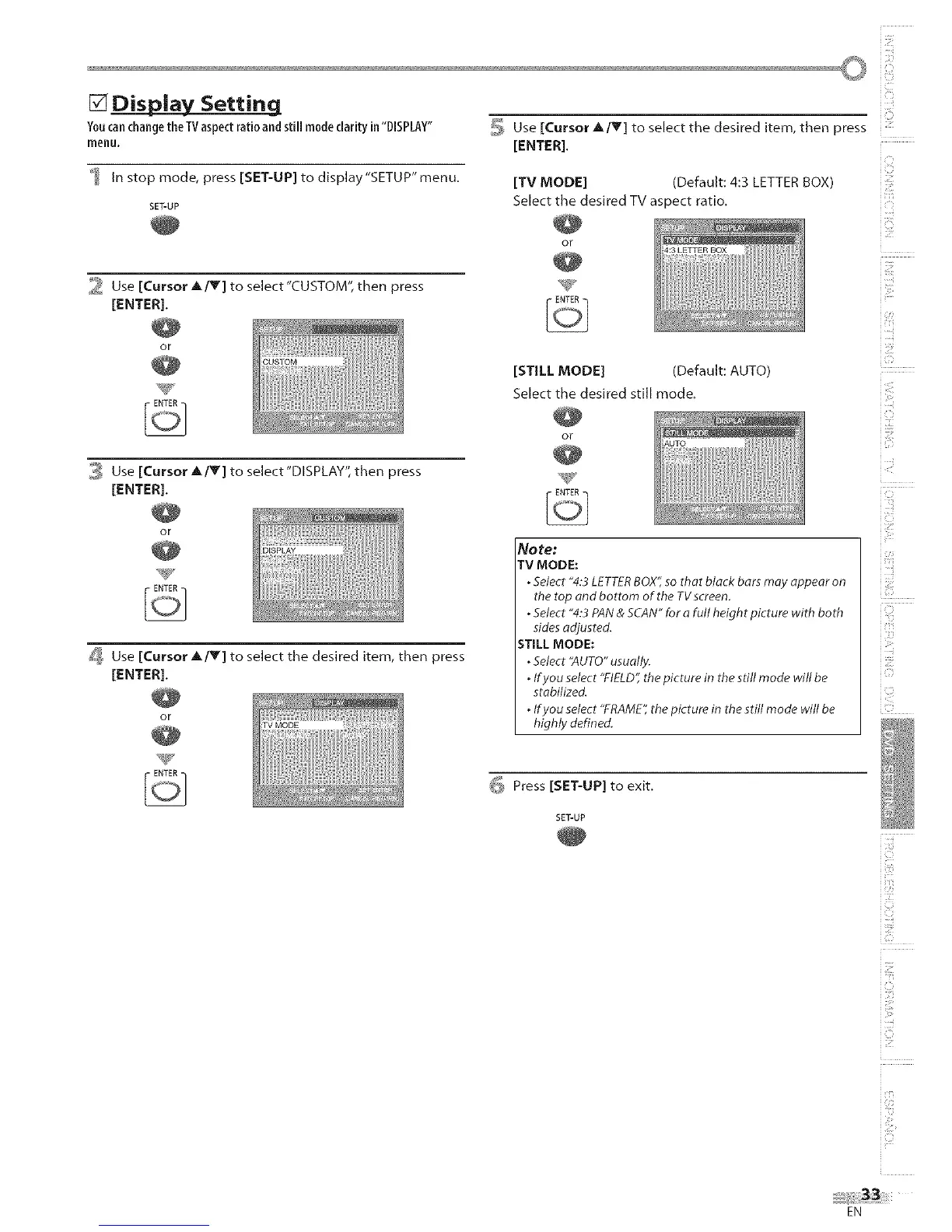
[] Display Setting
YoucanchangetheTVaspectratioandstill modeclarityin"DISPLAY" _, Use [Cursor A IV] to select the desired item, then press
menu. [ENTER].
In stop mode, press [SET-UP] to display "SETUP" menu.
SET-UP
[TV MODE] (Default: 4:3 LETTER BOX
Select the desired TV aspect ratio.
or
_ Use [Cursor _,/T] to select"CUSTOM", then press
[ENTER],
0,:_Use [Cursor A/Y] to select"DISPLAY",then press
[ENTER],
[STILL MODE] (Default: AUTO)
Select the desired still mode.
or
or
_ Use [Cursor _,/T] to select the desired item, then press
[ENTER],
or
No re:
TV MODE:
oSelect "4:3 LETTER BOX", so that black bars may appear on
the top and bottom of the TV screen.
oSelect "4:3 PAN & SCAN" for a full height picture with both
sides adjusted.
STILL MODE:
. Select "AUTO" usually.
. If you select "FIELD", the picture in the still mode will be
stabilized.
. If you select "FRAME", the picture in the still mode will be
highly defined.
_ Press [SET-UP] to exit.
SET-UP
i@
iiii
i '<_ii
i@
i @
i '_i_;'
i i!_!_i::i
EN











 To Next Page