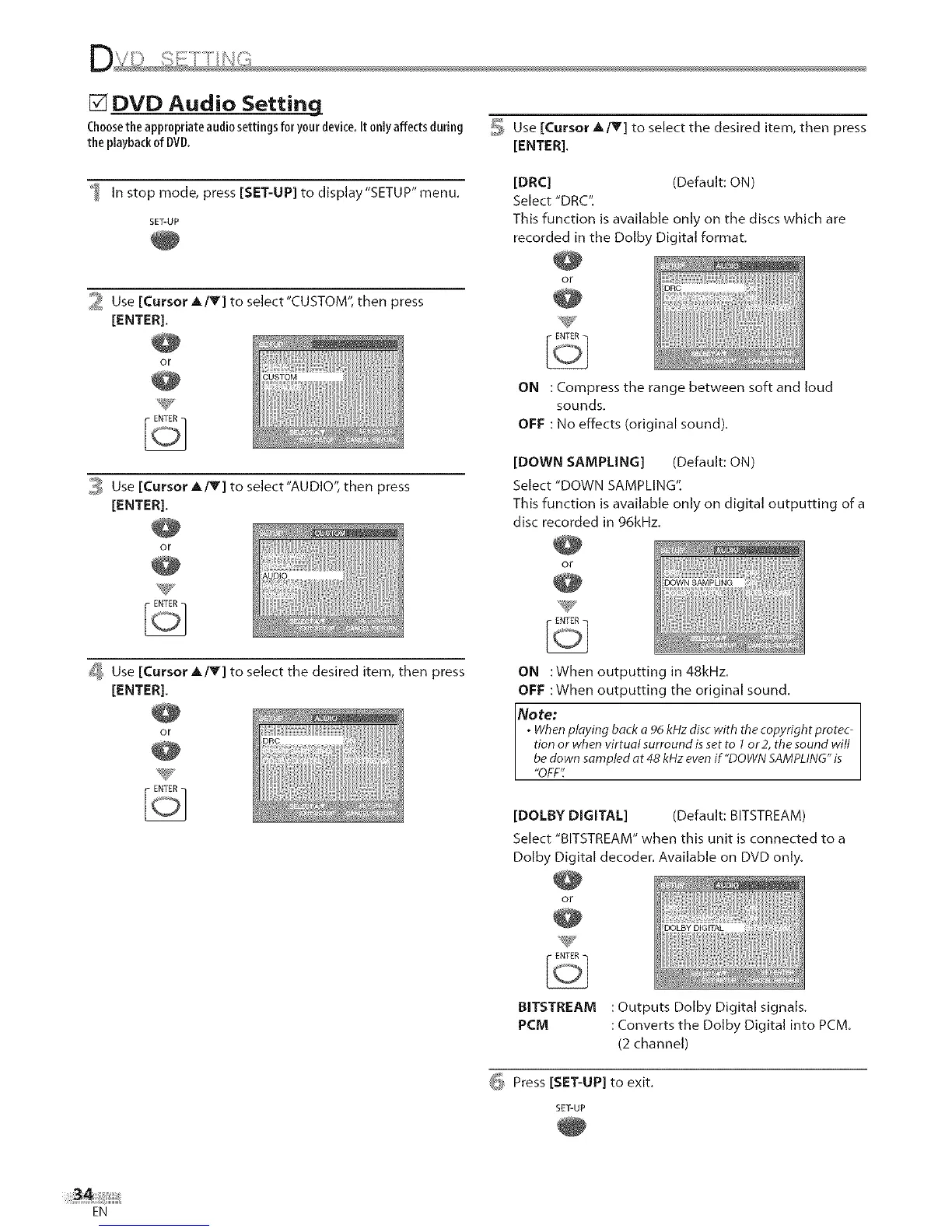
[] DVD Audio Setting
Choosethe appropriateaudiosettings for your device.It only affectsduring
the playbackof DVD.
In stop mode, press [SET-UP] to display "SETUP" menu.
SET-UP
2 Use [Cursor _./Y] to select"CUSTOM", then press
[ENTER],
or
ENTER
3 Use [Cursor A/Y] to select"AUDIO", then press
[ENTER],
or
_ Use [Cursor A/T] to select the desired item, then press
[ENTER].
or
_, Use [Cursor A/V] to select the desired item, then press
[ENTER].
[DRC] (Default: ON)
Select "DRC".
This function is available only on the discs which are
recorded in the Dolb Digital format.
or
ON : Compress the range between soft and loud
sounds.
OFF : No effects (original sound),
[DOWN SAMPLING] (Default: ON)
Select "DOWN SAMPLING".
This function is available only on digital outputting of a
disc recorded in 96kHz.
or
ENTER
ON :When outputting in 48kHz.
OFF :When outputting the original sound,
Note:
. Whenplaying back a 96 kHz disc with the copyright protec-
tion or when virtual surround is set to 1or 2, the sound will
be down sampled at 48 kHz even if "DOWN SAMPLING"is
OFF
[DOLBY DIGITAL] (Default: BITSTREAM)
Select "BITSTREAM" when this unit is connected to a
Dolby Digital decoder. Available on DVD only.
or
BITSTREAM : Outputs Dolby Digital signals.
PCM : Converts the Dolby Digital into PCM.
(2 channel)
_ Press [SET-UP] to exit.
SET-UP
EN











 To Next Page