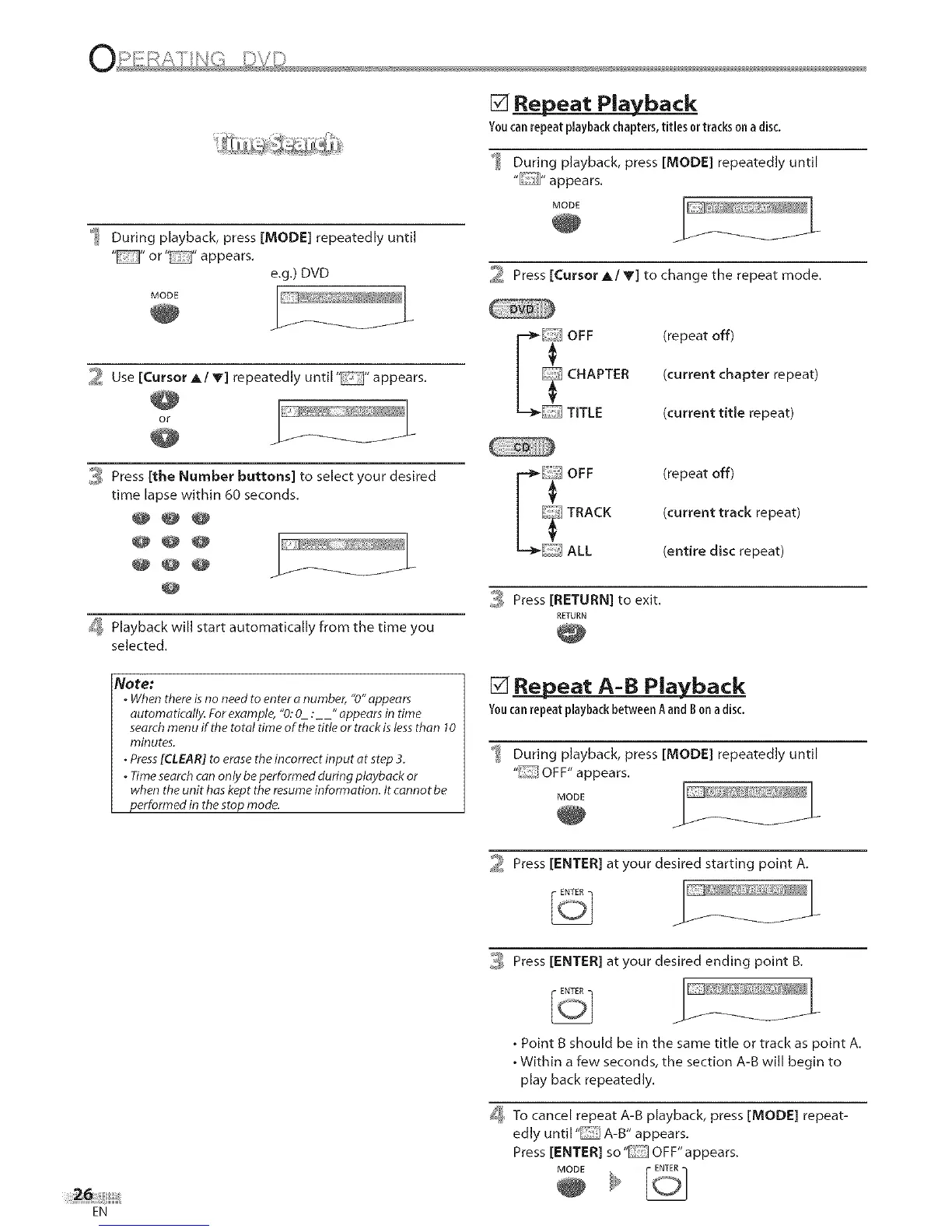
[] Repeat Playback
Youcanrepeatplaybackchapters,titlesor trackson adisc.
During playback, press [MODE] repeatedly until
_ During playback, press [MODE] repeatedly until
" "or" "appears.
e.g.) DVD
MODE
2 Use [Cursor A/V] repeatedly until "" appears.
OE ......... _ '4
J
i_ Press [the Number buttons] to select your desired
time lapse within 60 seconds.
@@@
@@@
@@@
_ Playback will start automatically from the time you
selected.
Note:
. When thereisno need to enter onumber, "0" appears
automatically. Forexample, "0:0 :" appearsin time
searchmenu if the total time of the title or trackis lessthan 10
l_inutes.
•Press[CLEAR] to erase the incorrect input at step 3.
. Timesearchcan only be performed during playback or
when the unit has kept the resumeinformation. It cannot be
performed in the stop mode.
EN
MODE
2 Press [Cursor A/V] to change the repeat mode.
/_ FF
CHAPTER
TITLE
(repeat off)
(current chapter repeat)
(current title repeat)
r:_ OFF
_ TRACK
ALL
(repeat off)
(current track repeat)
(entire disc repeat)
,_i_ Press [RETURN] to exit.
RETURN
[] Repeat A-B Playback
Y0ncanrepeatplaybackbetween Aand B on adisc.
During playback, press [MODE] repeatedly until
"i:-T/OFF" appears.
MODE
2 Press [ENTER] at your desired starting point A,
3 Press [ENTER] at your desired ending point B.
• Point B should be in the same title or track as point A.
• Within a few seconds, the section A-B will begin to
play back repeatedly,
[_ To cancel repeat A-B playback, press [MODE] repeat-
edly until 'I_"T] A-B" appears.
Press [ENTER] so" OFF" appears.
MODE











 To Next Page