WLAN Configuration 7-9
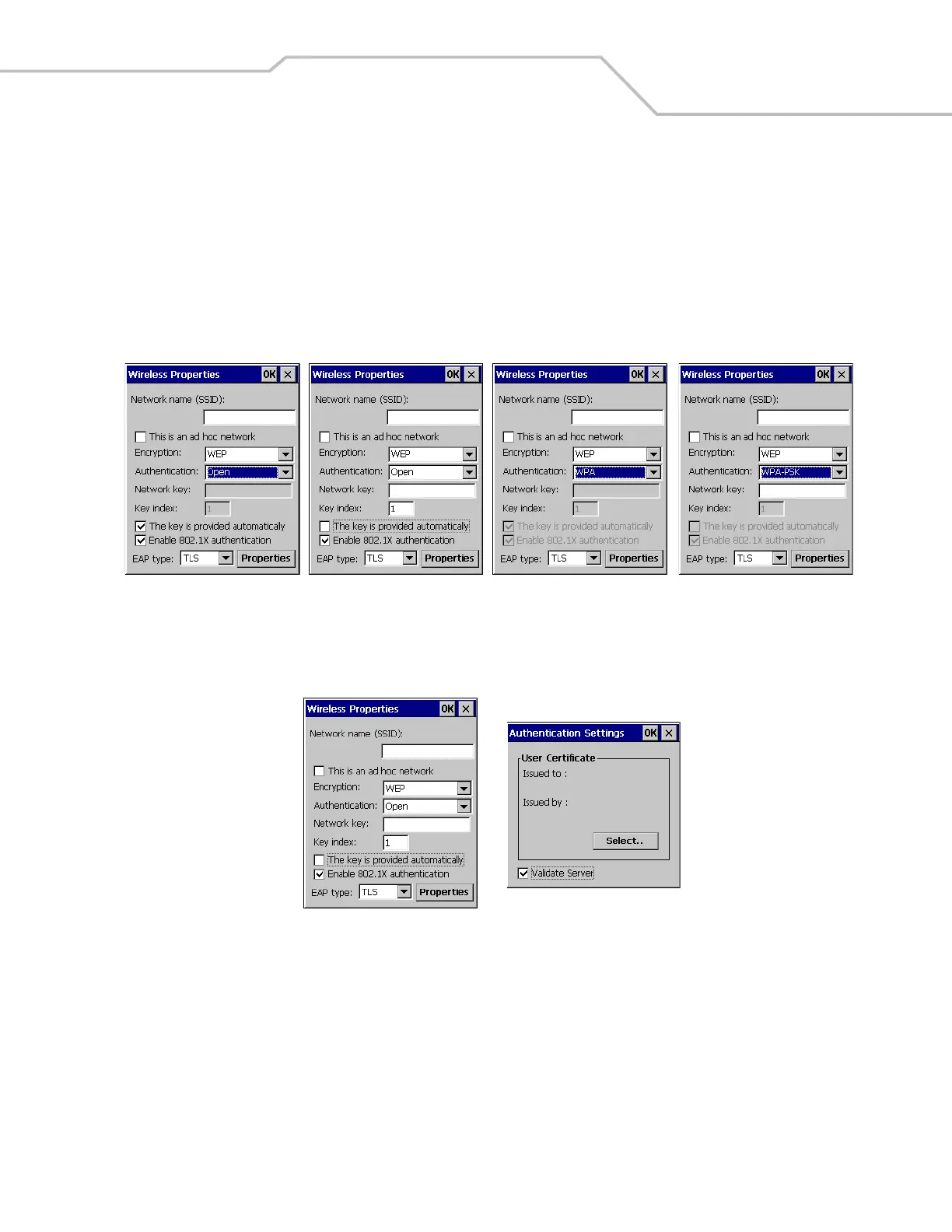
11. The network key sending method selection is also dependent on the authentication type.
For the Open and Shared, Authentication: selections; tap the The key is provided automatically check box, to automatically
send the network key. Deselecting the The key is provided automatically check box, activates the Network key: box used to
manually enter the network key.
For the WPA and WPS-PSK, Authentication: selections; the The key is provided automatically check box is automatically
selected and can not be deselected. Use the Network key: box for manual entry of the network key.
Figure 7-10. Wireless Properties, Automatic Network Key Selection
12. Tap the Properties button on the Wireless Properties window to view the User Certificate window.
Figure 7-11. Wireless Properties, User Certificate
13. The default setting requires the certificate server to be validated.Tap the Validate Server check box on the Authentication
Settings window, to uncheck. This allows server certificates to be accepted with no validation.
WLAN123
WLAN123
WLAN123
WLAN123
WLAN123



 To Next Page