MC3000 Integrator Guide3-6
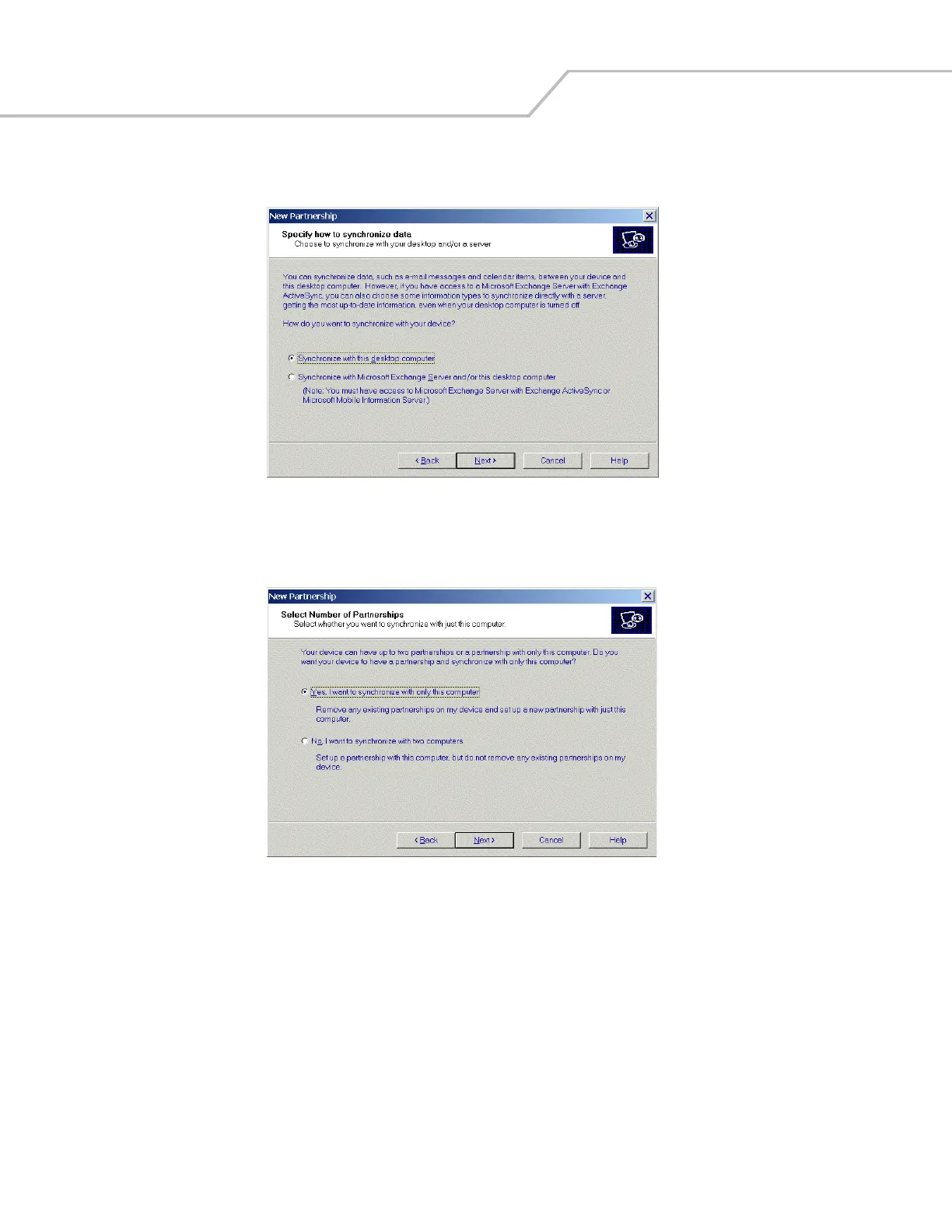
5. Click the Standard partnership radio button and then select Next. The New Partnership/Specify how to synchronize data
window appears.
Figure 3-6. How To Sync Window
6. Click the Synchronize with this desktop computer radio button and select Next. The New Partnership/Select Number of
Partnerships window appears.
Figure 3-7. Select Number of Partnerships Window



 To Next Page