e1600 User Manual, Issue 1 © Synectic Systems Group Ltd 2012. All Rights Reserved
Specifications subject to change. E&OE Page 15
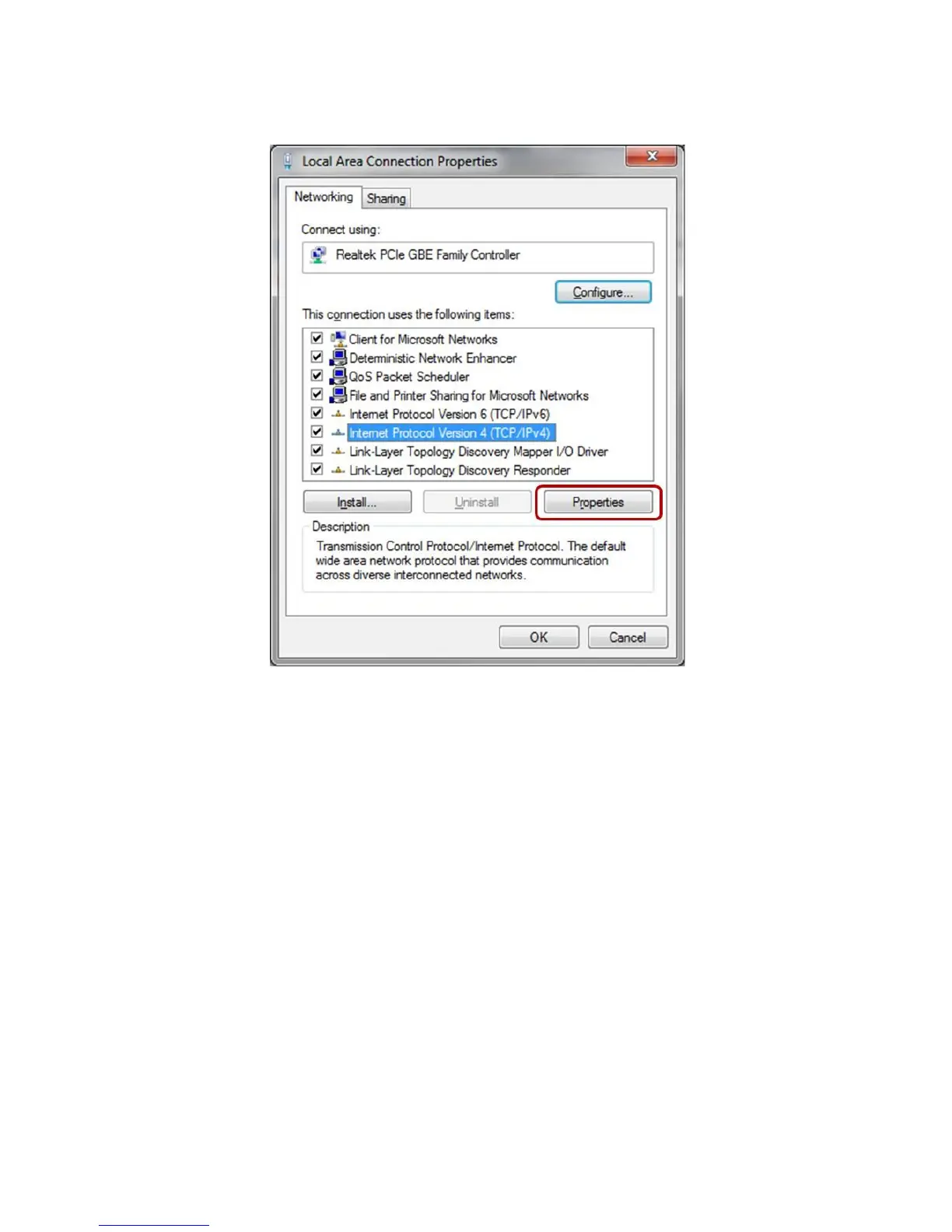
The Local Area Connection Properties dialog will be launched.
Select Internet Protocol Version 4(TCP/IPv4) in the list and then click Properties. The Internet
Protocol Version 4(TCP/IPv4) Properties dialog is launched.
Make sure that the Use the following IP address option is selected (if not click on it to select it).
Then type in an address in the range of that of the unit. For example type in 192.168.100.1 and
255.255.255.0



 To Next Page