e1600 User Manual, Issue 1 © Synectic Systems Group Ltd 2012. All Rights Reserved
Specifications subject to change. E&OE Page 46
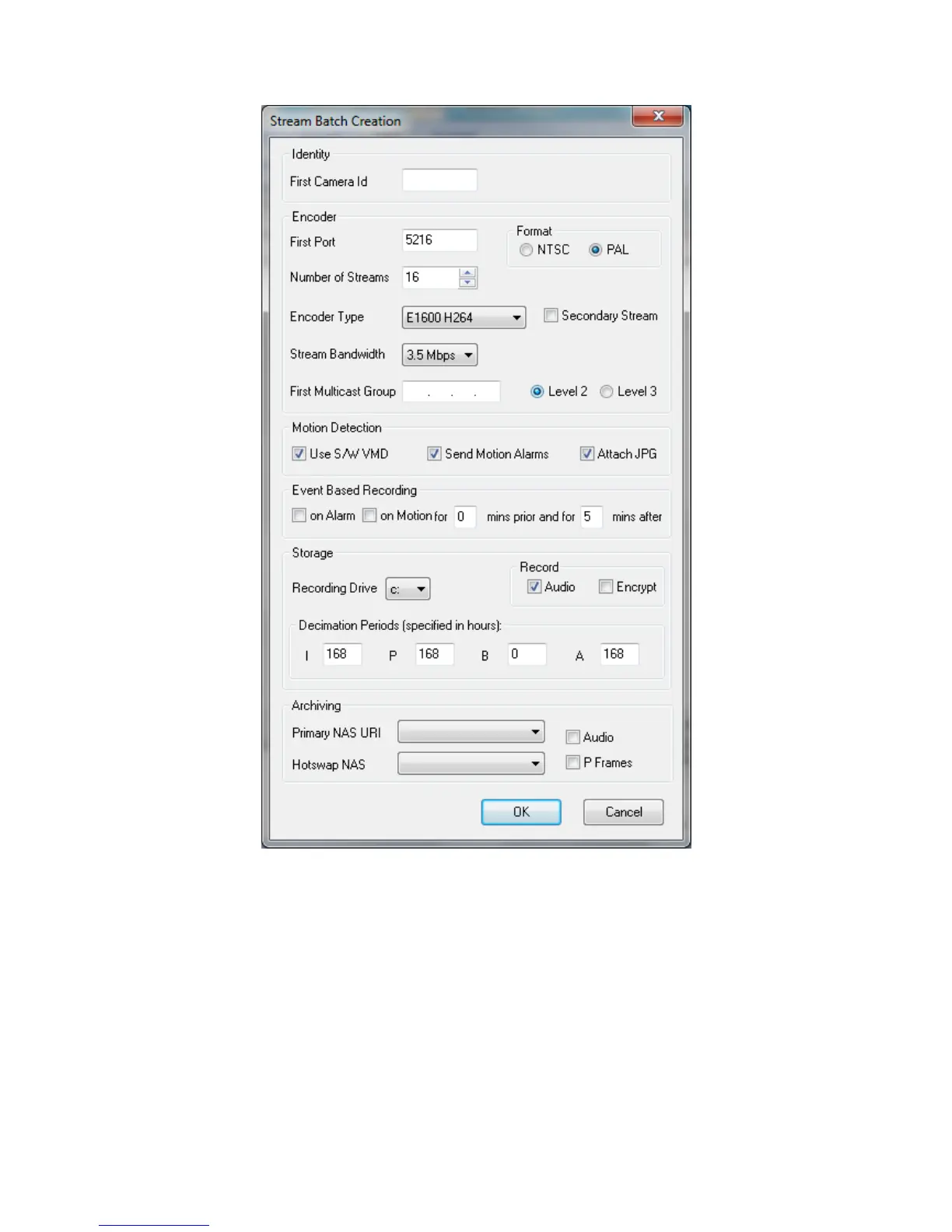
In the First Camera ID field enter the number for the first camera. The Ids for the rest of the cameras
on the encoder will be auto generated in consecutive ascending order.
Specify the First Port Number (making sure it is out of any used up range). The rest of the port
numbers will be auto generated at an interval of four and ascending order.
Select the Format (NTSC or PAL) depending on the video standard used in your environment.
In the Number of Streams drop down list select the number you want to be created; maximum 16.
For Encoder Type select E1600 H264.



 To Next Page