As Required Maintenance – Quick Guide: Maintenance
Sysmex House, Garamonde Drive, Wymbush, Milton Keynes, MK8 8DF, United Kingdom · Phone +44 333 320 3460 · Fax +44 1908 267 901
academy.training@sysmex.co.uk· www.sysmex.co.uk
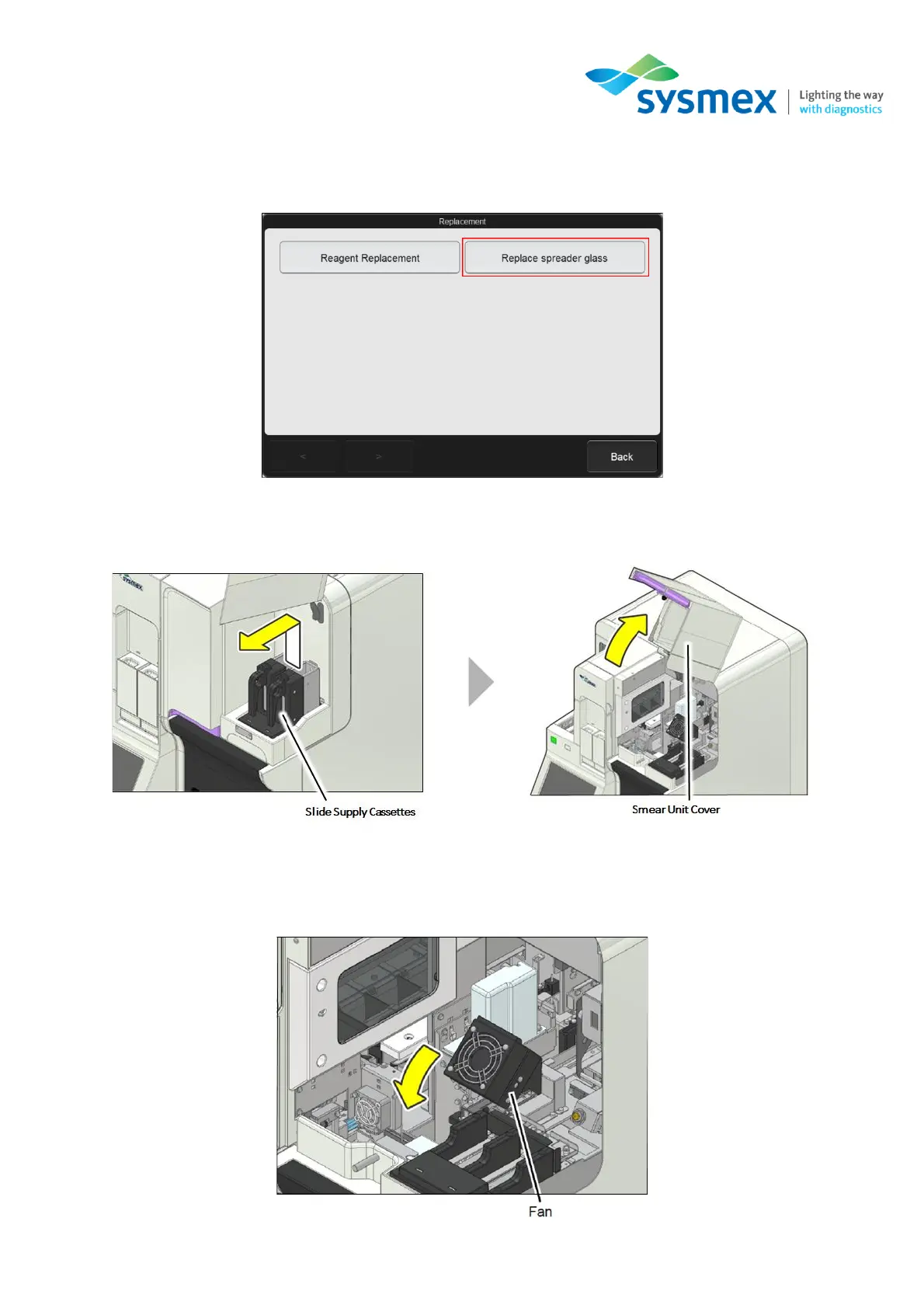
3. The [Replacement] dialog box will appear. Make sure the smear unit cover is closed and select
[Replace spreader glass]. The smear unit will now move towards the front to an accessible
position.
4. Open the slide unit cover and remove the slide supply cassettes. This will enable you to open
the smear unit cover.
IMPORTANT: Be sure to open the all covers until they are locked in place.
5. Rotate the drying fan forward to gain access to the spreader glass.



 To Next Page