As Required Maintenance – Quick Guide: Maintenance
Sysmex House, Garamonde Drive, Wymbush, Milton Keynes, MK8 8DF, United Kingdom · Phone +44 333 320 3460 · Fax +44 1908 267 901
academy.training@sysmex.co.uk· www.sysmex.co.uk
Replacing Methanol
To replace the methanol on the SP-50:
1. Remove the cap from the container and discard any residual reagent. When removing the float
switch take care not to touch the end or place it on a dirty surface.
2. Fill the container with Methanol to the desired level and replace the cap and float switch.
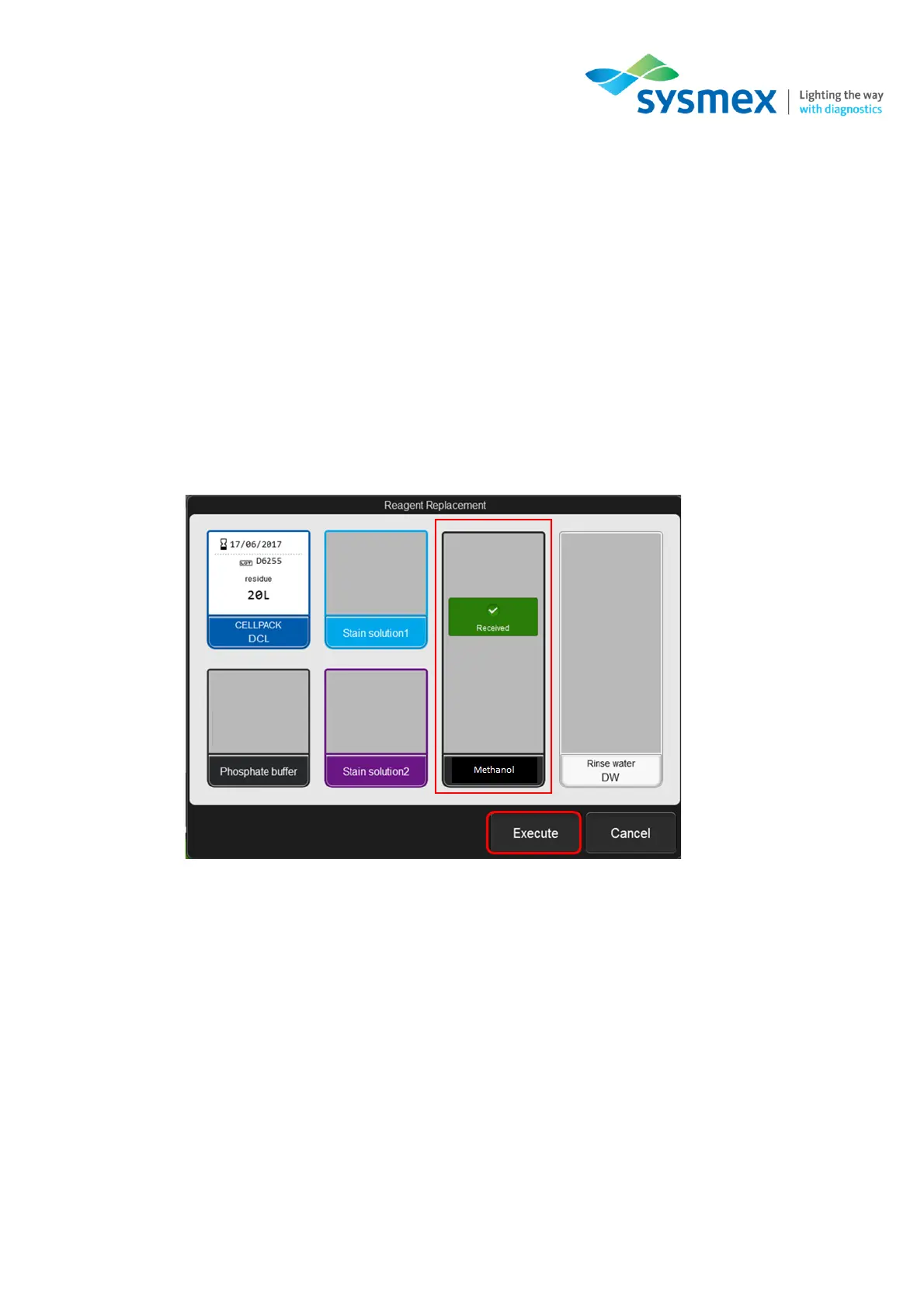
3. Display the [Reagent Replacement] dialog box.
4. Select [Methanol] followed by [Execute]. Reagent replenishment will now start, once complete
the [Reagent Replacement dialog box will update.
5. When finished, select [Cancel] to close dialog box.



 To Next Page