Manual Mode – Quick Guide: Running Samples
Sysmex House, Garamonde Drive, Wymbush, Milton Keynes, MK8 8DF, United Kingdom · Phone +44 333 320 3460 · Fax +44 1908 267 901
academy.training@sysmex.co.uk· www.sysmex.co.uk
Manual Mode
Manual mode can be used for the following situations:
• When you want to interrupt sampler preparation for an urgent sample.
• When you want to prepare a smear using a micro collection sample tube.
• When you only want to stain an already-prepared smear.
• When you only want to print sample information on the slide glass.
Manual – Smearing & Staining
To perform manual a smear & stain:
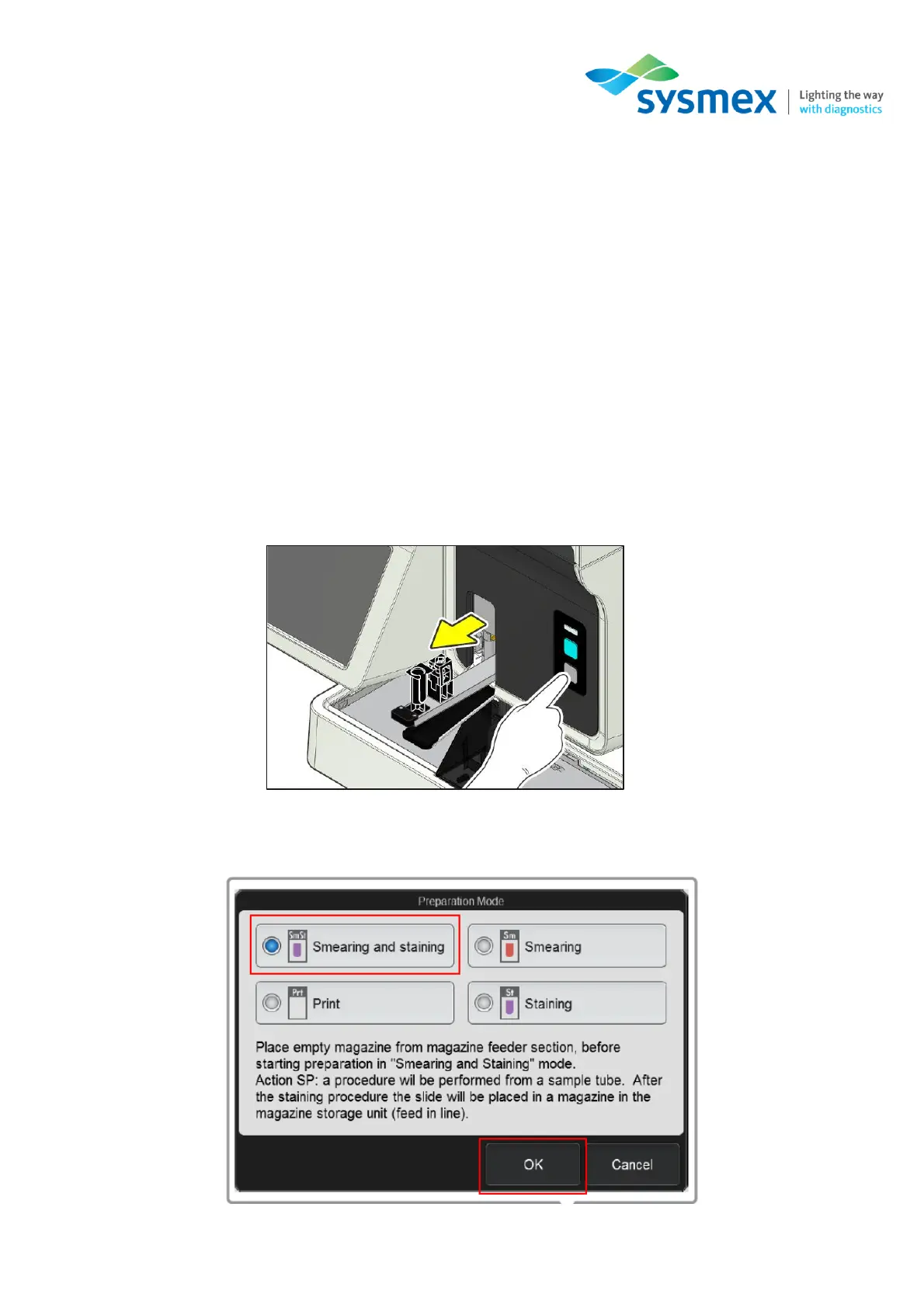
1. Make sure the SP-50 is in the manual mode by pressing the mode switch on the front of the main
unit.
2. From the IPU, select [Mode] from the status area. The [Preparation Mode] dialog box will open.
Select [Smearing and staining] followed by [OK].



 To Next Page