Responding to Alarms – Quick Guide: Running Samples
Sysmex House, Garamonde Drive, Wymbush, Milton Keynes, MK8 8DF, United Kingdom · Phone +44 333 320 3460 · Fax +44 1908 267 901
academy.training@sysmex.co.uk· www.sysmex.co.uk
Responding to Alarms
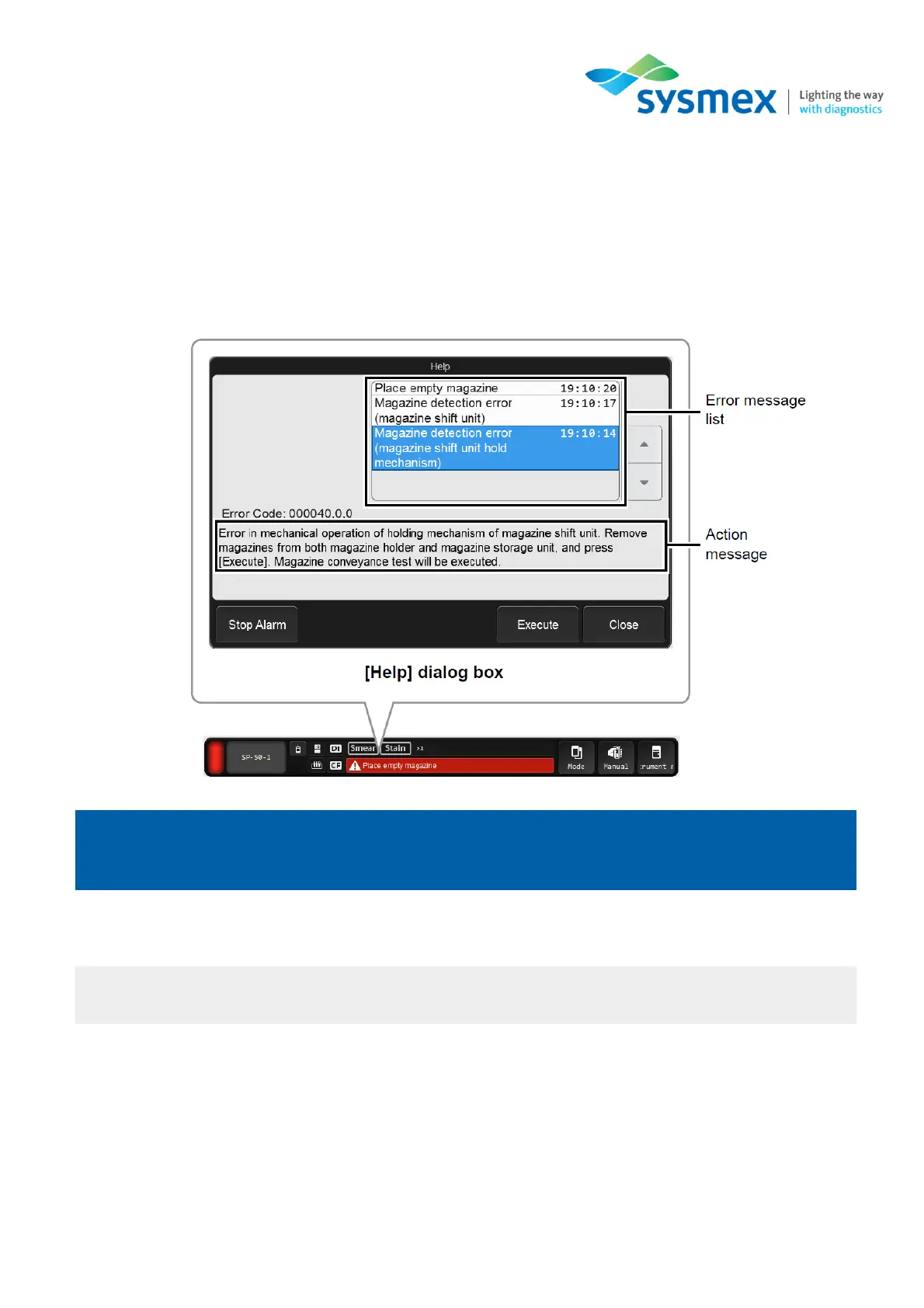
When an error occurs an audible alarm will be heard and the [Help] dialog box will be displayed on the
IPU. If connected, DI-60 and CF-70 errors will also be displayed here.
If an error occurs while another dialog box is displayed, the error message will appear on the status area
at the bottom of the screen. Close the displayed dialog box and touch the error message on the status
area to display the [Help] dialog box.
In the [Help] dialog box screen you can perform the following functions:
• Stop the alarm.
• Access the IFU (Instructions For Use).
• Execute and/or accept the error. [Execute] will execute the action required, [Accept] will clear
the error.



 To Next Page