Sampler Mode – Quick Guide: Running Samples
Sysmex House, Garamonde Drive, Wymbush, Milton Keynes, MK8 8DF, United Kingdom · Phone +44 333 320 3460 · Fax +44 1908 267 901
academy.training@sysmex.co.uk· www.sysmex.co.uk
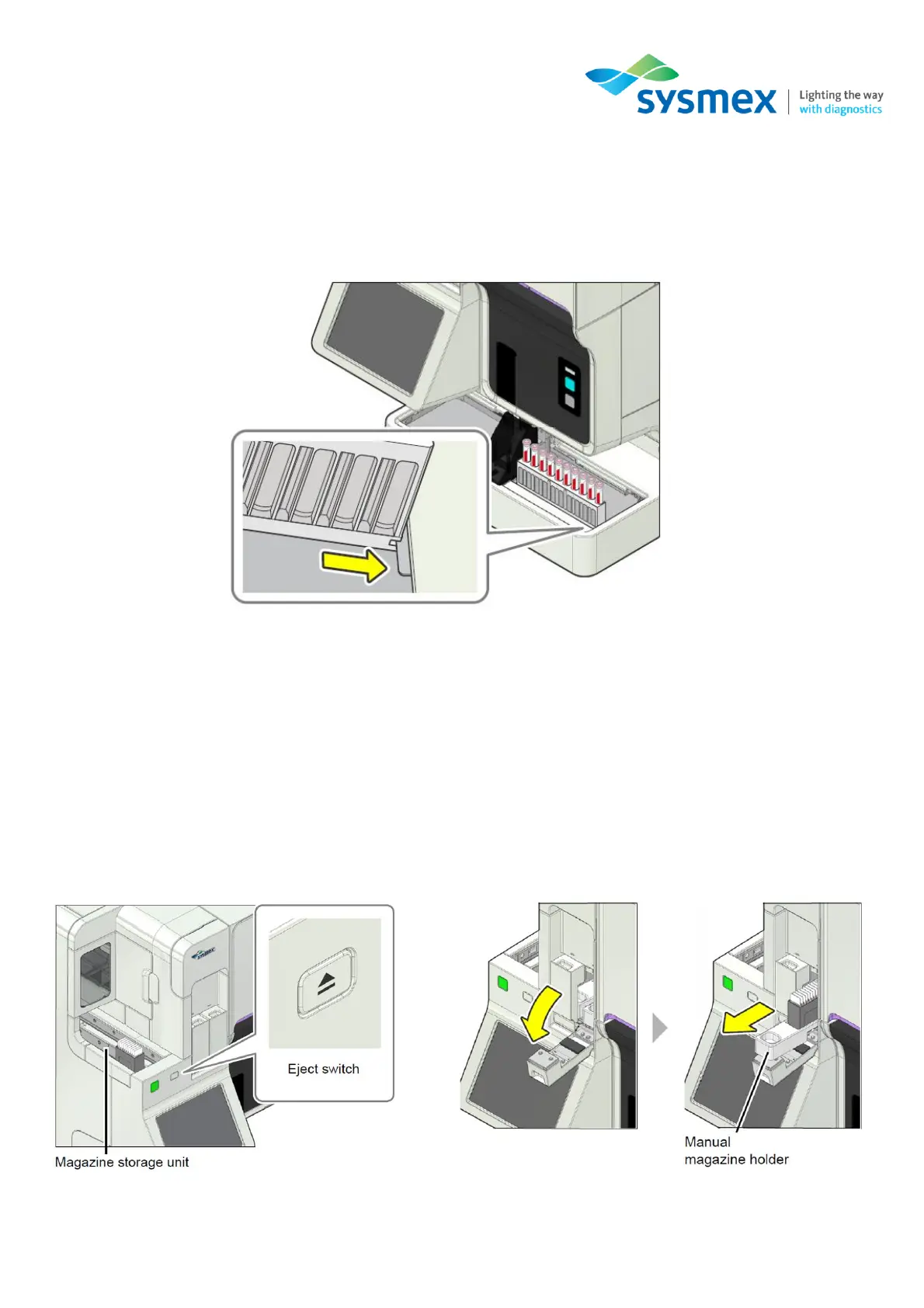
4. For standalone analysers; place the rack containing the sample tubes on the right-hand side of
the sampler unit. Slide the groove on the sample rack onto the protrusion, the rack will be
automatically fed into the analyser(s) for processing. A maximum of 5 sample racks can be
loaded at any one time. For tracked analysers, in System mode, racks will automatically be fed
into the SP-50.
5. Once analysis is complete, remove the sample rack from the left-hand side of the sampler unit.
6. [Staining & Smearing] mode: The prepared smears will be stored in the slide magazine. When
preparation of all smears is complete, the magazine containing the samples will be ejected to
the storage location for removal.
7. [Smearing] mode: The smears will be loaded into the manual magazine holder for removal.



 To Next Page