Audit Logs – Quick Guide: Running Samples
Sysmex House, Garamonde Drive, Wymbush, Milton Keynes, MK8 8DF, United Kingdom · Phone +44 333 320 3460 · Fax +44 1908 267 901
academy.training@sysmex.co.uk· www.sysmex.co.uk
To save a log in CSV format:
1. From the [Menu] screen select [Log].
2. Select the desired log you wish to save.
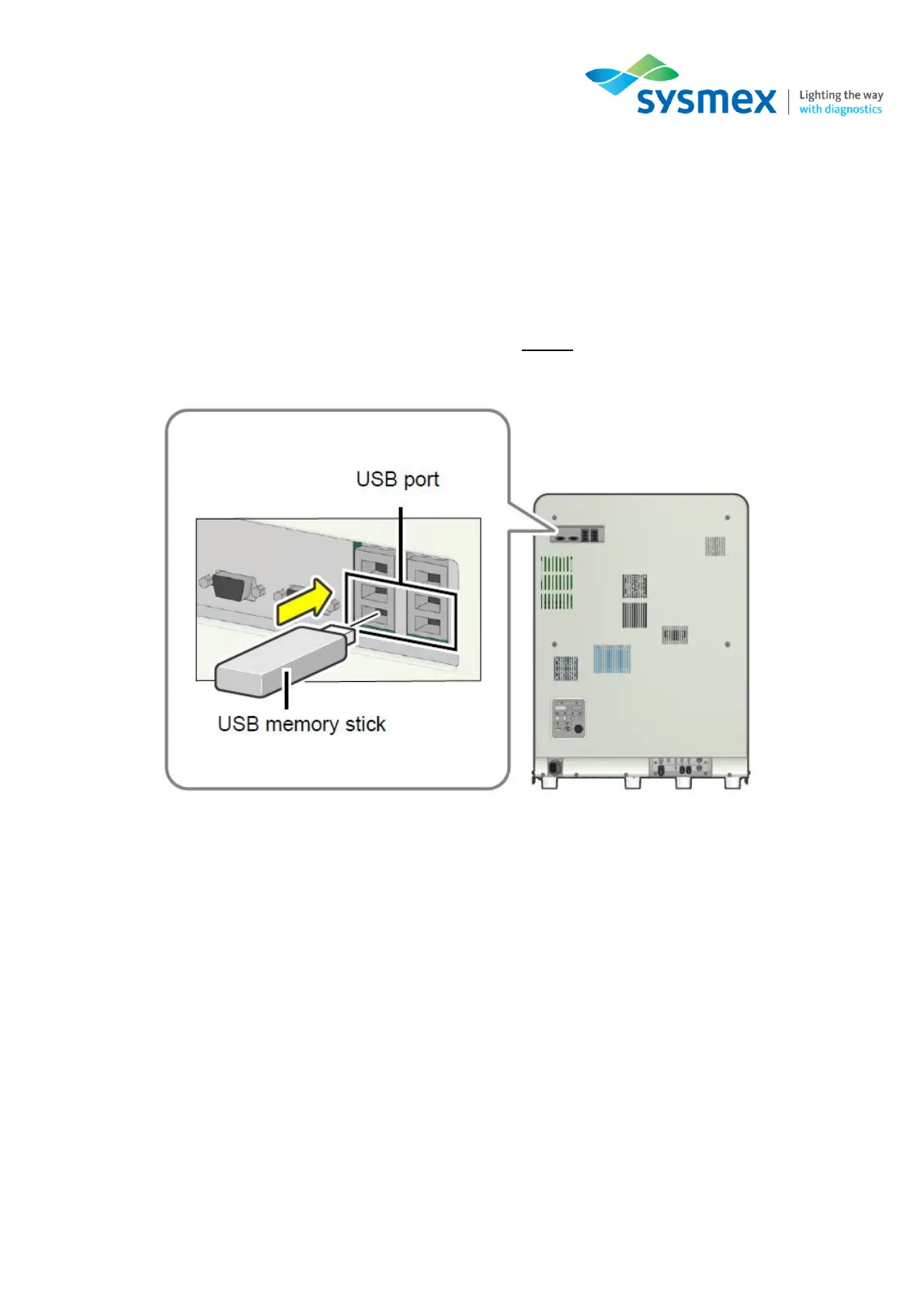
3. Insert the USB stick into a free USB port on the back of the instrument.
NOTE: A USB memory stick with a password lock function cannot be used.
4. Select [File] from the top toolbar and select [Output in CSV Format]. The save starts and the
[Waiting for completion] dialog box appears. When the dialog box closes, the save is complete.
When performing a save, the file location/folder/name is automatically created on the memory
stick.
5. Remove the USB stick.



 To Next Page