TAC AB, 1998-10-23 0-004-7614-0 (GB), 5:1 (8)
TAC 2413 Handbook Installation
5 Installation
5.1 Mounting
Controller
Position the controller so that it is easy to read and to set values
and so that the cover can be opened.
The permissible ambient temperature and humidity range must not
be exceeded.
The controller is enclosed in a plastic box which includes four
parts:
• Transparent cover
• Electronic part
• Backplate and terminal blocks
• Metal brace
The backplate must be removed from the electronic part in order
to gain access to the terminal blocks.
There is a modular jack on the electronic part for connecting the
information tool Inta 2000.
WARNING! Check that there is no power supply
to the terminals before you detach the back.
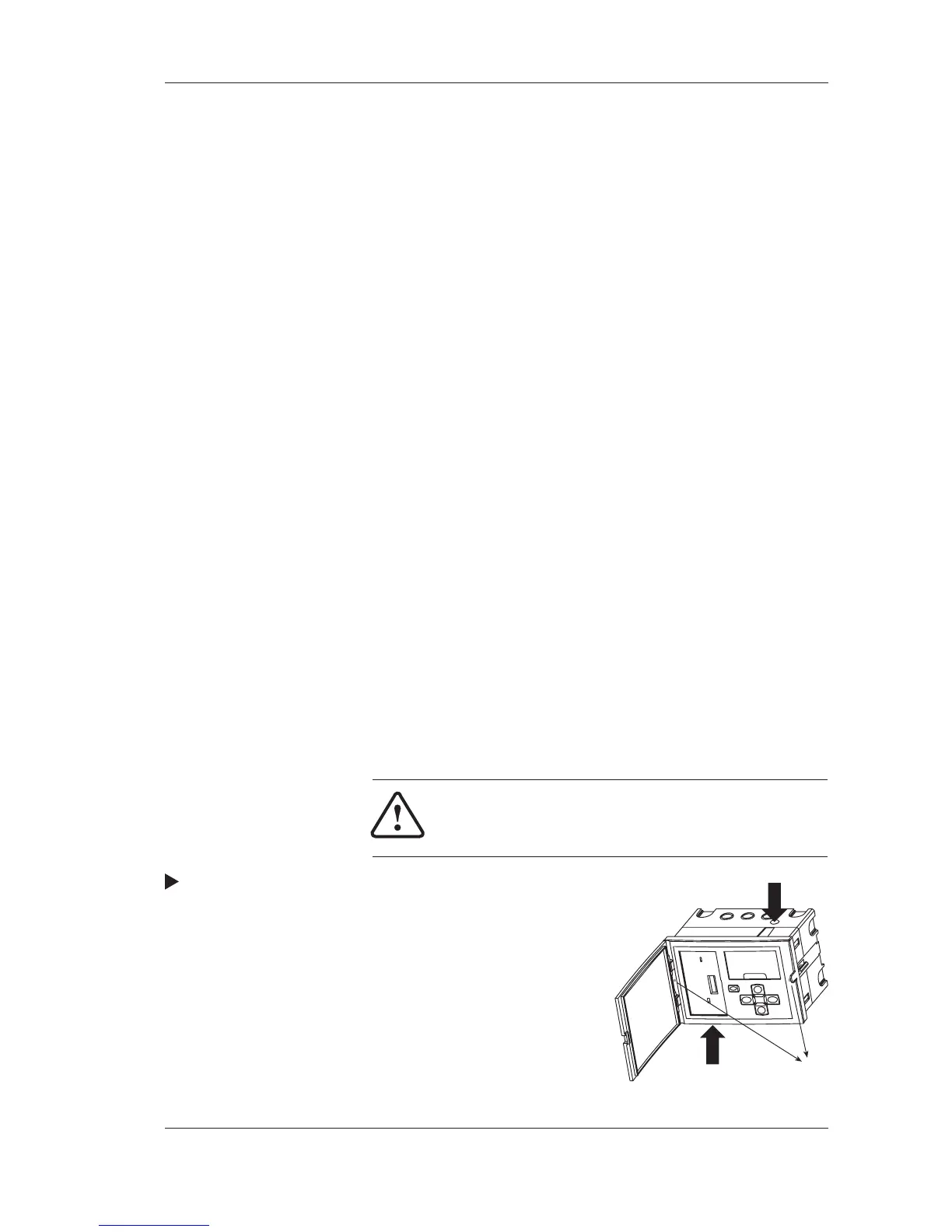
Procedure for removing the backplate:
1. Remove the metal brace by unscrewing
the fastening device.
2. Press in the two round “buttons”
on the sides of the controller.
3. Hold the “buttons” in while
carefully pulling the electronic
part out of the back.
Fastening
device



 To Next Page