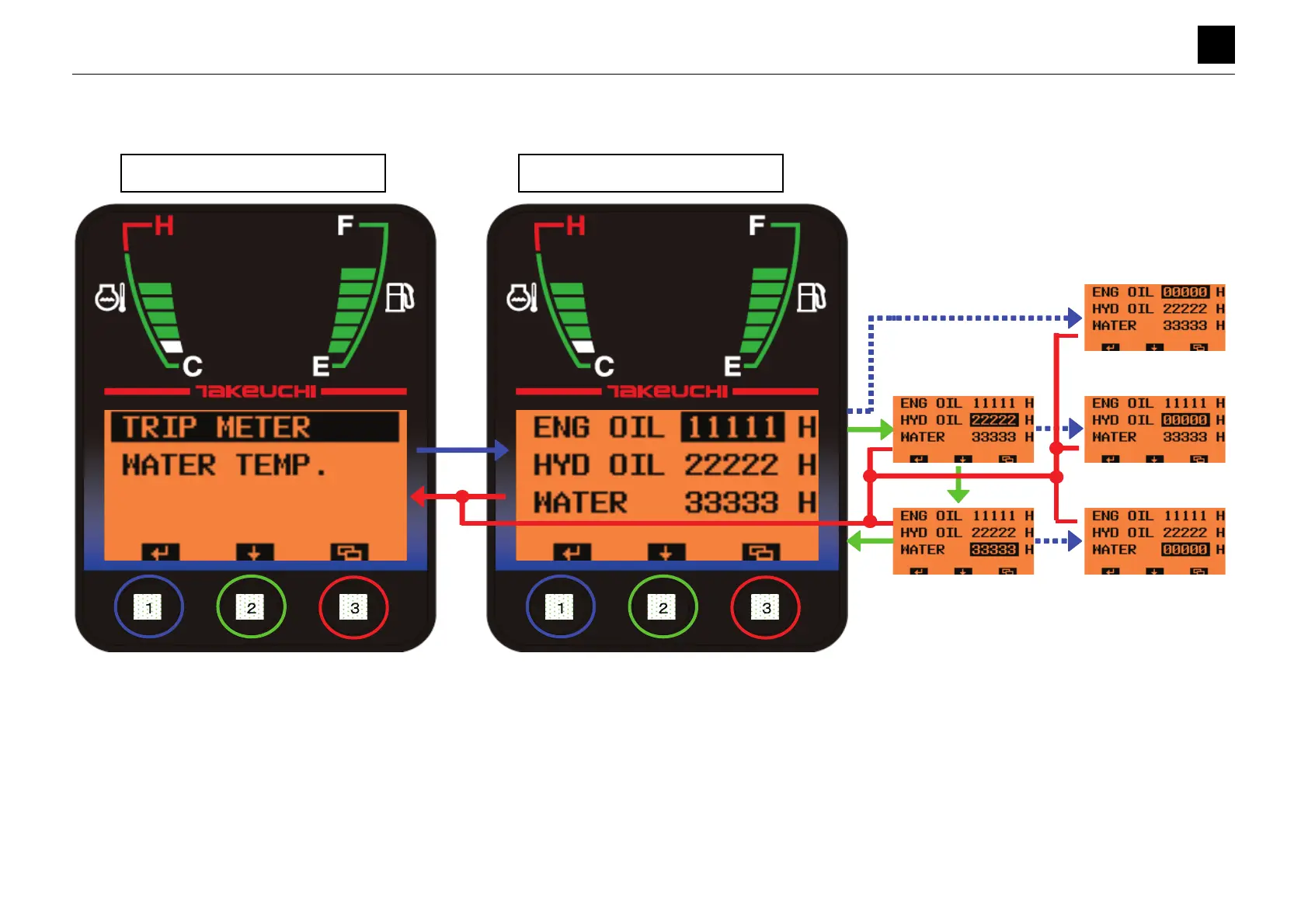
MONOCHROME LCD CLUSTER PANEL DISPLAY AND LCD SPECIFICATIONS (WITHOUT A CAN)
DATA SCREEN (TRIP METER)
6
10
DATA SCREEN (TRIP METER) 6S3AY00
DATA SCREEN (TRIP METER)
• Pressing Button [1] for a short amount of time while [TRIP METER] is highlighted moves the display to the DATA screen (TRIP METER).
• The screen displays the trip meter values. (0 to 99999)
• If there is no CAN, the count for the trip meter begins when the input terminal voltage of the alternator rises above +3 V, as in the case of the hour meter.
• Pressing Button [2] on the DATA screen (TRIP METER) for a short while moves the bar to the next option. The setting value for the highlighted option flashes.
• Pressing and holding down Button [1] on the DATA screen (TRIP METER) for 5 seconds resets the value of the highlighted trip meter back to 0.
• The reset is confirmed when the value is reset. No particular changes occur with the displayed screen or position of the highlighting bar, which remain as is.
• The data is saved to the EEPROM when the value is reset. (Data is saved when ACC is turned OFF.)
• Pressing Button [3] on the DATA screen for a short while moves the display to the Data Selection screen.
Data Selection Screen
DATA Screen (TRIP METER)



 To Next Page
 Loading...