MONOCHROME LCD CLUSTER PANEL DISPLAY AND LCD SPECIFICATIONS (WITHOUT A CAN)
SETTING SCREEN (ALARM)-1
6
14
SETTING SCREEN (ALARM)-1 6S3AY00
SETTING SCREEN (ALARM)-1
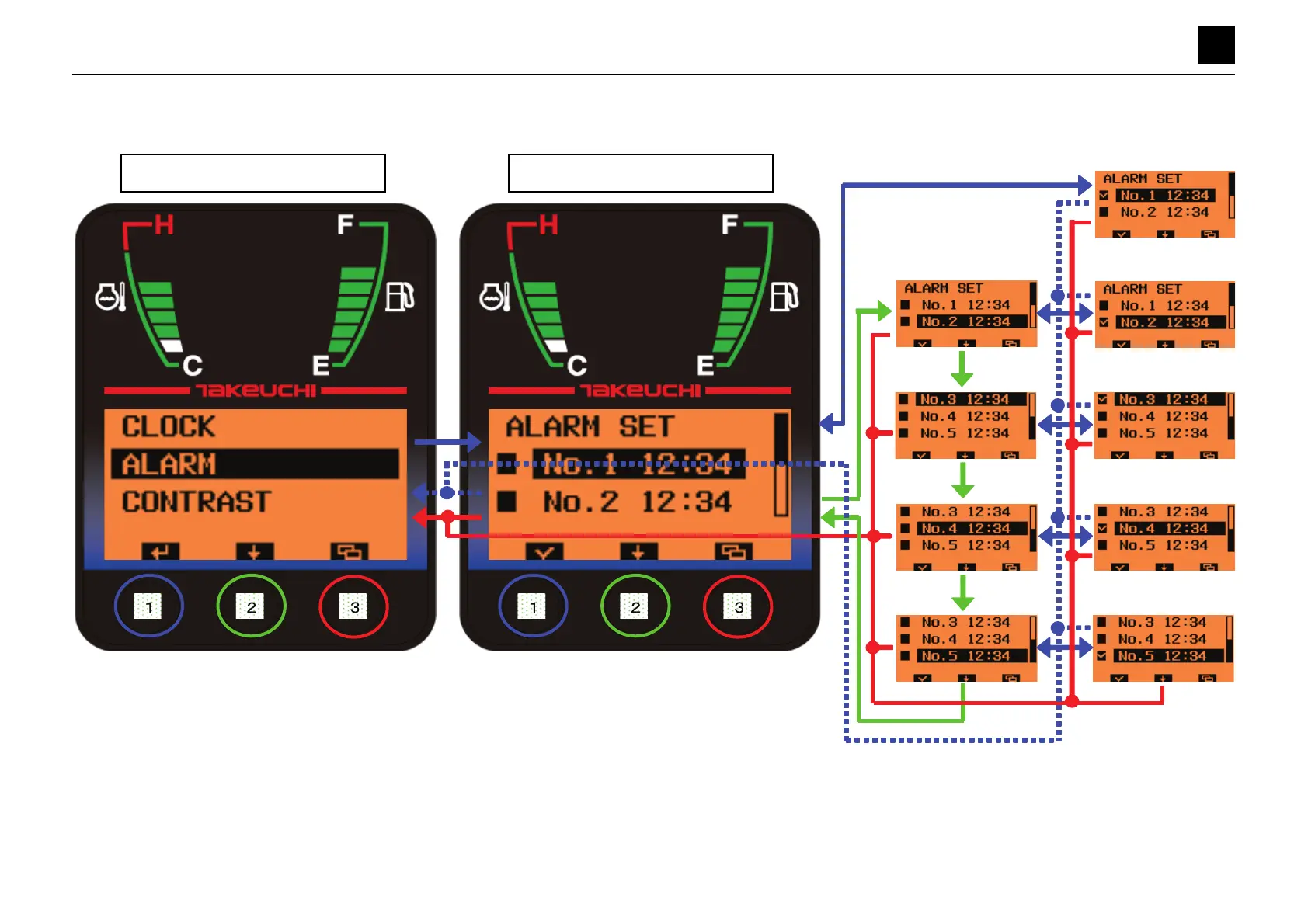
Settings Selection Screen Setting Screen (ALARM)
• Pressing Button [1] for a short amount of time while [ALARM] is highlighted moves the display to the
Setting screen (Alarm Settings).
• Pressing Button [2] on the Setting screen for a short while moves the bar to the next option.
• Pressing Button [1] on the Setting screen for a short while toggles the checkbox to the left of the
highlighted option between being checked and not checked.
• Pressing and holding down Button [1] on the Setting screen for 2 seconds completes configuration of the alarm and moves the display to the Settings Selection screen.
The ALARM icon on the Normal screen (p. 1) turns ON.
• Pressing Button [3] on the Setting screen for a short while moves the display to the Settings Selection screen. (Any changes made to the settings will be canceled.)
• Once the alarm has been turned ON (the checkbox has been checked), it will remain enabled until the checkbox is unchecked.
• The alarm configuration settings (including the time) save to memory when ACC is turned OFF, and the stored settings are then loaded the next time that ACC is turned ON.



 To Next Page
 Loading...