MONOCHROME LCD CLUSTER PANEL DISPLAY AND LCD SPECIFICATIONS (WITHOUT A CAN)
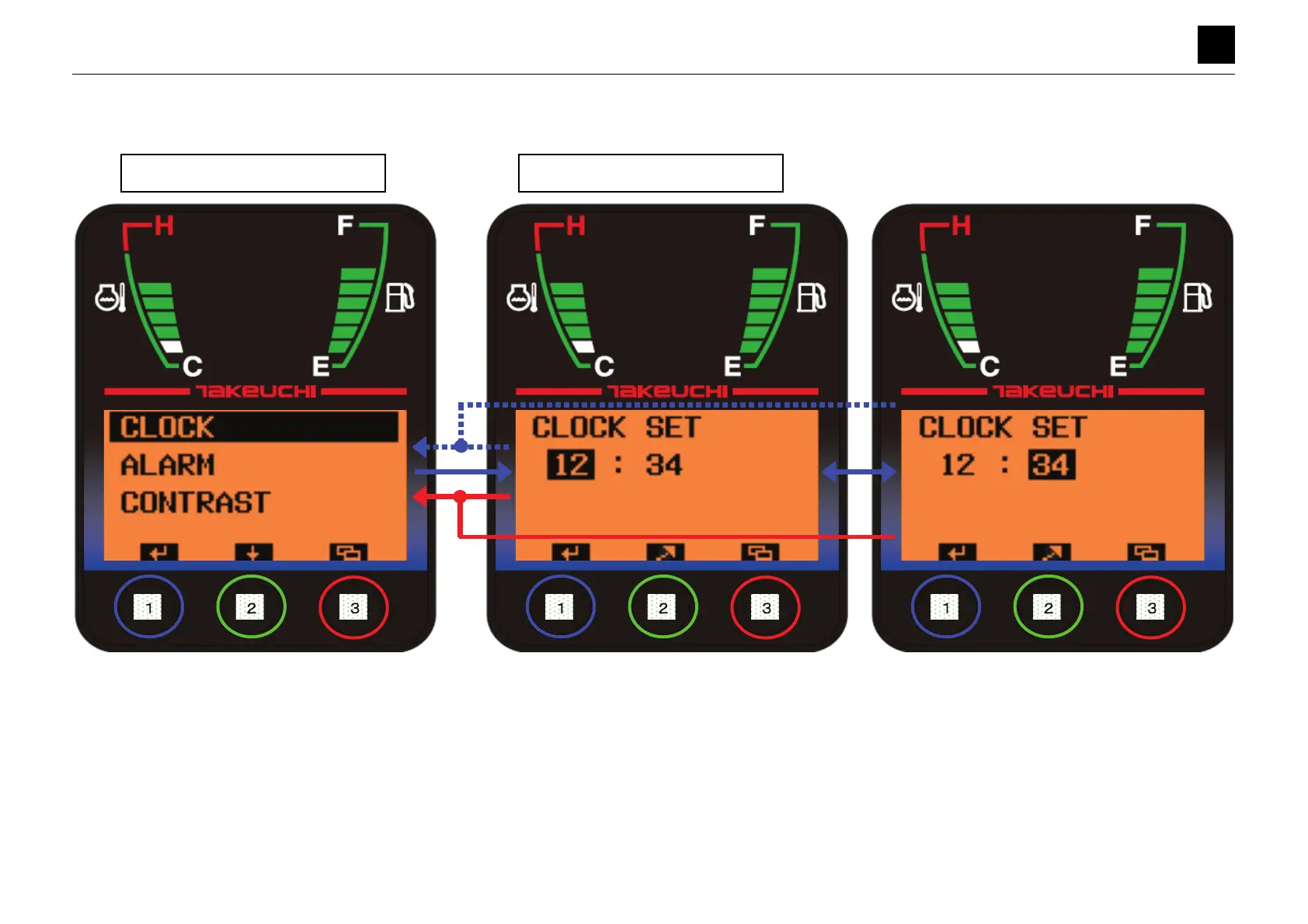
SETTING SCREEN (CLOCK)
13
6
SETTING SCREEN (CLOCK) 6S3AY00
SETTING SCREEN (CLOCK)
• Pressing Button [1] for a short amount of time while [CLOCK] is highlighted moves the display to the Setting screen (Clock Settings).
• Pressing Button [1] on the Setting screen for a short while moves the bar to the next option. The setting value for the highlighted option flashes. (Displaying in the normal
color for 0.5 s and then in the inverted color for 0.5 s and so on.)
• Pressing Button [2] on the Setting screen for a short while causes the setting value of the highlighted option to increase. Pressing and holding down Button [2] for 1 second
causes the setting value of the highlighted option to increase at high speed.
• Setting range for hours: 1 to 24 (Toggles from 1 to 2 to...24 and back to 1, where it starts start over). Setting range for minutes: 00 to 59 (Toggles from 00 to 01 to...59 and
back to 00, and back to 1, where it starts over)
• Pressing Button [3] on the Setting screen for a short while moves the display to the Settings Selection screen. (Any changes made to the settings will be canceled.)
• Pressing and holding down Button [1] on the Setting screen for 2 seconds confirms the setting changes and moves the display to the Settings Selection screen.
Settings Selection Screen
Setting Screen (CLOCK)



 To Next Page
 Loading...