MONOCHROME LCD CLUSTER PANEL DISPLAY AND LCD SPECIFICATIONS (WITHOUT A CAN)
DATA SCREEN (WATER TEMP.)
11
6
DATA SCREEN (WATER TEMP.) 6S3AY00
DATA SCREEN (WATER TEMP.)
Resistance characteristics
Temp.
[°C (°F)]
Resistance
[k
Ω]
-30 (-22) 25.4
-20 (-4) 15.04
-10 (14) 9.16
0 (32) 5.74
10 (50) 3.7
20 (68) 2.45
30 (86) 1.66
40 (104) 1.15
50 (122) 0.811
60 (140) 0.584
70 (158) 0.428
80 (176) 0.318
90 (194) 0.24
100 (212) 0.1836
110 (230) 0.1417
120 (248) 0.1108
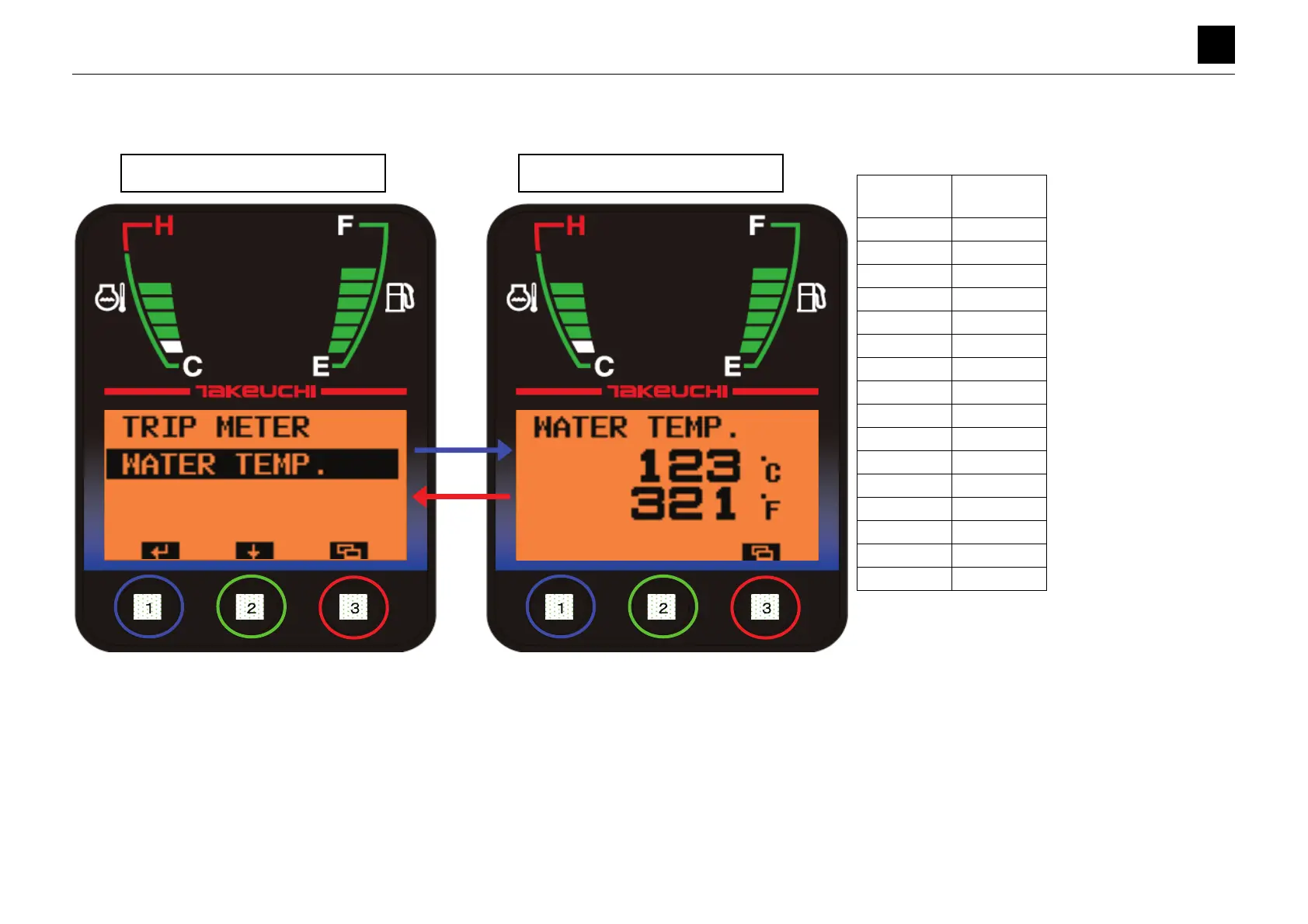
• Pressing Button [1] while [WATER TEMP.] is highlighted moves the display to the DATA screen (WATER TEMP.).
• Pressing Button [3] on the Data screen for a short while moves the display to the Data Selection screen.
• If there is no CAN present, the water temperature starts being calculated using resistance values arising when a voltage is applied.
• The water temperature is displayed in both degrees Celsius and degrees Fahrenheit.
Data Selection Screen
DATA Screen (WATER TEMP.)



 To Next Page
 Loading...