Proportional Spacing
ESC p
Data Structure
ASCII ESC "p" <n> or n proportional spacing ON/OFF
hex. 1B 70 <n> or n
dec. 27 112 <n> or n
Description
If 1 is specified for n, proportional spacing is ON, if 0 is specified for n, proportional
spacing is OFF.
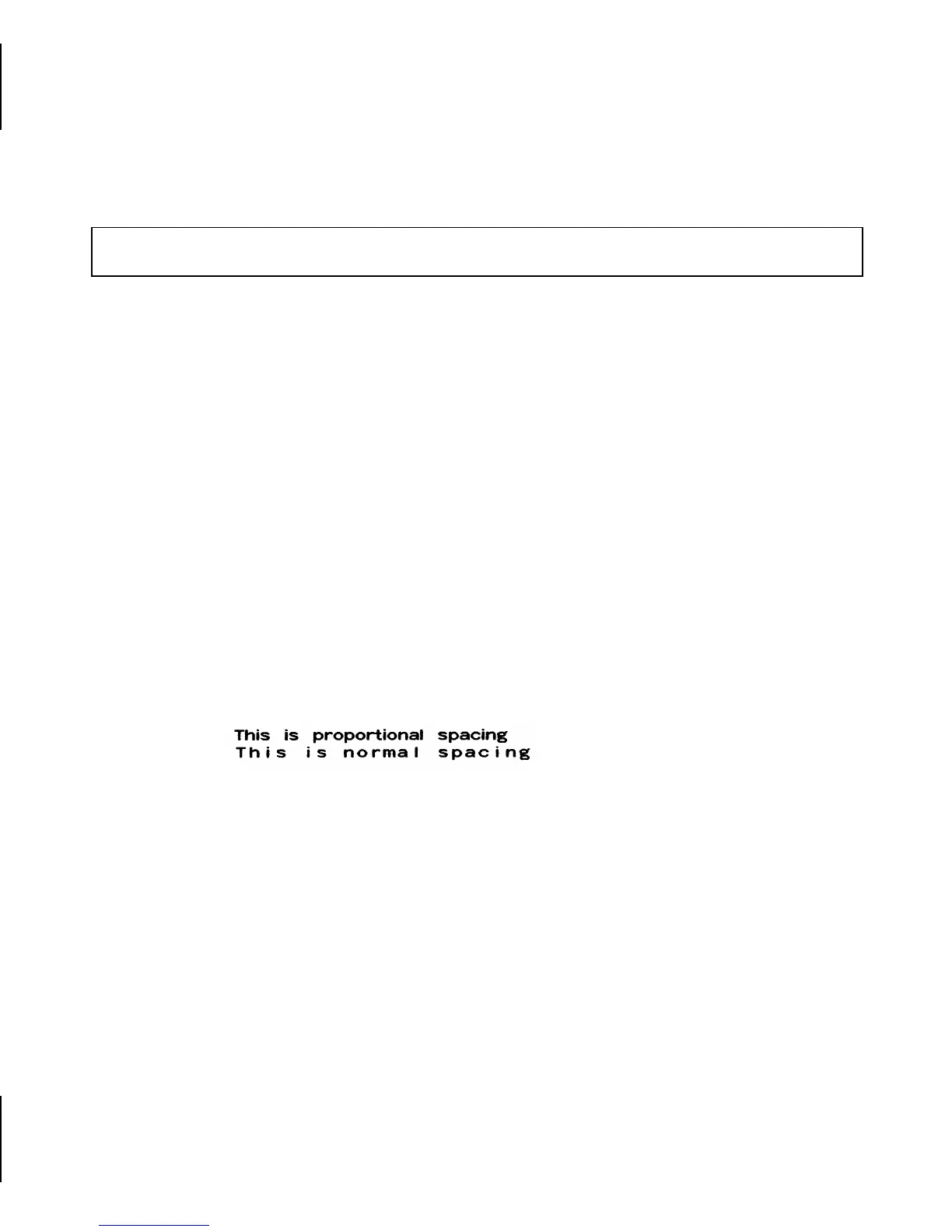
When in default font type, all characters are assigned a fixed, equally wide space. When
in proportional spacing, the spaces between each character are set to the actual width of
the characters; on account of these “proportional” characters reading of the text becomes
more easy.
Proportional spacing selects automatically LQ as print quality. Condensed is reset. The
set character densities are only effective again, when proportional spacing is switched off.
Example
10 REM proportional spacing
20 LPRINT CHR$(27);"p";CHR$(1);
30 LPRINT "This is proportional spacing"
40 LPRINT CHR$(27);"p";CHR$(0);
50 LPRINT "This is normal spacing"
60 END
Character Spacing
23














 To Next Page