15
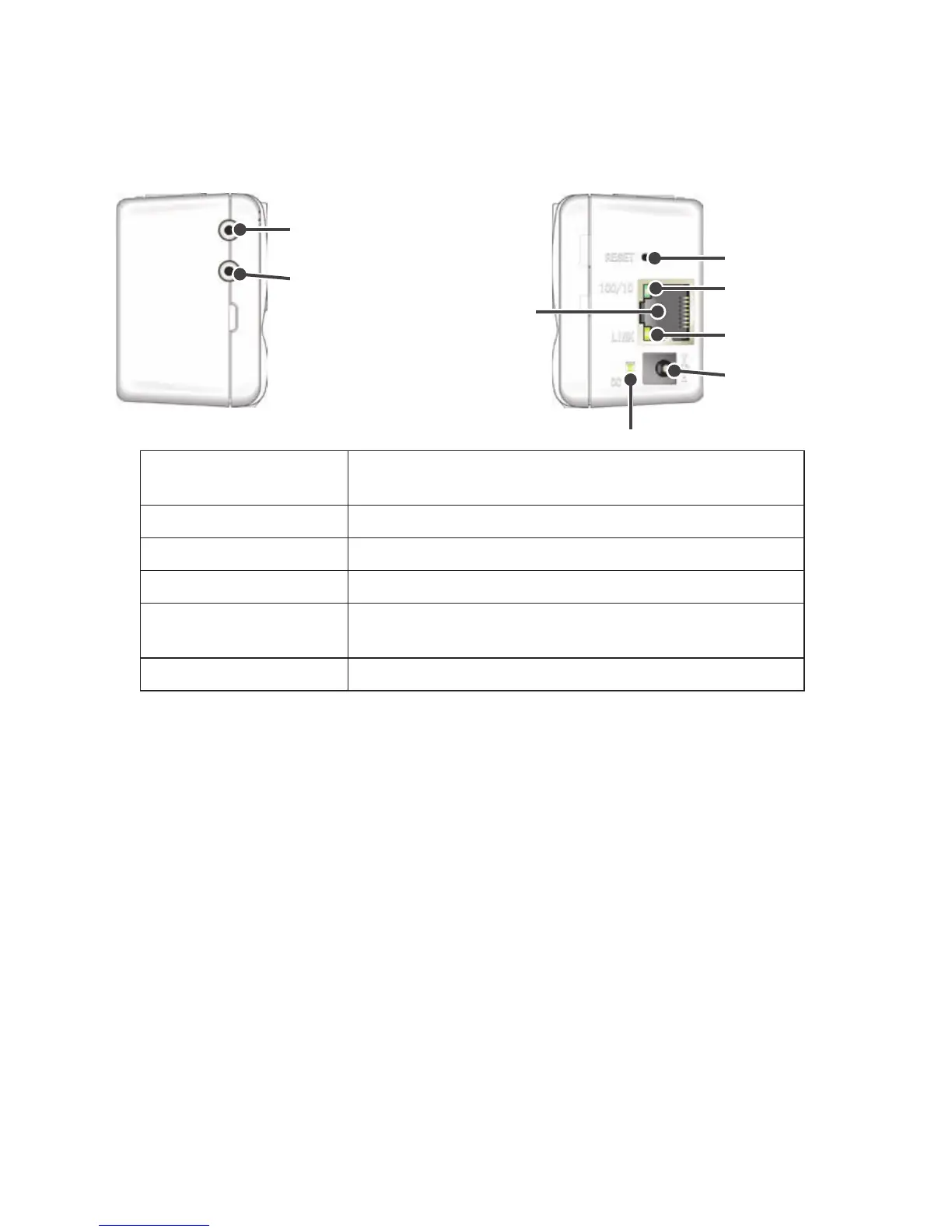
RIGHT SIDE
Reset Button
AC Adaptor Jack
Data Display
LED
LINK Display
LED
Power Monitor LED
LEFT SIDE
Sensor Jack Channel 2
(Only for TR-71W)
Sensor Jack Channel 1
Ethernet Jack
Ethernet Jack
10Base-T / 100Base-TX Ethernet Jack
Connect the LAN Cable
AC Adaptor Jack Connect the supplied AC adaptor here.
Reset Button Press to return to the factory default settings.
Data Display LED When data is being input or output the lamp will blink green.
LINK display LED
The communication speed will appear in green.
Lamp on: 100Mbps, Lamp blinking: 10 Mbps
Power Monitor LED While the power is ON, the lamp will appear green.



 To Next Page