77
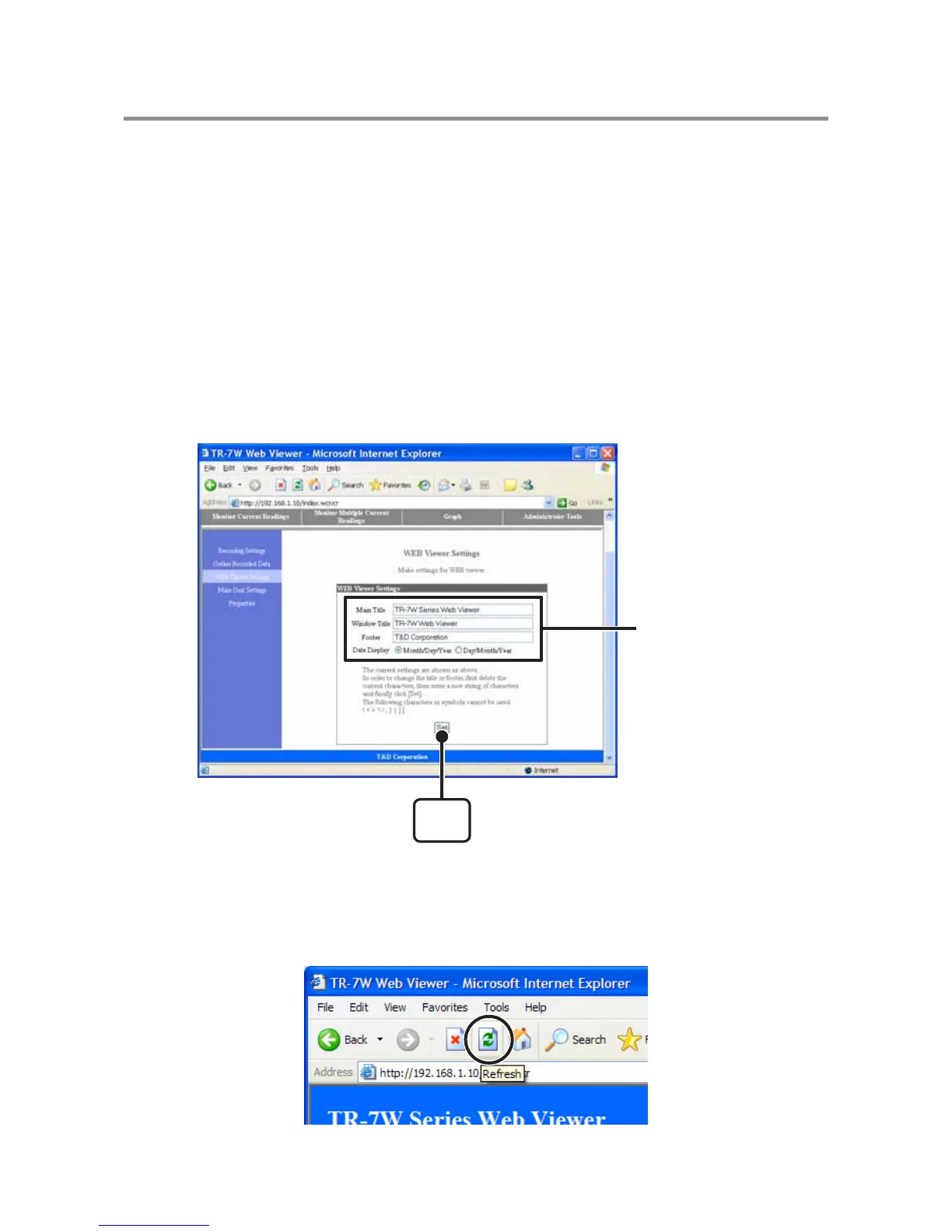
WEB Viewer Settings
Make settings for names of the Web Viewer Main Title, Window Title and
Footer.
1. Open the Web Viewer for the TR-7W you wish to make settings for.
See page 41 for more details about the display.
2. Under "Administrator Tools", select "Web Viewer Settings".
To open Administrator Tools, the proper Login ID and Password are needed.
3. Make any desired changes to the names by deleting the old name
and entering a new one.
The following !, < >, ?, { }, [ ], or ; cannot be used.
[Set]
button
Enter characters
4. Click the [OK] button to finish.
The changes will go into effect by either clicking the [Refresh] button in your browser or
by reopening the browser.



 To Next Page