53
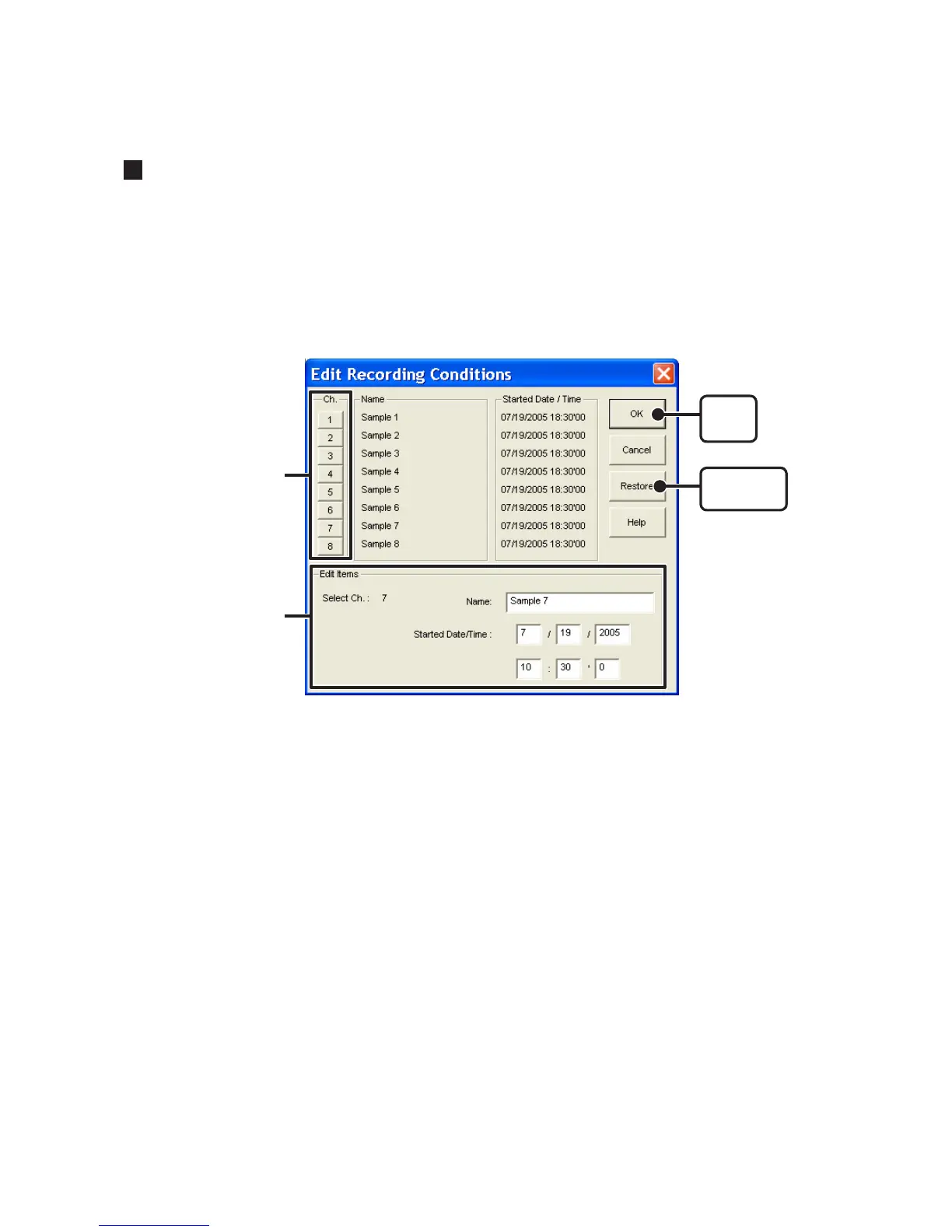
Editing Recording Conditions : [Tools] Menu
It is possible to make corrections to channel names and to recording start date and
times.
1. By clicking the [Channel. No.] button of the channel you wish to edit, the "Name" and
"Started Date / Time" in the "Edit Items" display will show info for that channel number.
Name: Up to 32 letters can be entered.
Starting Date/Time : The month, day, year, hour, minute and second can be changed.
[Restore]
button
[
OK
]
button
Channel Number
Edit Items
2. Click the [OK] button to finish.
If you wish to continue to change other channels, repeat the process as in 1.
The [Restore] button is only effective while making changes. After clicking the [OK]
button the settings cannot be restored to the original settings.



 To Next Page