33
Operating the TR-7W Settings Utility
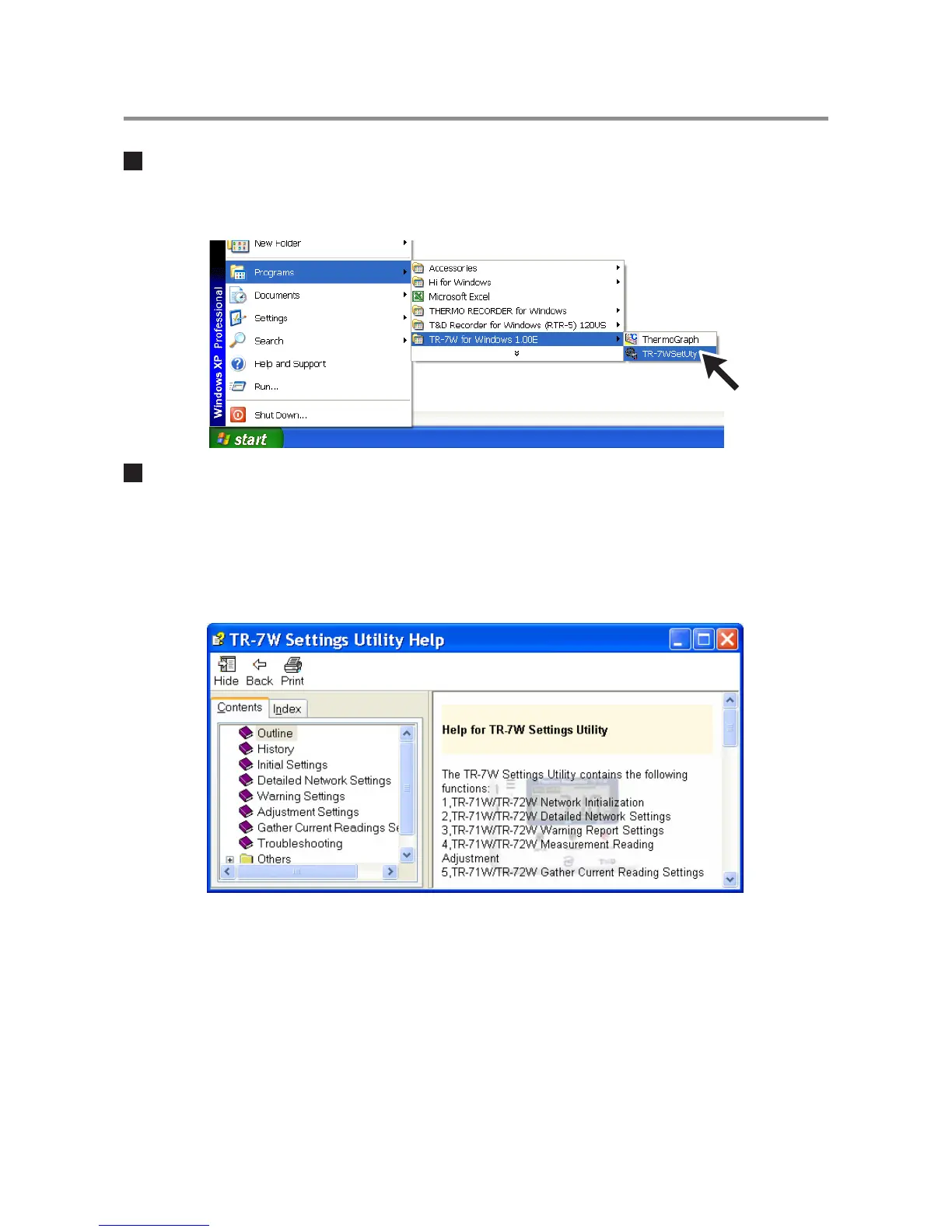
How to Open
From the list of programs in the Window’s Start Menu, click on "TR-7W for Windows"-
"TR-7W Settings Utility.
Using Help
For details about how to use the software, please see the explanations in the Software
Help Menu.
- By clicking on "Help" in the Menu Bar and then "How to Use TR-7W Settings Utility" you can click on one
of the tabs "Contents" or "Index" to search for the topic or term you are unsure about or have questions
about.
Contents
By clicking on one of the topics listed, you can find detailed information for that subject.
Index
By selecting a keyword in the Index list, and clicking the [View] button at the bottom, a detailed
explanation will appear.
By clicking the [Help] button in a dialog box, an explanation for that dialog box will appear.



 To Next Page