89
Re-installing
Before reinstalling or updating the "TR-7W Settings Utility" software, make
sure to carry out the uninstall program first. Before you begin the uninstall
program, first make sure to quit all "TR-7W Settings Utility" and Temp /
Humidity Graph" programs.
To install the "TR-7W Settings Utility", it may be necessary to have Administrator Rights for the
computer into which it will be installed.
For Windows XP/2000
1. In the Windows Control Panel, click on "Add/Remove Programs".
2. From the list of currently installed programs, select "TR-7W
Settings Utility" and click the [Add / Remove] button.
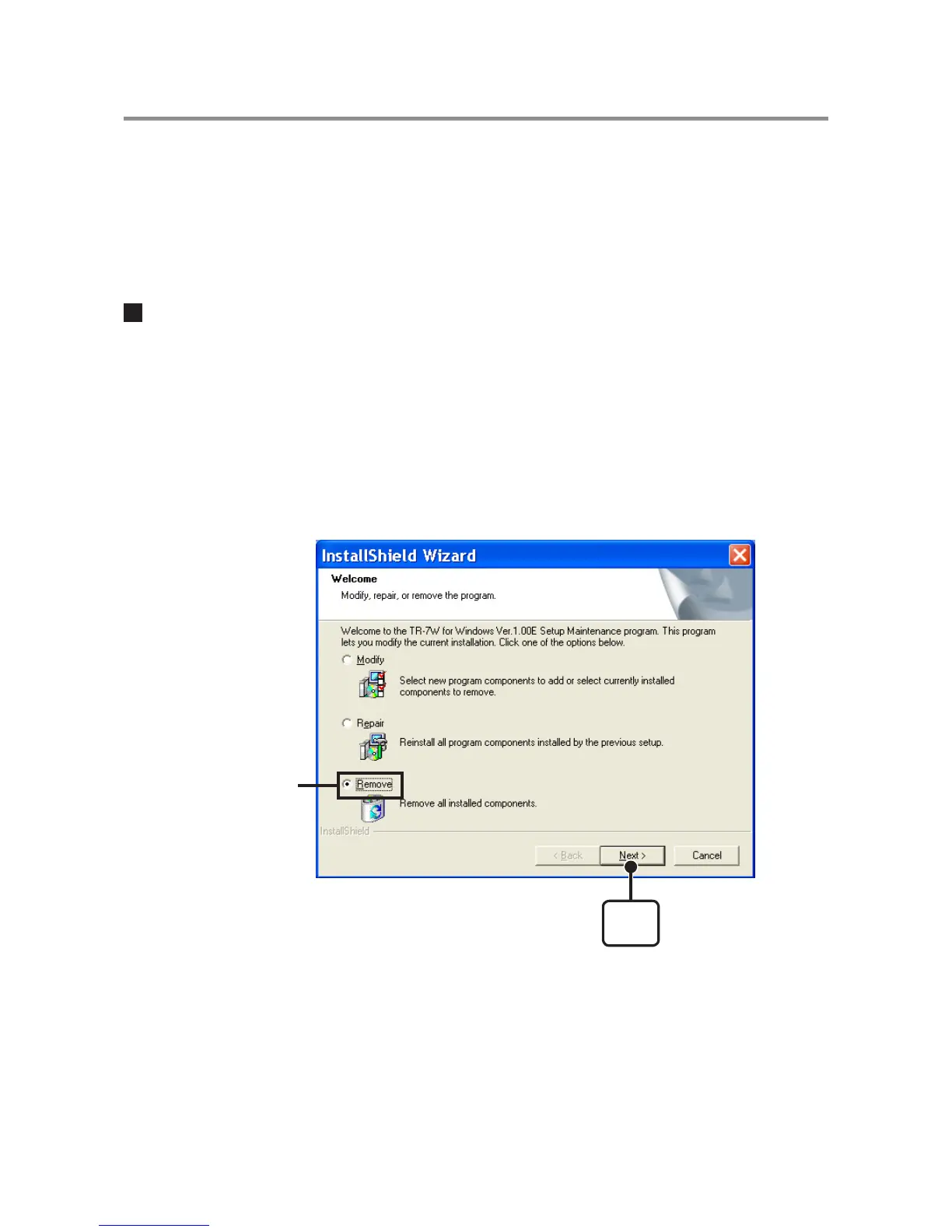
3. The "Install Shield Wizard" will appear. Check "Remove", and
click [Next].
[Next]
button
Check Remove
4. Follow the directions to Uninstall.
5. After the uninstall process is completed, reinstall by following
the directions to [Install].
Even after uninstalling, saved data files will still remain in the folders and locations they
were saved in.



 To Next Page