92
Troubleshooting
TR-7W Settings Utility
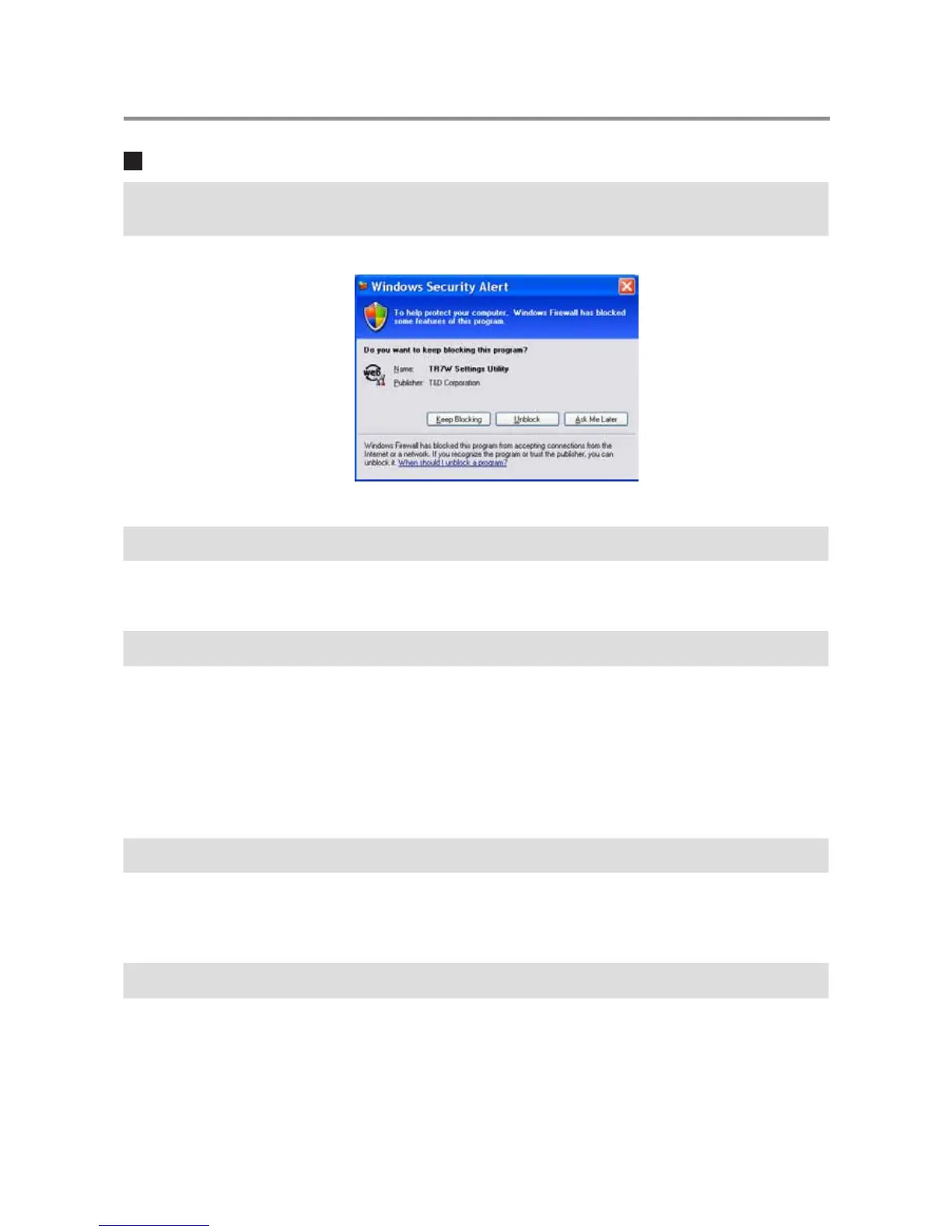
Q.1 A "Windows Security Alert" message keeps popping up, what should
I do ?
A
If you are using Windows XP SP2 or above, the following message may be displayed.
There is no problem, so please click [Unblock].
Q.2 Is it possible to use the "TR-7W Settings Utility" via a proxy server ?
A
Communication is impossible via a proxy server. Communication is possible via the Web
Viewer.
Q.3
I cannot run a search in the Network Initialization, Why ?
A
One of the following may be the reason.
- Power is not being supplied by the AC adaptor to the TR-7W.
- The TR-7W and the computer you are using are not on the same network.
- The [TR-7W Settings Utility] is already being used by another computer.
-Security software used to detect viruses is currently activated.
(Please temporarily close the software)
-The LAN card which is being used has not been formatted.
Q.4 I cannot make settings in the Network Initialization, Why ?
A
One of the following may be the reason.
- The Login ID and / or Password are incorrect.
- Another TR-7W with the same IP address is on the same network.
Q.5
Why does a "Communication Error (Connection Error) " appear ?
A
The network is probably not properly connected.
- One of the following is incorrect: IP address or Domain, Login ID, Password, or Port
Number.
- The network is not properly connected (the LAN cable is broken, the Hub is damaged, a
mistake occurred in setting up the router, etc…)
- In the "Menu"-" Communication Time Settings" try slowing the communication time.



 To Next Page