56
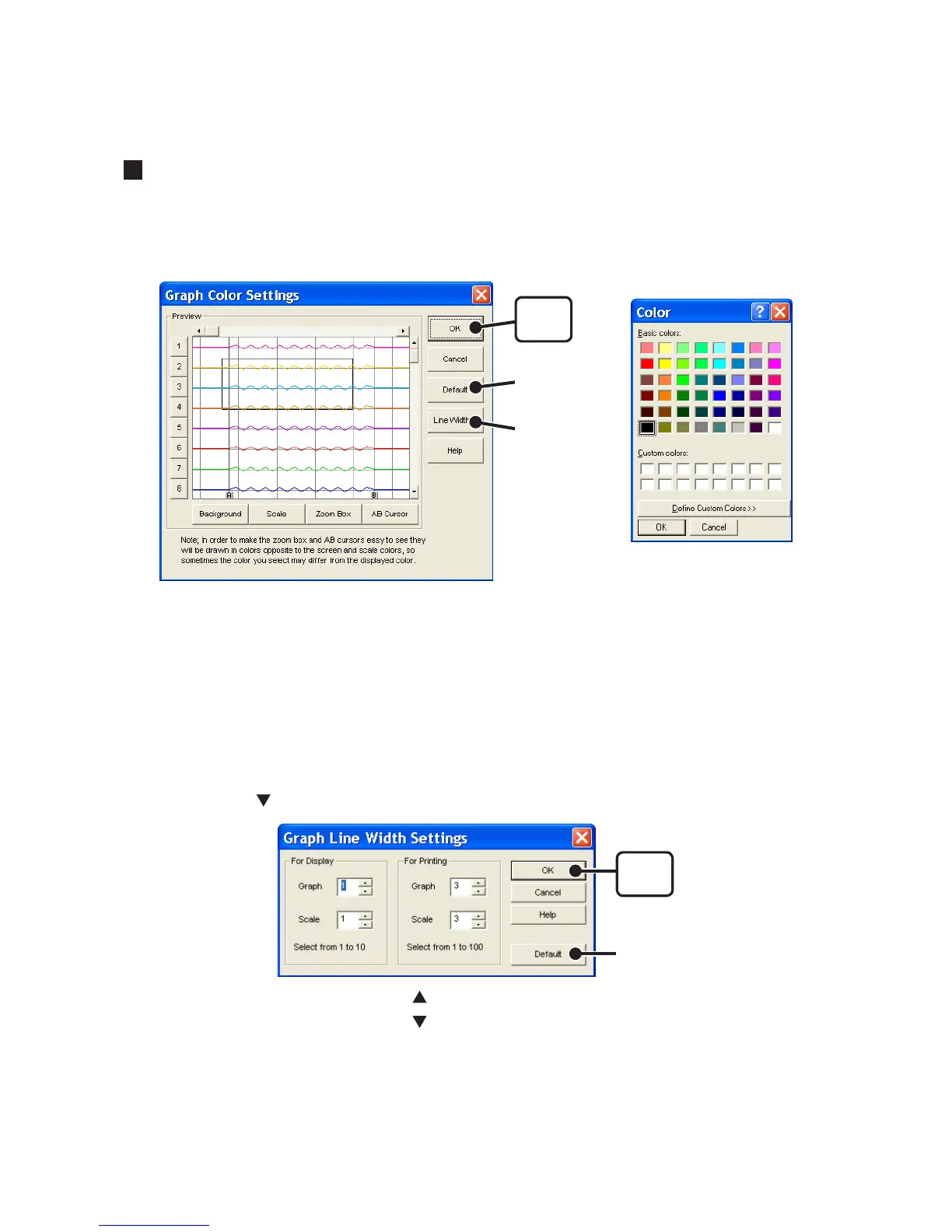
Change Graph Colors : [Tools] Menu
1. Click the channel number of which you wish to change the color.
You can change the colors of the channel name, graph background, the scale
lines, the enlarged box area, and the AB cursors.
[Default]
button
[Line Width...]
button
[OK]
button
Color Sample
2. Choose the color you want and click the [OK] button.
3. After confirming the color, by clicking the [OK] button the change will be
completed.
By clicking the [Default] button, you will return to the color settings when the software
was opened.
Line Width Settings
Change the width of the data lines and the scale lines.
1. Click on the [ ] button to change the width of the graph / scale lines.
[Default]
button
[OK]
button
Every time you click on , the numerical value gets larger.
Every time you click on
, the numerical value gets smaller.
2. Click the [OK] button to complete the changes.
By clicking the [Default] button, you will return to the color settings when the software
was opened.



 To Next Page