22
Getting the TR-71W / 72W Ready to Use
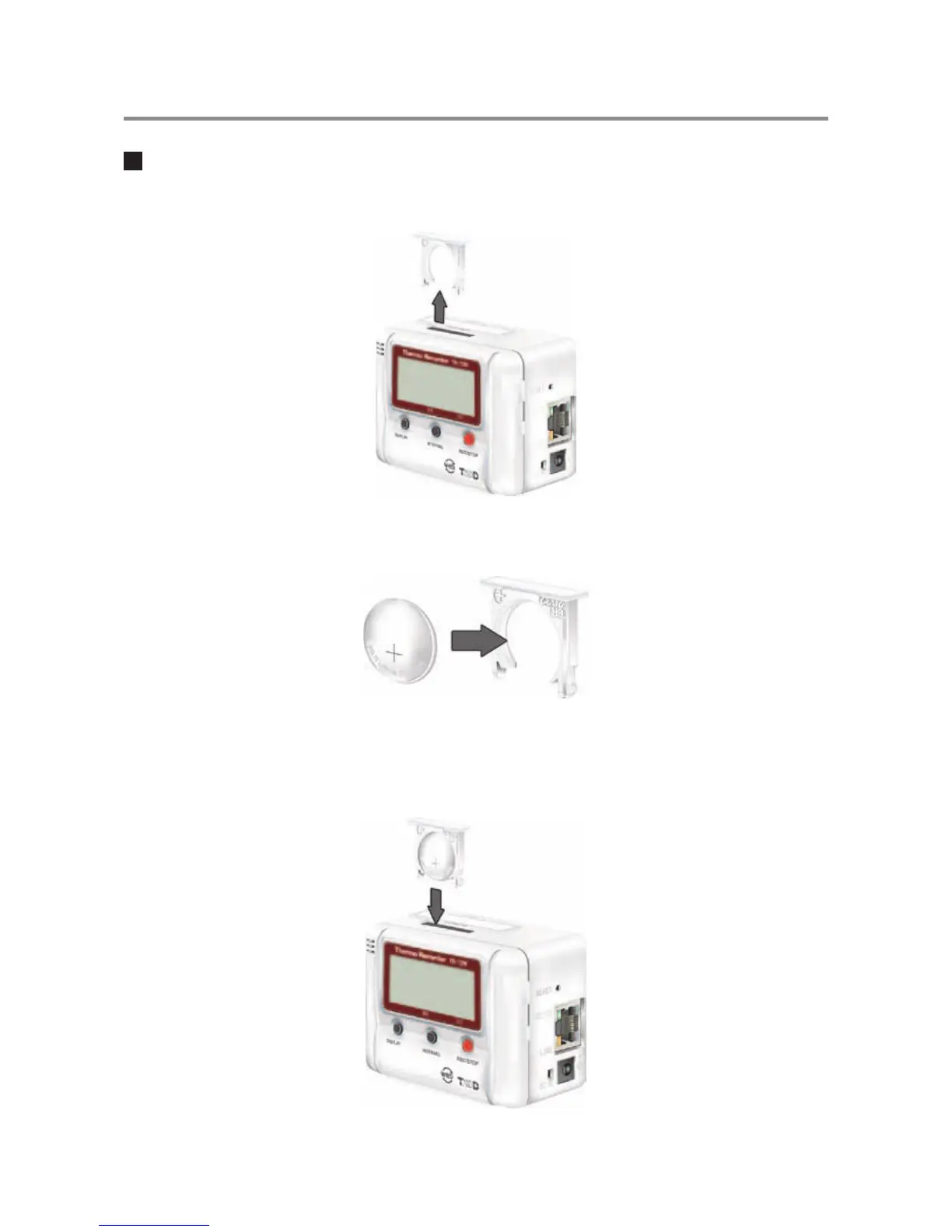
Installing the Backup Battery
1.Pull out the battery case.
2.Insert the battery into the case making sure not to mistake +/-.
Insert a new battery into the case.
3.Replace the battery case.
There are no POWER switches on the TR-71W/72W units. Once the battery is
reinserted, power will go on.



 To Next Page