80
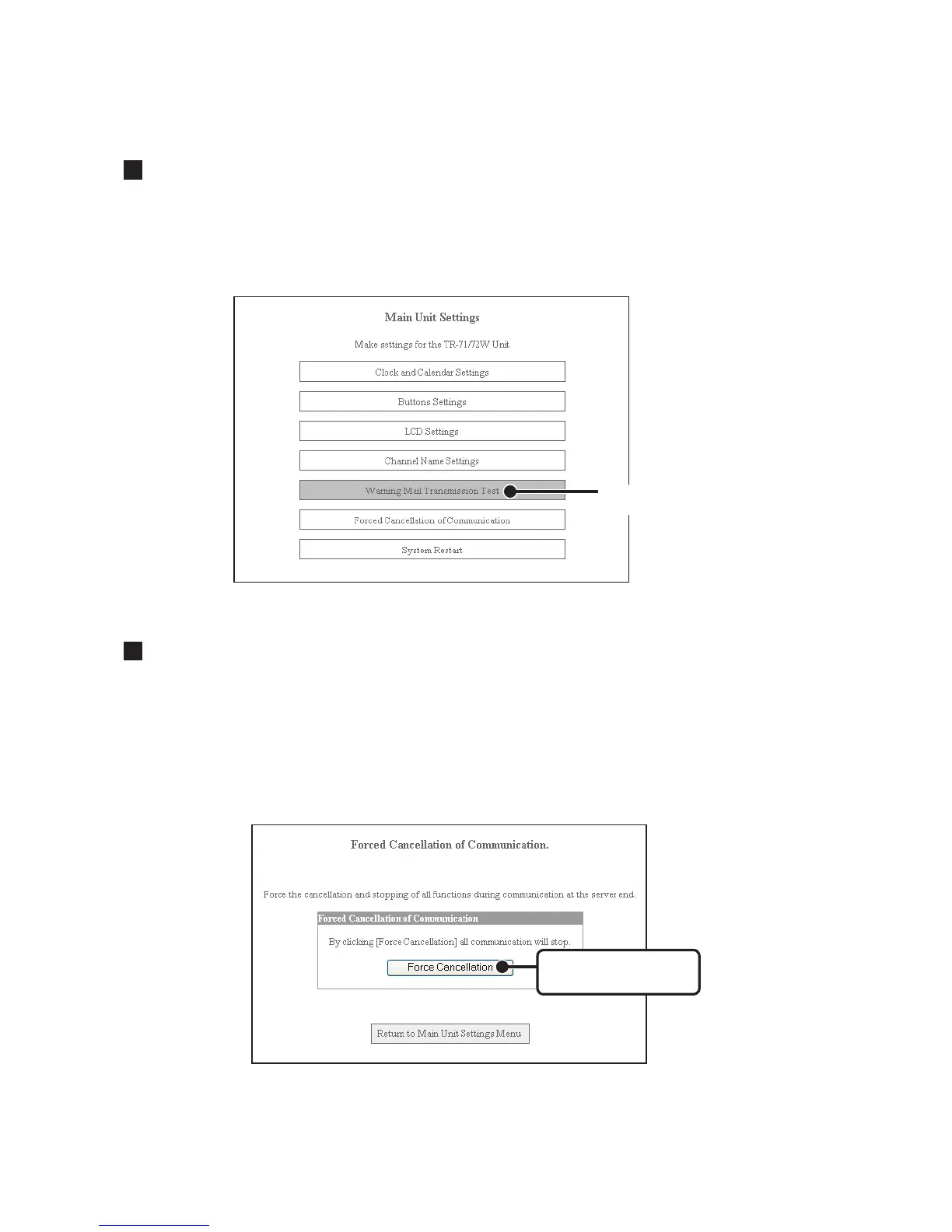
Warning Mail Transmission Test
From the TR-7W Settings Utility, it is possible to run a warning mail test to confirm that settings
have been made correctly.
1. By clicking [Warning Mail Transmission Test], a confirmation message will appear.
Warning Mail
Transmission Test
2. Click the [OK] button, and a test mail will be sent to the specified address.
Forced Cancellation of Communication
If, while communicating, the message [Another communication is in progress] continually
appears, it is possible to forcibly cancel and end communication. You should note that if another
computer is downloading data, the breaking of communication will result in a forced
cancellation of that downloading as well.
1. By clicking on the [Forced Cancellation] button, a confirmation message will appear.
[Forced Cancellation]
button
2. If it is OK, click the [OK] button to finish the cancellation and end communication.



 To Next Page