14
TR-71W / 72W Part Names and Functions
Logger Body
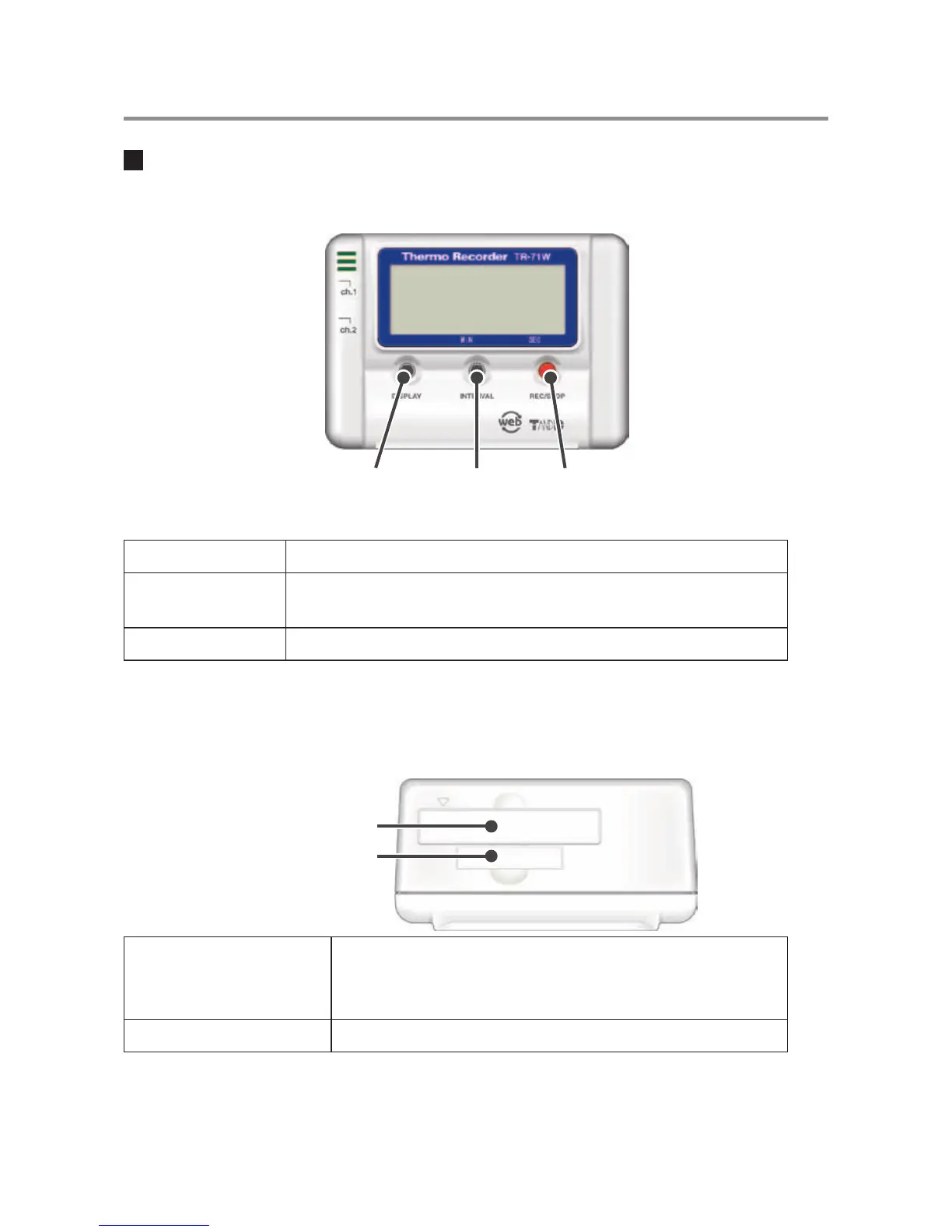
Front
DISPLAY
Button
INTERVAL
Button
REC/STOP
Button
DISPLAY Button Pressing this button will change the LCD display mode.
INTERVAL Button
By pressing this button you can check or change the currently set
recording interval.
REC/STOP Button By pressing this button you can start or stop recording.
* If you have deactivated the buttons in the Web Viewer [Button Operation Settings], the buttons
will not function even if pressed.
Top
CF Interface Slot
Battery Case
CF Interface Slot
Insert a Wireless LAN Card. *1
NOTE:
Do not insert anything other than a communication card.
Battery Case Insert the backup battery.
*1 For a list of LAN cards that have been proven compatible, please see our Homepage for updates.



 To Next Page