44
Recording Settings
1. Open the Web Viewer for the TR-7W you wish to make settings for.
See page 41 for more details about the display.
2. Under "Administrator Tools" select "Recording Settings".
To open Administrator Tools, the proper Login ID and Password are needed.
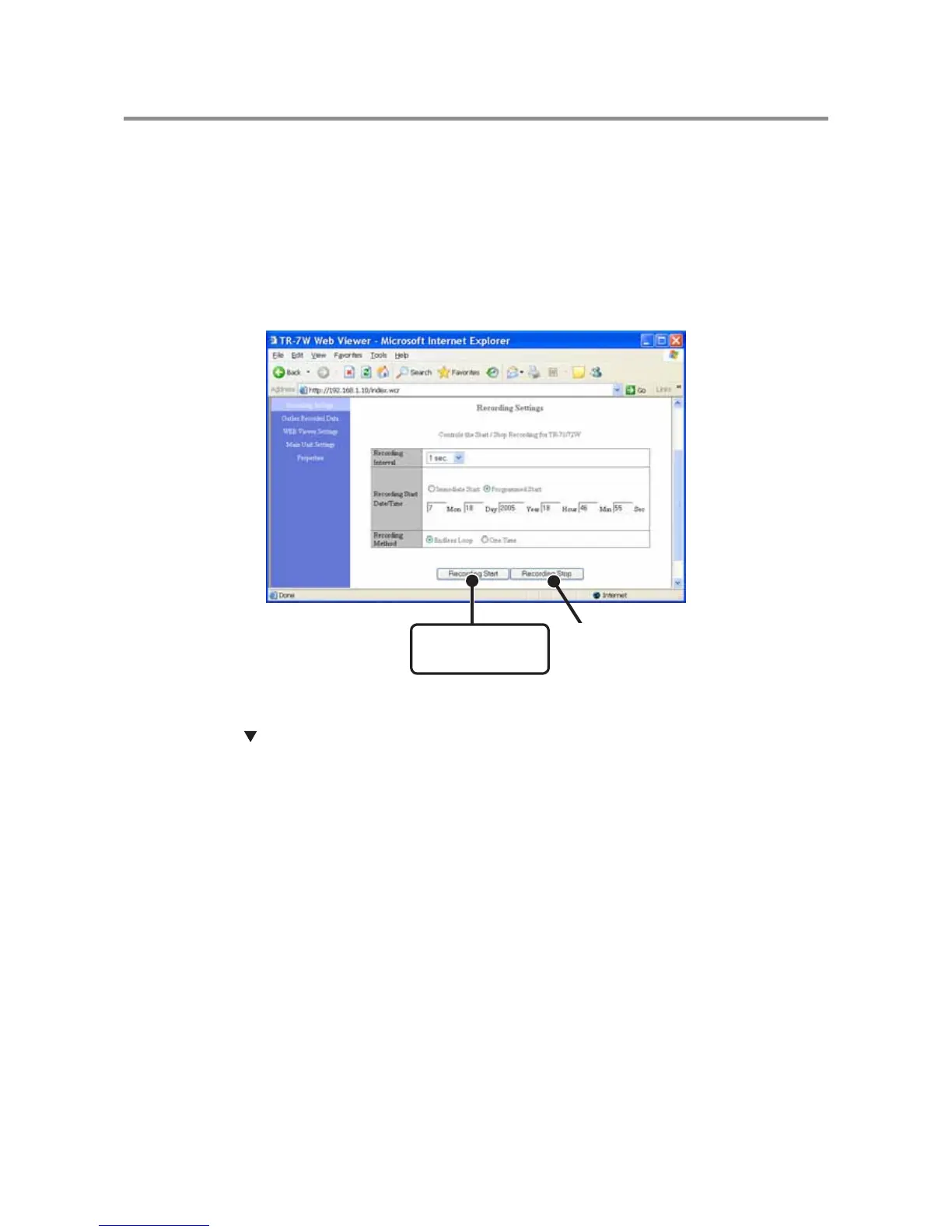
3. Setting the Recording Conditions.
[Recording Start]
button
[Recording Stop]
button
Recording Interval
Select from : 1,2,5,10,15,20,30 seconds, or 1,2,5,10,15,20,30,60 minutes
Click the [ ] button to select an interval from the list.
Recording Start Date / Time
Select from : Immediate Start / Programmed Start>
Immediate Start-------- Recording will start after the [Recording Start] has been clicked.
Programmed Start ---- Recording will begin on the set date and time.
Recording Method
Select from : Endless Loop / One Time
Endless Loop------------ Upon reaching capacity of 8,000 readings, the oldest data is overwritten
and recording continues.
One Time------------------ Upon reaching capacity of 8,000 readings, "FULL"will appear on the LCD
display and recording will automatically stop.
4. Click the [Recording Start] button to send the recording condition
settings to the logger and complete the set-up.
[Recording Stop] button
Press to stop recording during a recording session.



 To Next Page