40
Returning the Network Settings
to the Factory Default Settings
If you have forgotten the IP address or the password you can easily return the
logger to the default factory settings.
* With the backup battery, the recorded data in the TR-7W will be saved as is.
* The "warning settings" and "get current reading settings" will also be saved as they are.
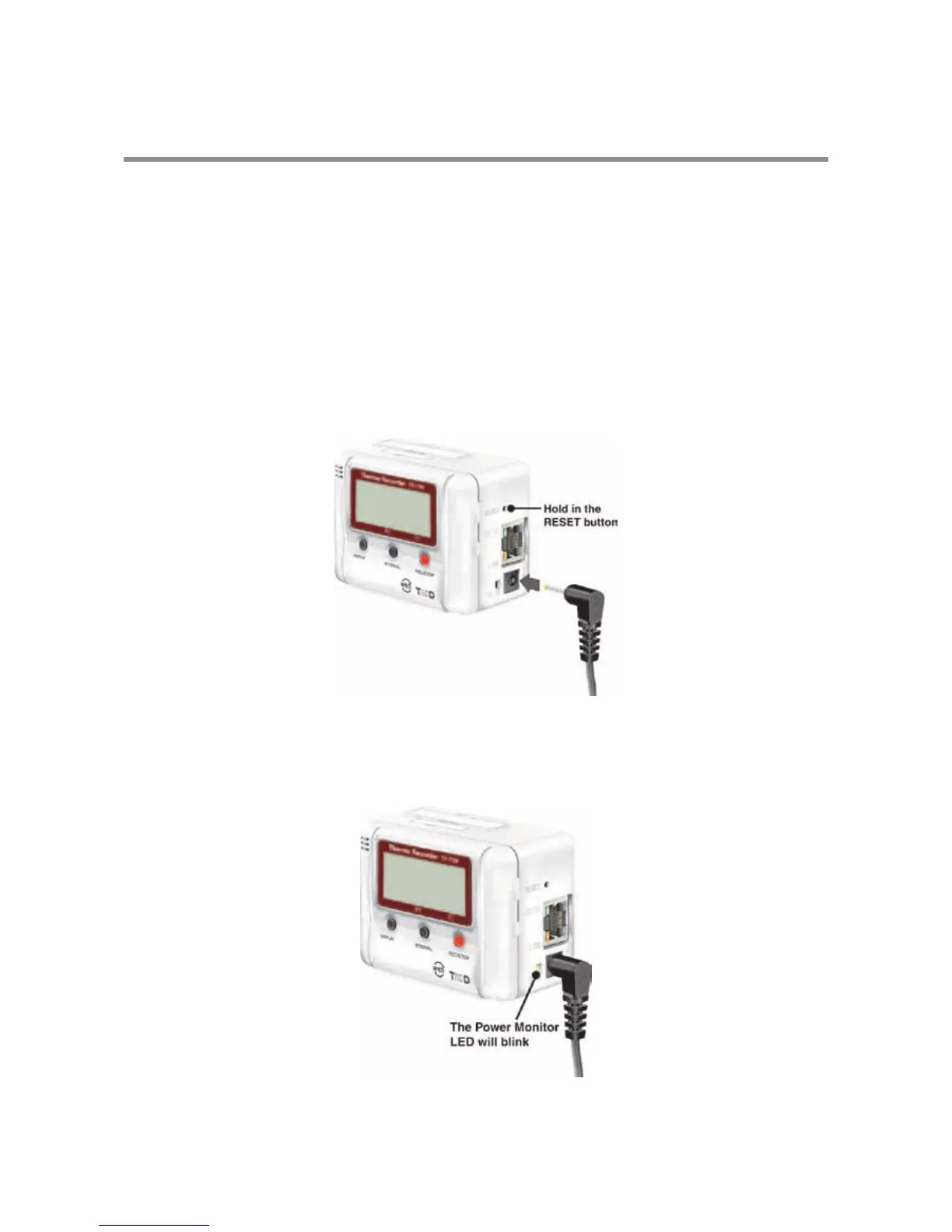
1. Pull out the AC adaptor plug from the TR-7W logger.
2. Press in the [RESET] button on the TR-7W logger with a sharp
object and while pressing in, reconnect the AC adaptor.
3. When the [Power Monitor LED] on the TR-7W logger starts
blinking, release the [RESET] button and the unit will have been
returned to the factory default settings.



 To Next Page