79
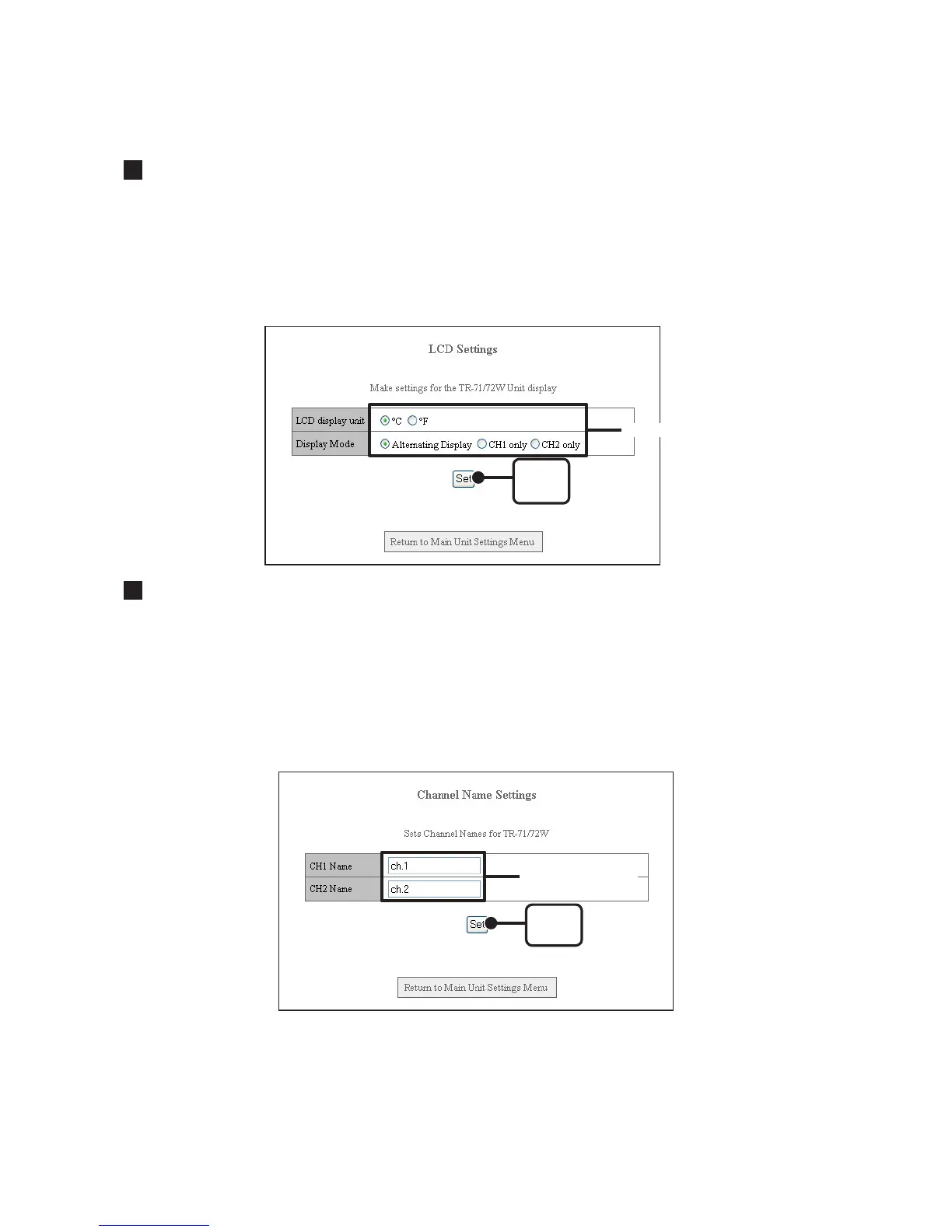
LCD Settings
Make settings here for the TR-7W logger LCD display, including whether to view in °C or °F
and how to display i.e. View Ch 1 only / View Ch 2 only / View both channels alternately.
1. Click the topic you wish to change.
2. Click the [Set] button to finish.
[Set]
button
Click here
Channel Name Settings
You can make settings for the channel name that will be displayed with the downloaded data
and in the Temp / Humidity Graph.
1. Enter a Channel Name.
The name cannot exceed 16 characters.
2. Click the [Set] button to finish.
[Set]
button
Enter Channel
Names



 To Next Page