37
Detailed Network Settings
Make more detailed network settings for the TR-7W here.
* Before making any settings here, please set the TR-7W with the proper IP address.
Sending the Settings
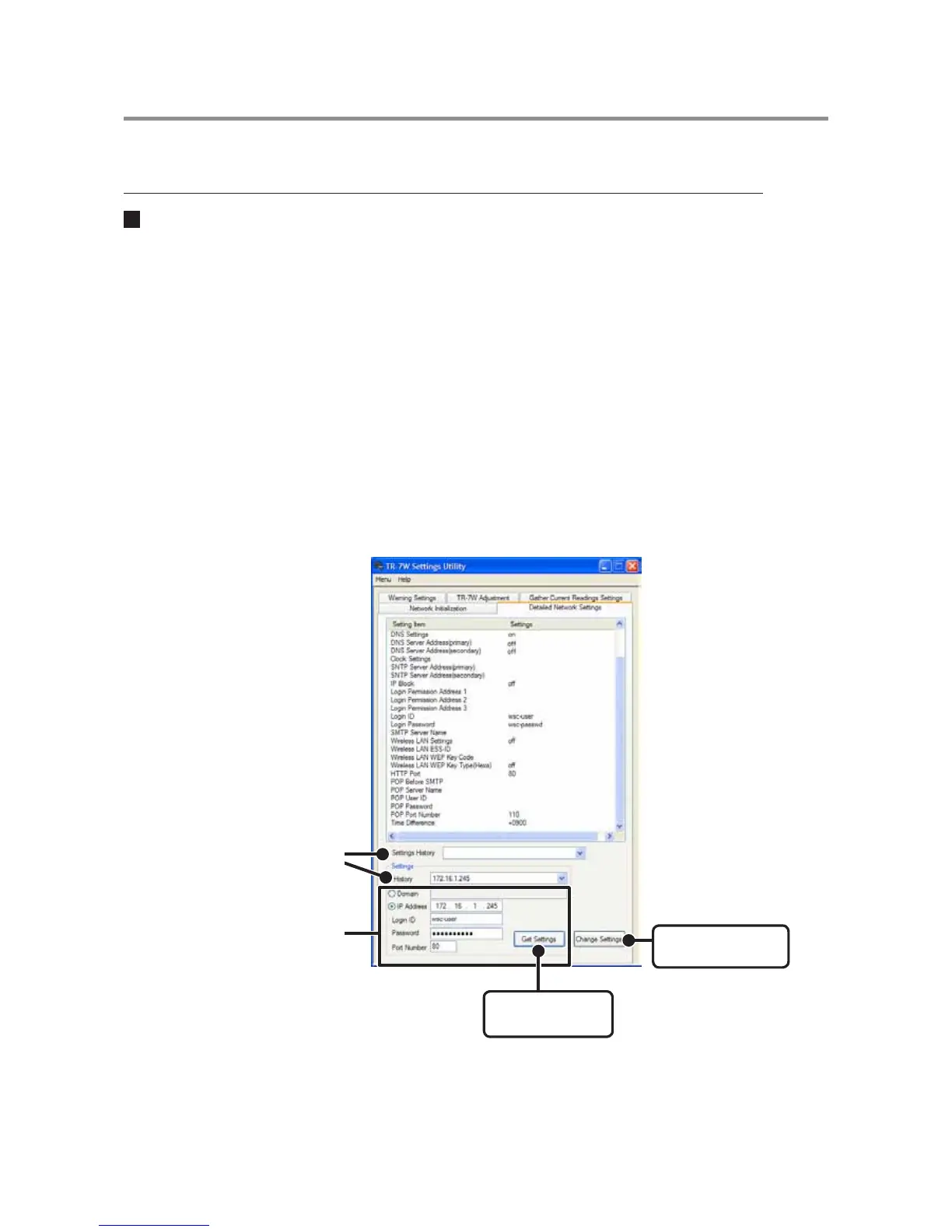
1. Click the [Detailed Network Settings] Tab.
2. In the [Get Settings] Area, enter the information for the TR-7W you
wish to make settings for and click the [Get Settings] button. The
current settings will appear.
A list that shows all of the IP addresses and domain names with which successful
communication has occurred until now will appear in the [Settings History].
If you select an IP address or domain name here, the Login ID, Password and Port
Number will be entered automatically.
- Note that if you have turned [OFF] the [Login History] in the [Menu] or if you have deleted the Login
history by having clicked [Clear Login History] the Settings History will not appear.
[
Change Settings
]
button
Enter info of the TR-7W you
wish to make settings for
[
Get Settings
]
button
"Settings History"



 To Next Page