23
Battery Functions
Under normal conditions the AC adaptor should be used for measuring and recording data, but
if there is a power shortage or the AC adaptor cable becomes unusable, the backup battery
can be used for measuring and recording.
NOTE:
- Communication cannot occur with only the backup battery.
- If no battery has been installed and the AC adaptor power cannot be used, all data will be lost. So,
please be very careful.
Replacing the Battery
When the battery power becomes low, a mark will appear on the LCD of the main unit. If the
battery is not changed and all power is lost, the saved data will also be lost. Please change the
battery as soon as the Battery Warning Mark appears.
NOTE:
- Battery performance deteriorates by natural discharge and corrosion. We suggest changing batteries
somewhere between one and two years use.
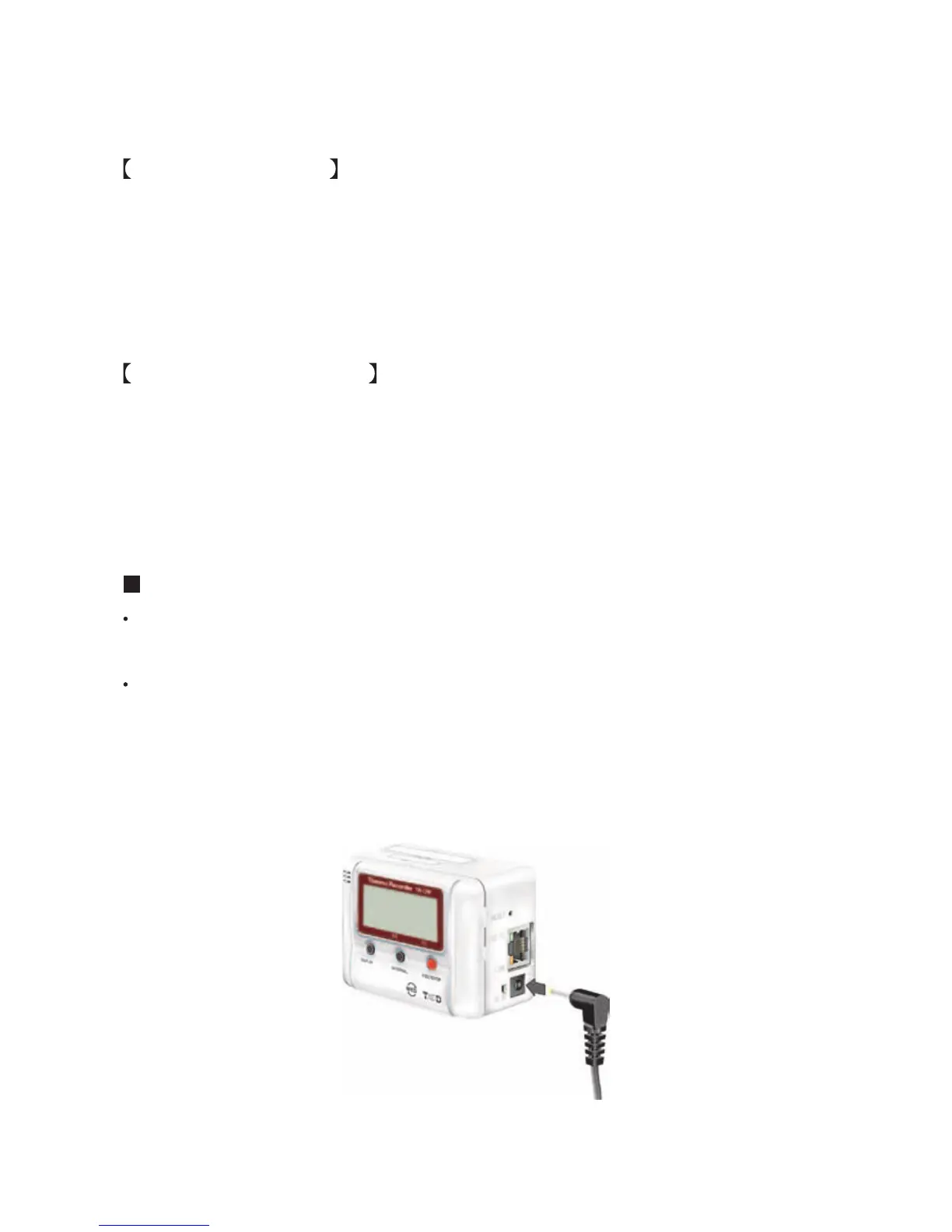
Connecting the AC Adaptor
Please make sure to use the proper AC adaptor for your local voltage. The AD-0605 AC
adaptor has an input range of 100 to 120V, the AD-05C1 AC adaptor has a range of 100 to
240V.
To ensure a proper connection make sure that the plug is completely inserted.
NOTE:
- Do not use an AC adaptor other than the one that is supplied with the product. Doing so may cause fire
or other trouble.
- Insert the AC adaptor plug into the socket. Inserting the plug into a socket with different voltage may
cause fire or other trouble.
- Do not insert or pull out the AC adaptor plug with wet hands or if there are water drops on the plug; it
may cause electrocution.



 To Next Page