51
Making Changes to the Graph Display
Changing Colors of Data Display Area : [View] Menu
You can change the letters used in the data list display for each channel between
monochrome and channel color.
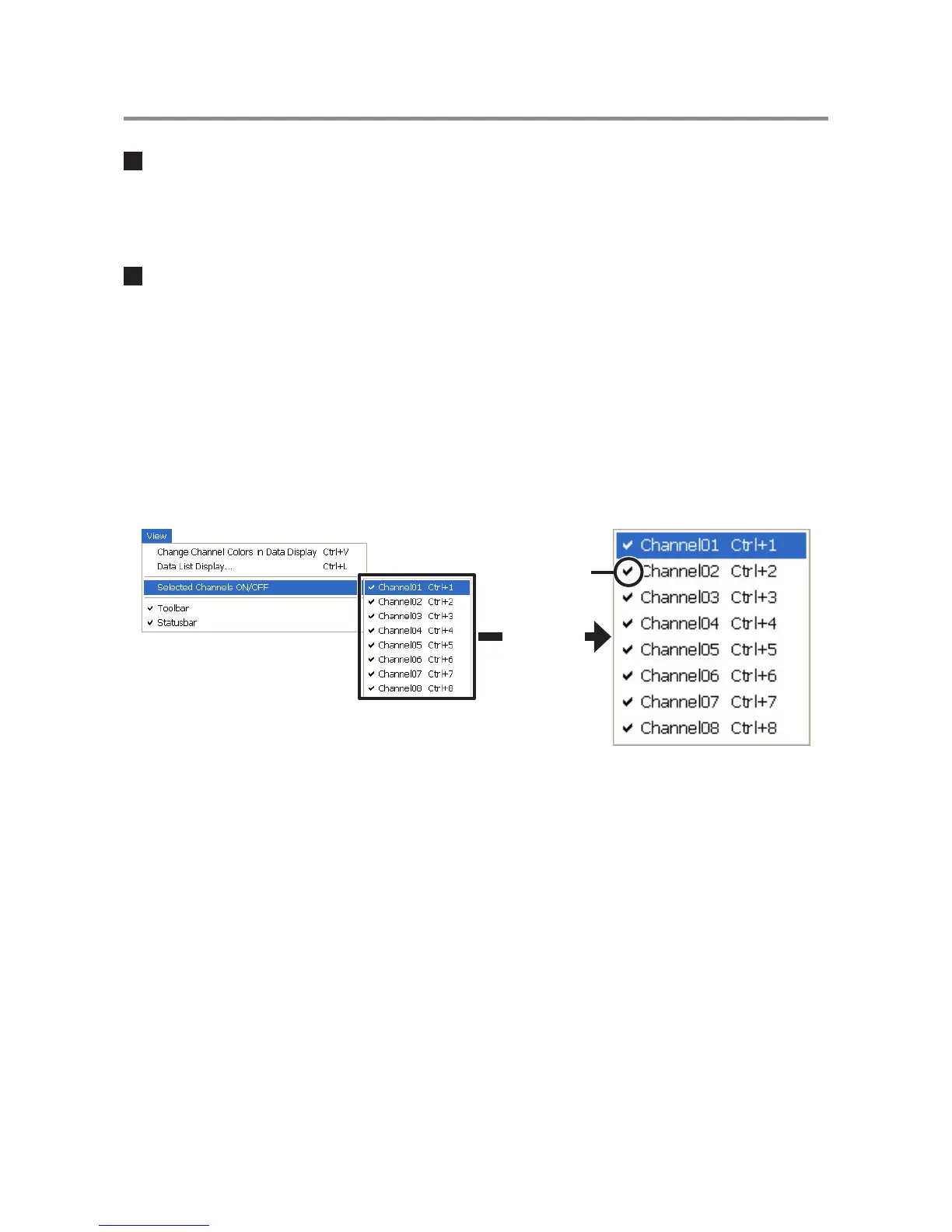
Viewing and Hiding Channels in Graph : [View] Menu
You can choose to view only the selected channels in the Graph.
1. By moving the mouse to [Selected Channels ON / OFF], the channel numbers are
displayed.
2. Click the channel number to remove or place a check mark. Only those channels with a
check mark next to the number will be displayed in the Graph.
The same operation can be done by clicking on the channel number icons in the
Toolbar.
Enlarged
Check mark



 To Next Page