59
Saving Recorded Data
If you have edited any graph displayed data we suggest that you save it as
you see necessary.
3 Ways to Save Files.
In the [File] Menu, select [Overwrite All Data]
Will save any changes to file without changing File Name and Saving Location.
The same operation can be carried out from [Save] in the Toolbar.
In the [File] Menu, select [Save All Data as...]
Save with a new File Name.
In the [File] Menu, select [Save Displayed Data]
Save only that data in the current display.
This is handy when you wish to save only the desired data.
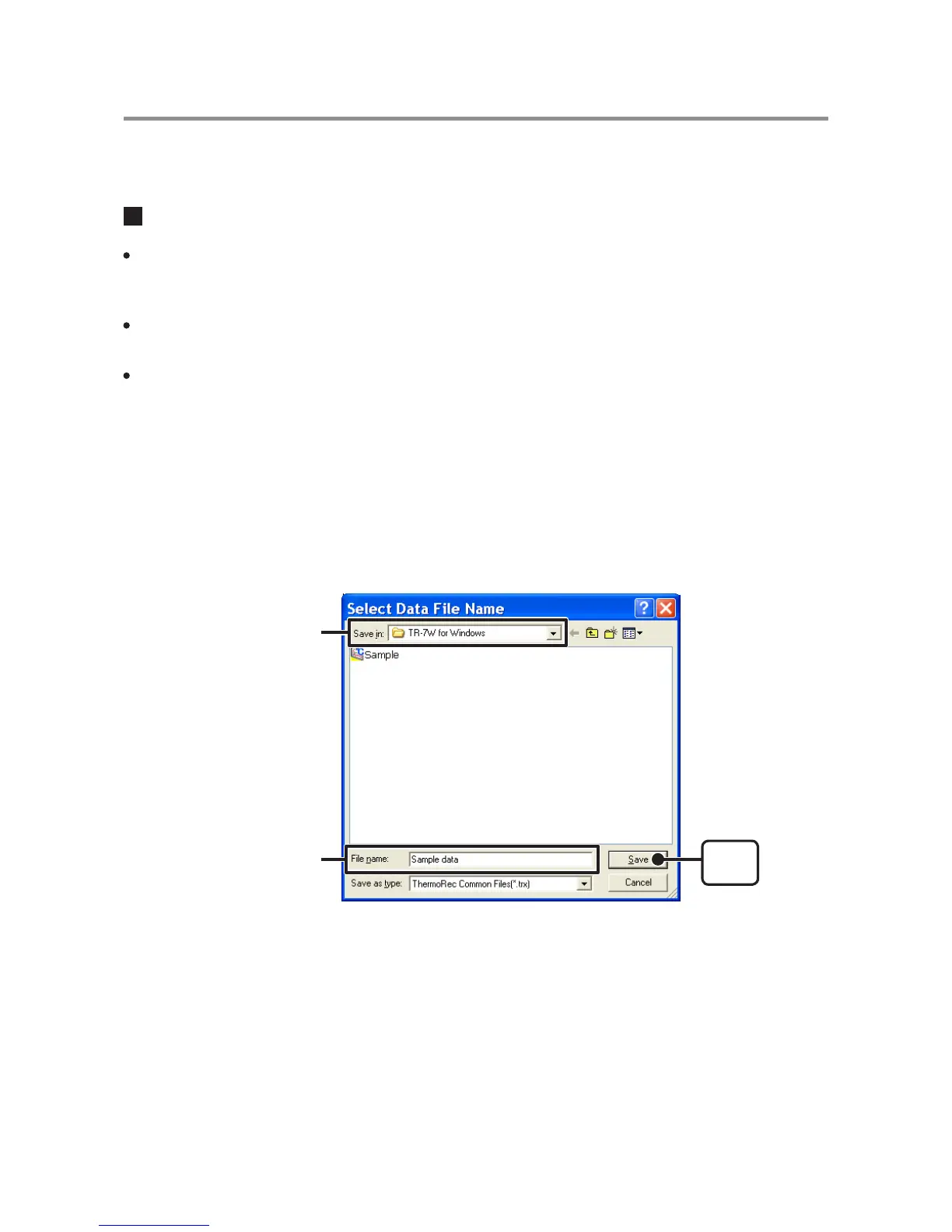
EX: [Save All Data as...]
1. Click [Save All Data as...] in the [File] Menu.
2. Specify the [Location] and enter a [File Name].
[Save]
button
Assign a Location
Enter File name
3. Click [Save] to complete the saving process.



 To Next Page