25
Handling the Temperature / Humidity Sensor
The temperature/humidity sensor should probably be changed after a period of about one
year. After removing the sensor from its package, please change the temperature/humidity
sensor after one year’s usage. During use the temperature/humidity sensor will accumulate
impurities (dirt) on the surface of the sensor causing the sensor's accuracy and sensitivity to
decrease. If the sensor is being used in a bad environment (smoky or dusty places) it may be
necessary to change the sensor sooner.
When the temperature/humidity sensor is not being used, please place it in the attached vinyl
bag with the drying agent included and store it in a cool dark place with a temperature of
between 5 to 25 °C and a humidity of below 30%RH.
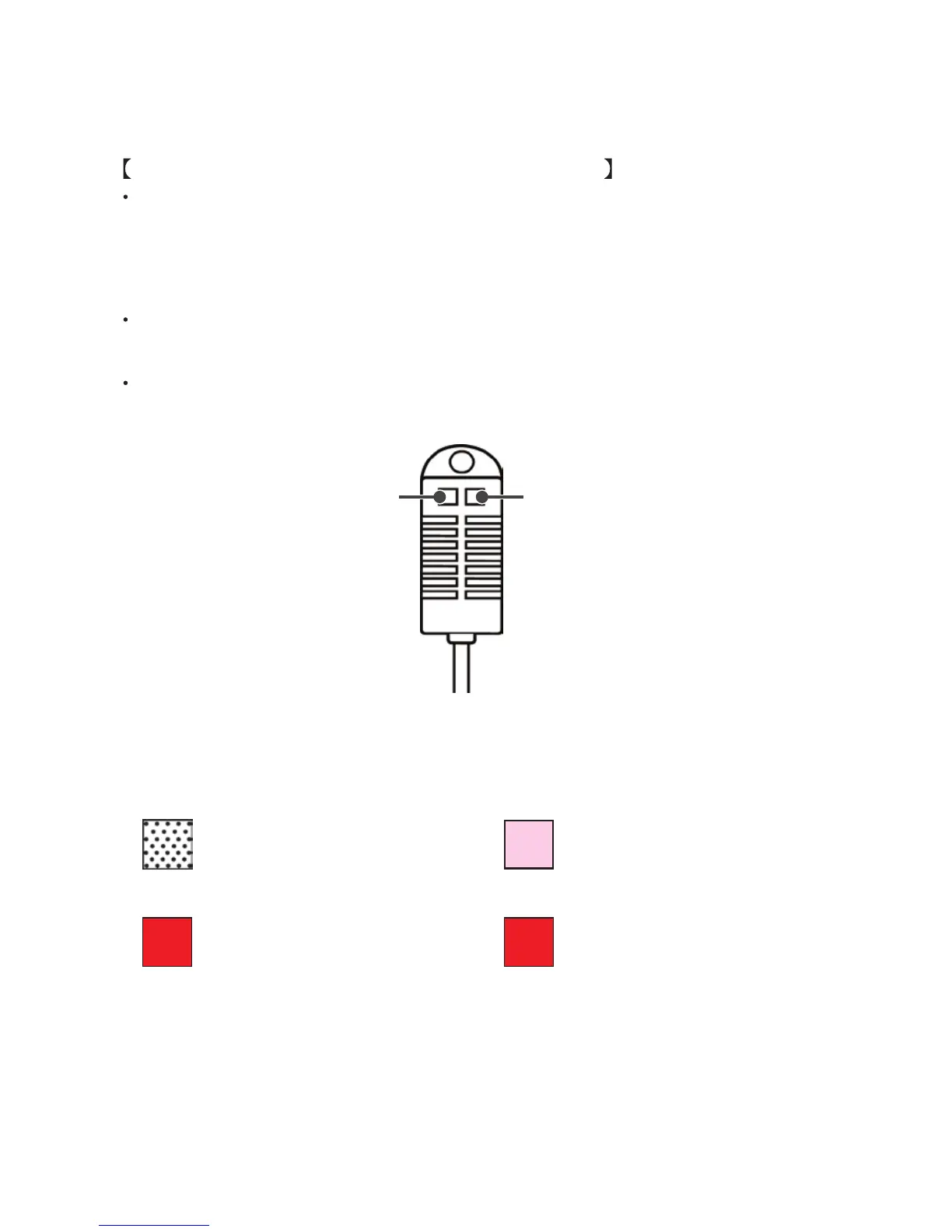
Attached to the temperature/humidity sensor are two stickers: a wetness detection sticker and
a temperature detection sticker. If either of the stickers shows abnormality, you should change
the old sensor to a new one immediately.
Wetness Detection
Sticker
Temperature Detection
Sticker
Wetness Detection Sticker
Informs you that the sensor has been
wet.
Temperature Detection Sticker
Informs you that the sensor measured a
temperature measurement over 60°C.
Normal
Under normal conditions, black
dots will appear on a white
background.
60
Normal
Under normal conditions, the
number "60" will lightly appear on
a pinkish white background.
Abnormal
Under abnormal conditions, the
background will turn to red.
60
Abnormal
Under abnormal conditions, the
number "60" will clearly appear on
a red background.



 To Next Page