83
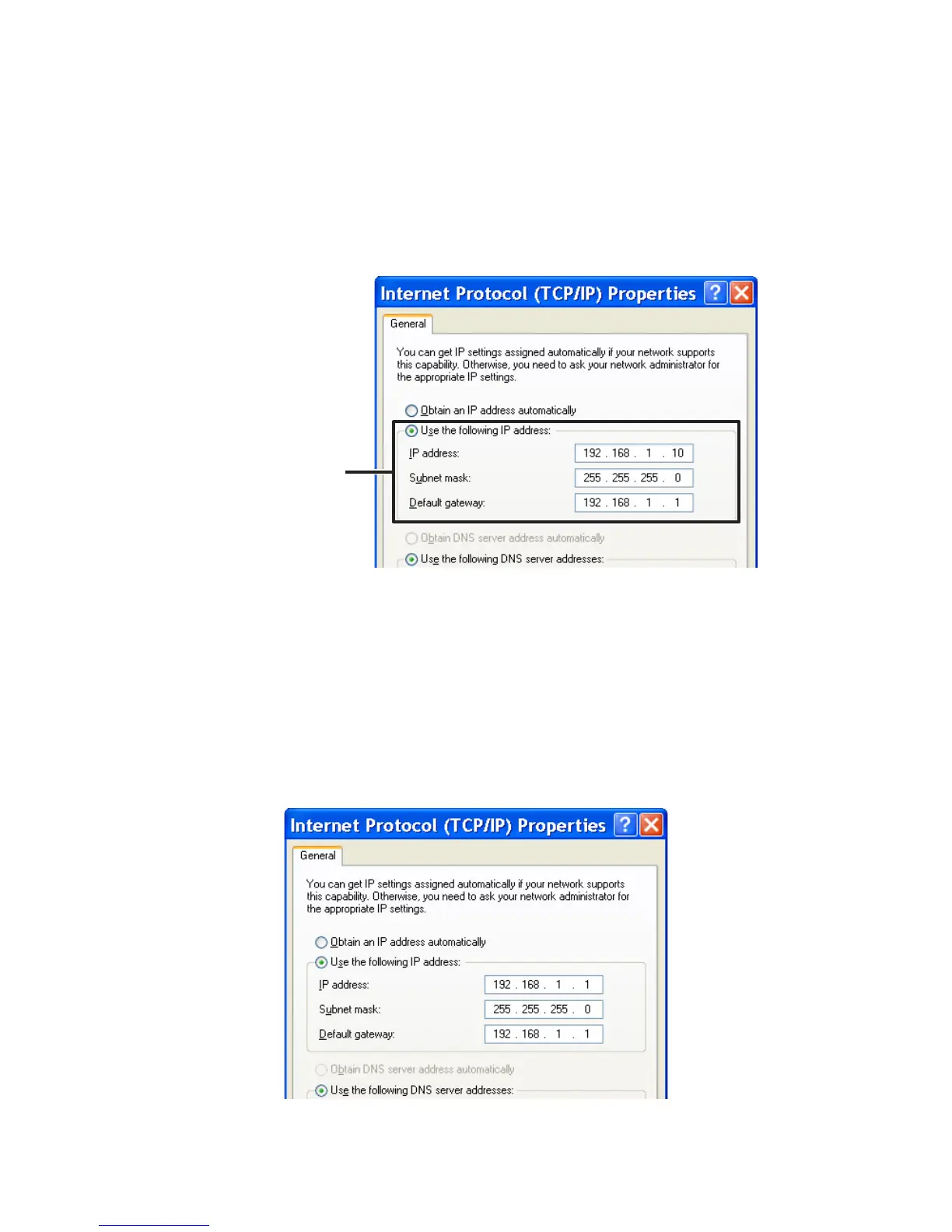
4. In the [Internet Protocol (TCP / IP) Properties] window, under [Use
the following IP address:] make sure that the IP address and
Subnet mask are correct.
Check the “IP address”
and “Subnet mask”.
5. Make sure to write down the following so that you can re-enter
the settings later: the currently set “IP address”, the “Subnet
mask”, “Default Gateway”, “Preferred DNS server”, and the
“Alternate DNS server”.
6. Enter "192.168.1.1" as the IP address and "255.255.255.0" as the
Subnet mask.



 To Next Page