4
8303460000 Rev A IA672-04-01-Rev. I
1. GENERAL INFORMATION
1.1. Introduction
The Local Area Network (LAN) option for the Genesys
TM
series power supply allows the
user to remotely program, measure and check status of the power supply. It uses an
Ethernet connection like those used to connect computers to each other and to the Internet
A computer’s web page browser may be used to operate the power supply through a built-
in web page server. For applications including factory and test automation, communication
may be done using several standard network protocols and instrument commands
Refer to the Genesys
TM
Technical Manual for information on installing the power supply,
safety requirements, specifications, connecting the power-in and out, operating the front
panel, using the serial (RS-232/485) programming and the analog (J1) programming
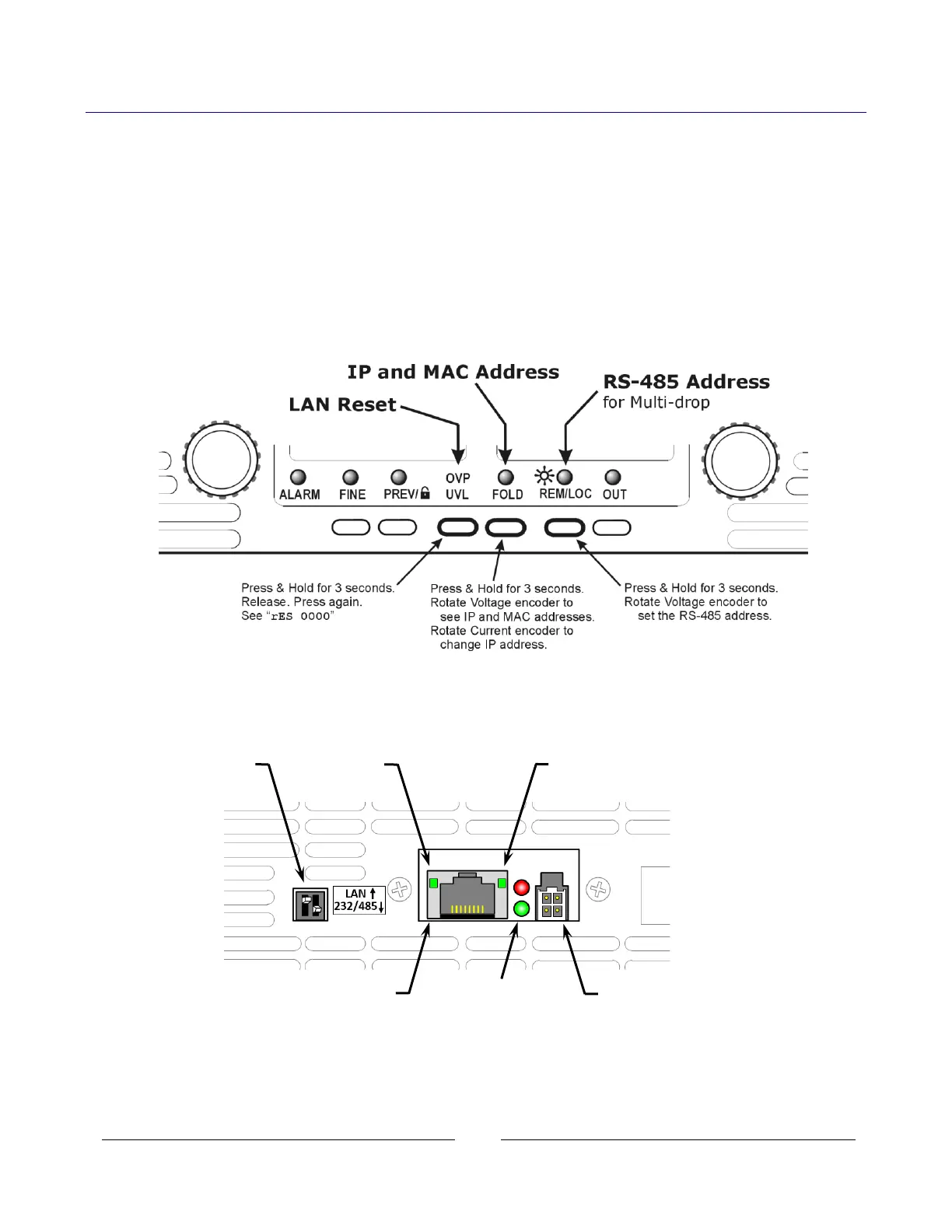
Figure 1. Front Panel LAN Features
Figure 2. Rear Panel LAN Features














 To Next Page