56
8303460000 Rev A IA672-04-01-Rev. I
12. RS-485 MULTI-DROP COMMANDS
12.1. Introduction
The Genesys™ power supply LAN option allows you to control up to 29 other supplies
which do not have the LAN option installed. All are controlled through one IP address from
the supply with the LAN option.
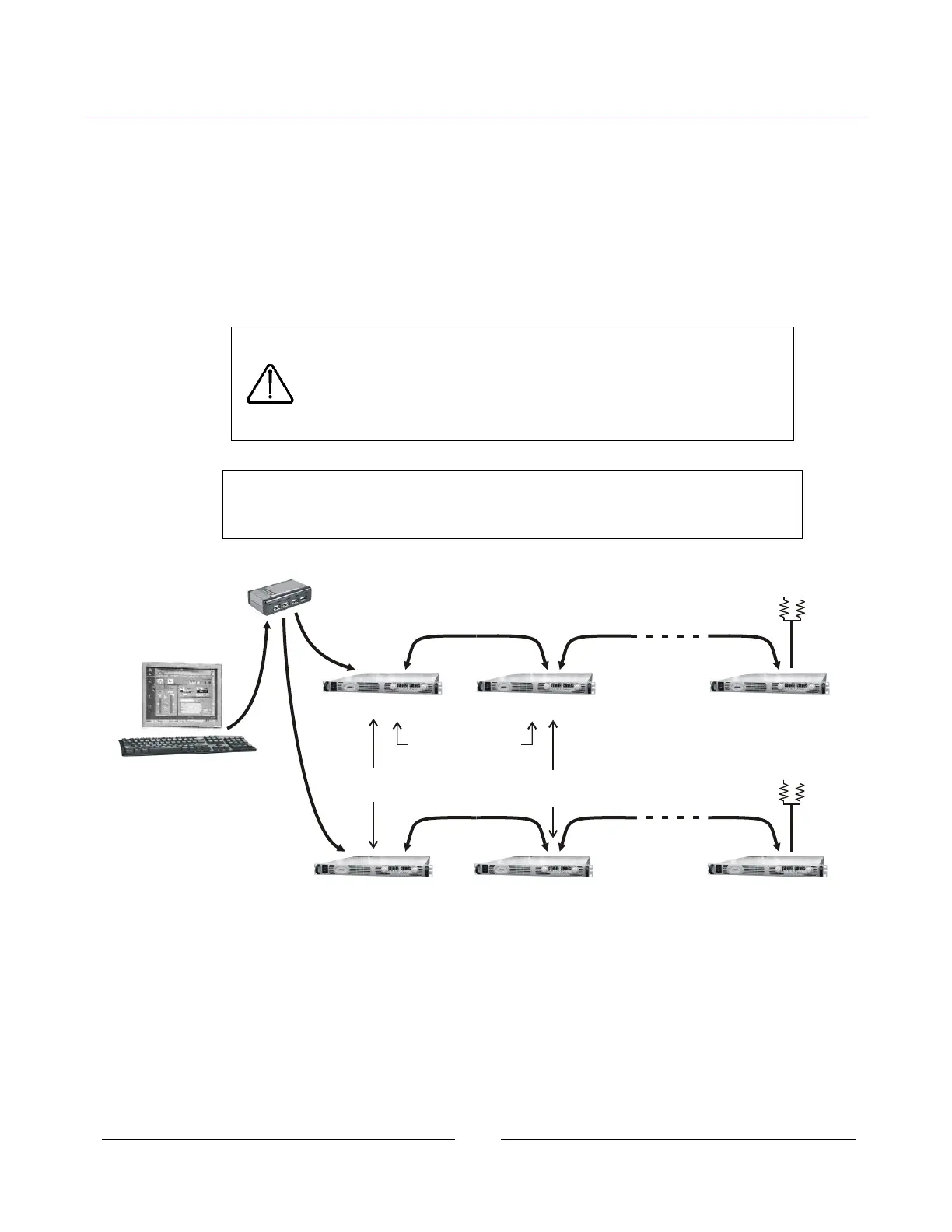
This is called the Multi-drop configuration. The Ethernet cable goes to the LAN supply. All
the other supplies are connected using a RS-485 Serial Link Cable between the J3-OUT to
J3-IN sockets. The multi-drop feature adds the ability to operate all the linked power
supplies with one global command.
CAUTION
When using multiple LAN controllers with Multi-drop.
Only one power supply may be “selected” at a time because
one controller may change the selected address and
the other may not be aware that a new address is active.
NOTE
The RS-485 power supplies must be Multi-drop enabled.
See section 12.3.1 below
Figure 8. Configuring a Multi-drop System of Supplies
Network
Server
Ethernet
Hub
CAT-5
Cables
RS-485
Link Cable
IP Addresses
must be different
RS-485 Addresses
must be different
RS-485 Addresses
may be the same
RS-485
Link Cable
LAN Option
MD Option
LAN Option
MD Option MD Option
MD Option
Up to 30 supplies
in one chain
Up to 30 supplies
in one chain
LAN
J3-OUT
J3-OUT J3-IN J3-OUT J3-IN
Optional RS-485
terminators
J3-OUT J3-IN J3-OUT J3-IN
J3-OUT
LAN














 To Next Page