11
Questions? Call 1-866-44-TDSTV or visit tdstv.com.
RESIDENTIAL GATEWAY
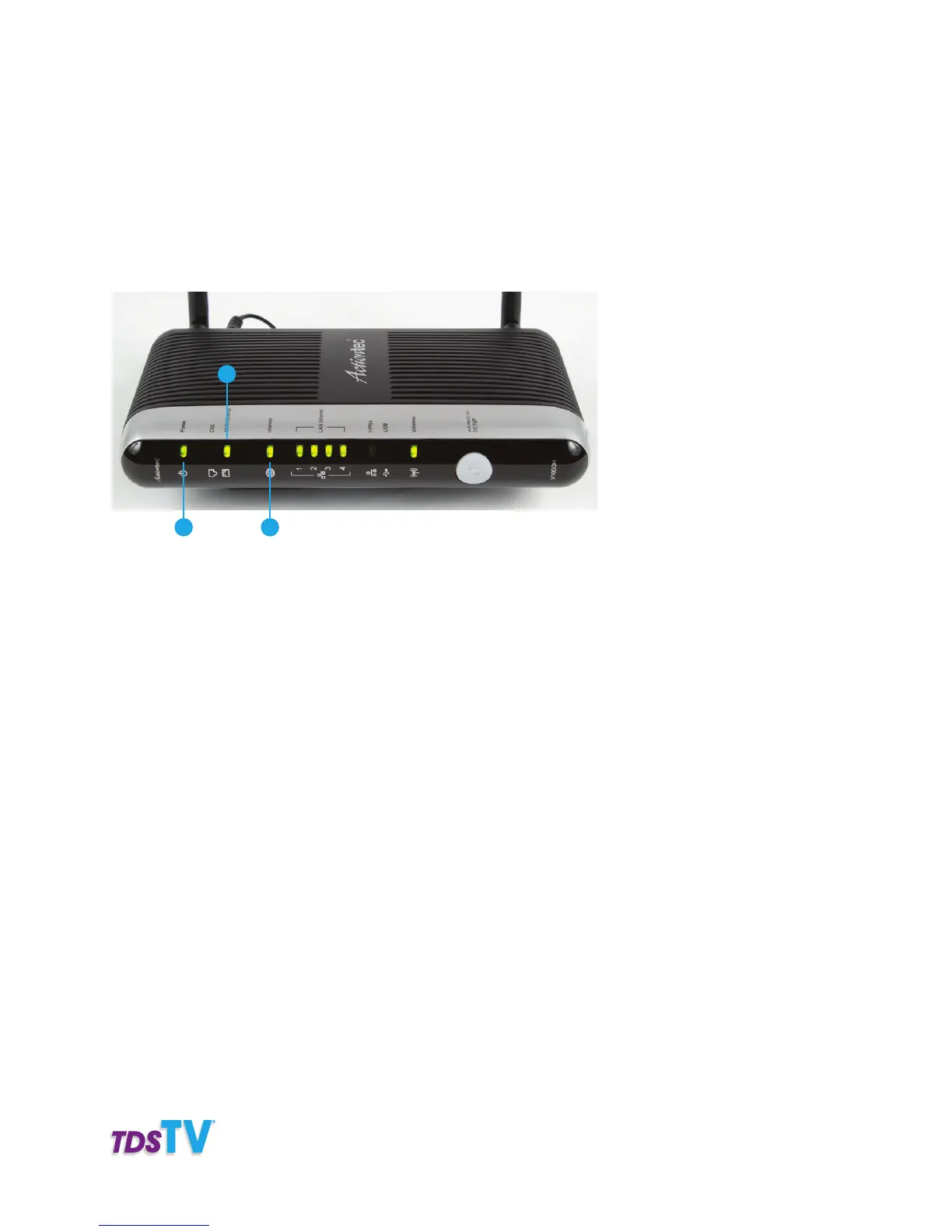
The Residential Gateway connects your home to the TDS network and delivers your TDS TV and Internet
service. For information on setting up the Residential Gateway, refer to the “Welcome to TDS Broadband”
brochure that was supplied with the gateway.
For directions on power cycling the gateway, refer to the Troubleshooting section of this user guide.
1. Power—Green light indicates the residential gateway is connected to a power source.
2. PON Indicator-WAN Ethernet–Green light indicates Ethernet connectivity.
3. Internet—Green light indicates Internet connectivity.
1
2
3
Model may vary, although functionality remains the same.



 To Next Page