44
Questions? Call 1-866-44-TDSTV or visit tdstv.com.
MANAGE AND SCHEDULE RECORDINGS
Record a show
Once you have installed the TDS Companion App and have paired it to your TV receivers, you can use
the app to schedule your recordings from anywhere you are located as long as you have an internet
connection.
What you need before you start:
• TDS Companion App installed on your device
• Your TDS Companion App must be paired to the TV receivers
Follow these easy steps for quick recording:
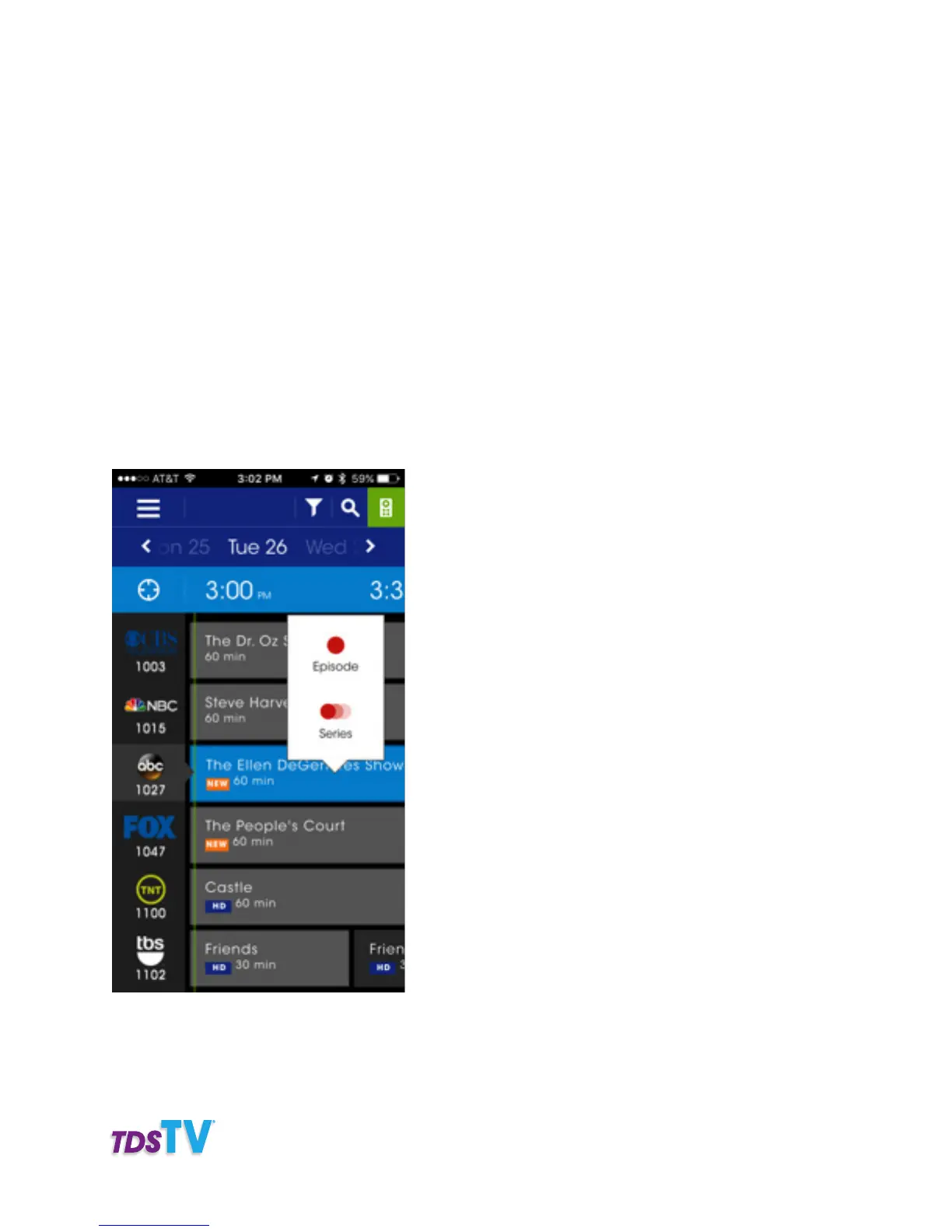
1. Touch and hold the program name to bring up the recording options.
2. Select EPISODE to record just that one episode or SERIES to record this program each time it is aired.
You can select more options for the recording by going inside the recordings section and managing
your recording preferences. Or you can also schedule a recording by taping on a program in the guide
and then tapping record in the program info screen



 To Next Page