42
Questions? Call 1-866-44-TDSTV or visit tdstv.com.
CREATE A FAVORITES LIST
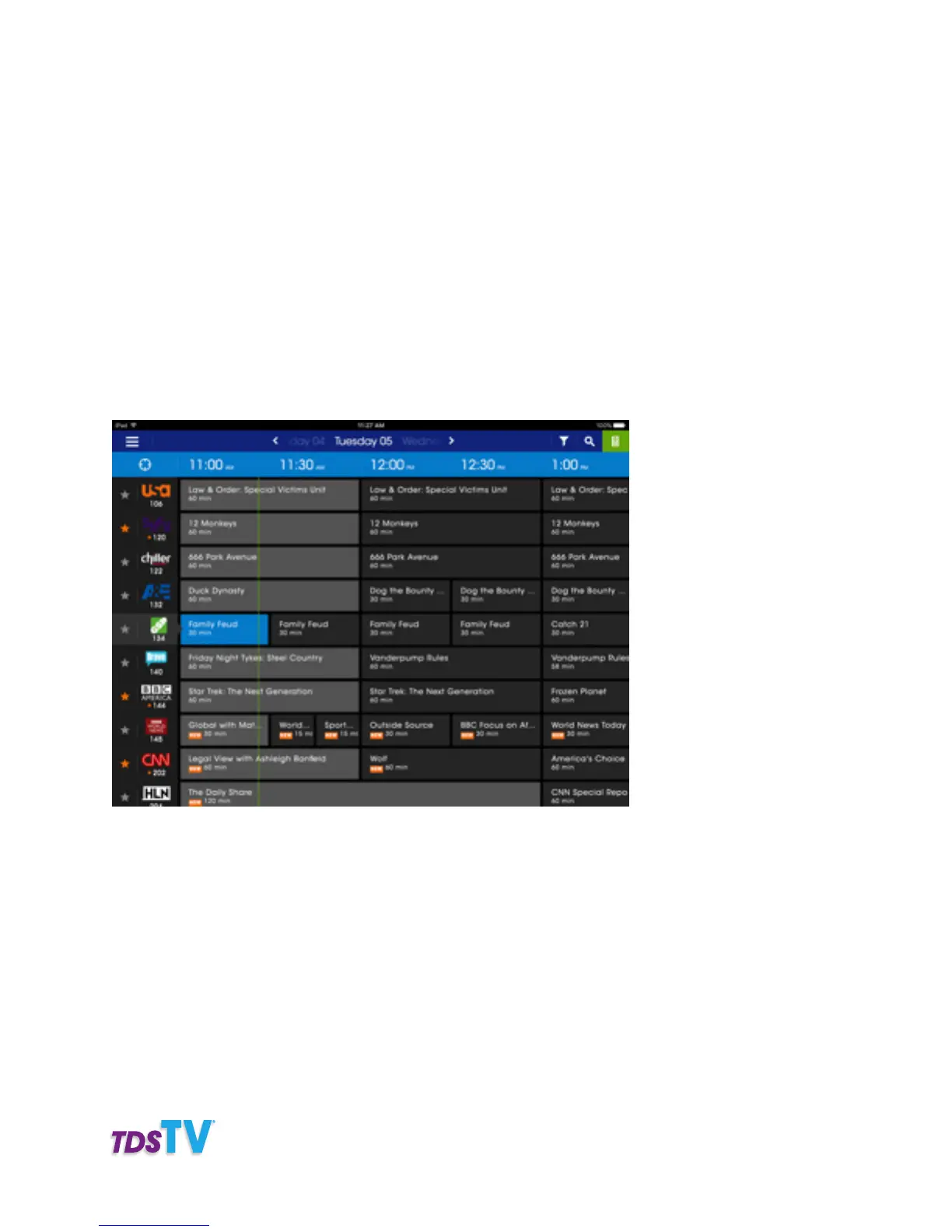
You can easily create a list of your favorite channels to display on your TDS Companion App. Simply
follow the steps below.
Note: the favorites will be saved on the device and will not be synched to your receiver or other devices.
1. Tap and swipe right on the CHANNEL BAR.
2. Tap on the STAR icon next to the channel logo.
3. The channel now appears in your favorites.
4. To filter the guide by your favorites, tap on FILTER.
5. Select FAVORITES under Channel Grid.
USE AS A REMOTE
Use the TDS Companion App to control my receiver. The TDS Companion App can be used to change
your channels, rewind, fast forward and most other remote options. While browsing the TV guide with
your TDS Companion App, simply tap on the channel logo to watch that channel. To use your TDS
Companion App Remote app as your remote, follow the steps below.
1. Open your TDS Companion App Remote app.
2. Tap on the REMOTE ICON (bottom right).
3. The remote functions appear. Use the buttons as you would normally on your remote.



 To Next Page